
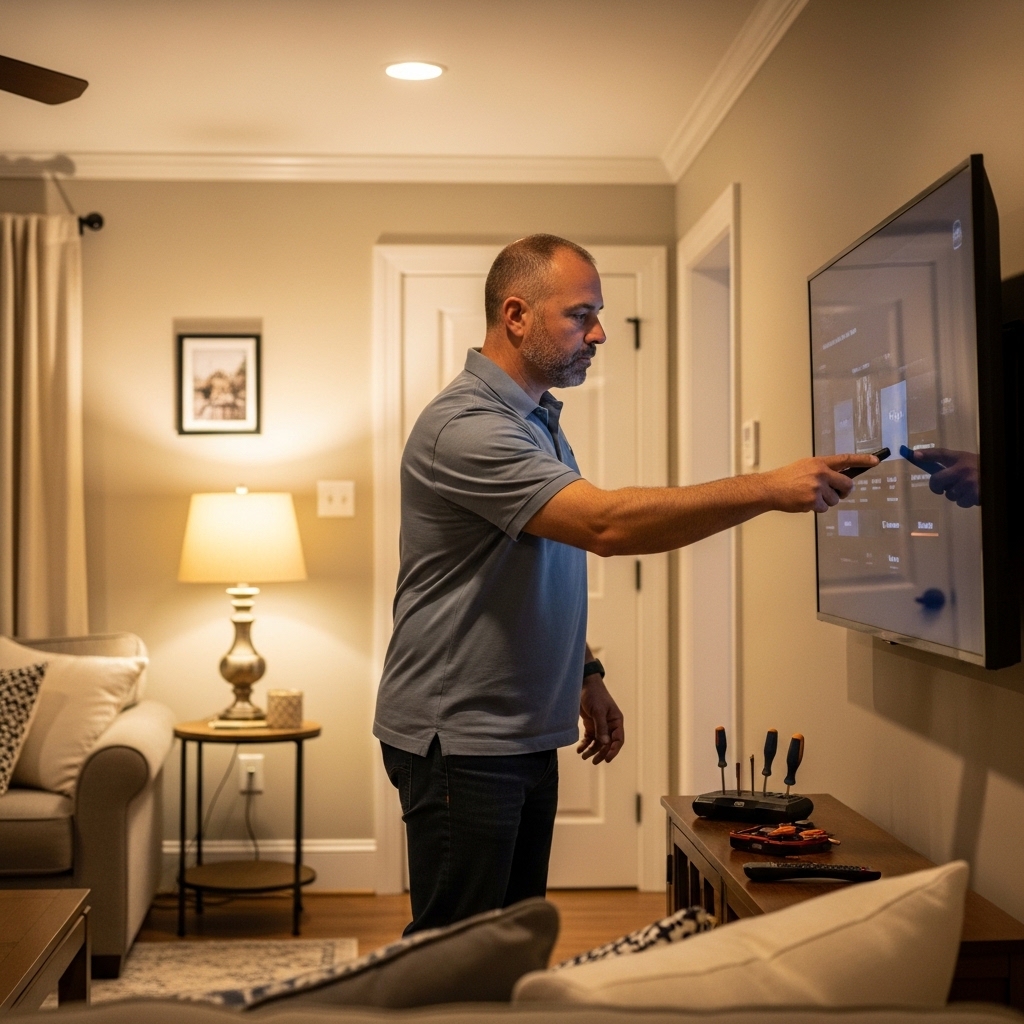

A screen can look cinematic from the sofa and overwhelming from a nearby chair, so room layout matters as much as the diagonal measurement. If you’re asking is 65 inch tv big enough, the practical answer depends mainly on how far you sit, what you watch, and whether the screen has a clear place in the room. A 65-inch television is a substantial living-room display, but it isn’t automatically the right size for every space.
Start with viewing distance, then consider picture resolution, seating positions, and the physical space available for a stand or wall installation. A larger screen can make films and sports feel more involving, while a compact room may call for a smaller display or a seating adjustment. For context on resolution and screen detail, see our plain-language guide to 4K UHD televisions, or compare the needs of an outdoor setup with our outdoor TV overview.
Top Products

Pros
- Mini-LED QLED panel offers excellent contrast and color accuracy for the price point, ideal for mixed-use living rooms.
- Roku platform provides the fastest app launches and the largest free channel lineup, including live local news and sports.
- Voice remote with lost remote finder and personal shortcuts simplifies daily use for families and tech enthusiasts.
- Built-in subwoofer enhances bass response for a more immersive movie and sports viewing experience without extra gear.
Cons
- Refresh rate is limited to 60Hz, so hardcore gamers seeking 120Hz VRR may want to consider a more gaming-focused TV.
- Peak brightness may be just adequate for bright, sunlit rooms; users with very bright windows might notice reflections.
- Limited to two HDMI ports according to specifications (though not explicitly listed), which could be tight for multi-device setups.
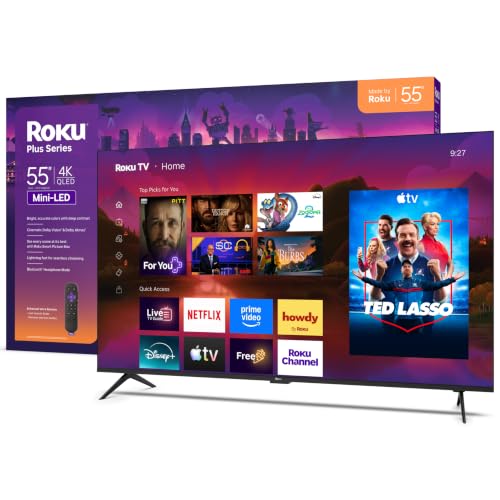
The Roku 65-inch Plus Series Mini-LED QLED TV represents a smart evolution of the Roku TV lineup, blending advanced backlight technology with the familiar ease of the Roku platform. This model is a 4K QLED television that uses Mini-LEDs to enhance contrast and brightness, making it a strong contender for homeowners, apartment renters, and families looking for a versatile everyday TV. It's particularly well-suited for cord-cutters who rely on streaming, as Roku offers hundreds of free channels alongside premium apps like Netflix, Hulu, and Disney+.
Picture quality is the star here. The Mini-LED backlight system allows for more precise local dimming than standard LED TVs, resulting in deeper black levels and less blooming around bright objects. Combined with the QLED layer, colors are rich and vibrant, and Dolby Vision HDR adds striking highlights that make movies and sports feel more dynamic. The AI-powered Roku Smart Picture Max automatically adjusts color and sharpness for different scenes, which means less need for manual calibration during a movie marathon or a Sunday afternoon football game.
For gamers, the 60Hz panel handles casual and mainstream titles well, with low input lag for responsive gameplay. However, it lacks HDMI 2.1 features like 120Hz VRR, so it's not optimized for competitive console gaming. But for family game nights, puzzle games, or streaming-based gaming services, it performs admirably. Sports fans will appreciate the good motion handling and the dedicated sports channels available through the Roku platform, along with live local news via the built-in antenna if you add one.
Sound quality is a pleasant surprise. The built-in subwoofer gives extra bass for explosions and music, while Dolby Atmos processing creates a wider soundstage. Dialogue remains clear even during quiet scenes, which is great for late-night viewing. For those who prefer private listening, Bluetooth headphone mode works seamlessly without waking others.
Setup is straightforward: attach the metal stand legs (or wall-mount using the VESA pattern), plug in, and connect to Wi-Fi. The Roku interface guides you through activation quickly. The enhanced voice remote features a lost remote finder button, personal shortcuts for favorite apps, and voice search across thousands of channels. It also works with Apple AirPlay for sharing from iPhones and iPads, and with Alexa or Google Assistant for hands-free control.
One realistic limitation is the TV's peak brightness. While fine for most living rooms, very bright rooms with direct sunlight may reduce perceived contrast. Also, the number of HDMI ports is limited (likely two), so users with multiple consoles, soundbars, and streaming sticks may need an HDMI switch. Nonetheless, for its price point, the Roku 65-inch Plus Series delivers a compelling combination of picture quality, smart features, and value. It's a solid choice for families, streamers, and anyone wanting a capable TV for daily entertainment without breaking the bank.
The picture quality of the Roku 65-inch Plus Series is driven by its Mini-LED backlight, which provides hundreds of dimming zones to improve contrast. This allows for deeper black levels in dark scenes, while QLED technology boosts color volume up to 90% of the DCI-P3 gamut. Dolby Vision and HDR10 support ensure compatible content looks punchy and lifelike. The TV also includes a Smart Picture Max AI mode that analyzes incoming signals and adjusts brightness, color, and sharpness automatically, so you rarely need to fiddle with settings.
Viewing angles are decent for a VA-based panel, though colors may wash out slightly when seated far off-center. For typical living room setups where viewers sit directly in front, this is not an issue. Reflection handling is average; in dimly lit rooms it's excellent, but bright windows might cause some glare. Overall, for the price, the picture quality is impressive and well-suited for movie nights, binge-watching, and sports.

Pros
- Easy single-stud installation with included hardware and clear instructions
- Strong build with thick steel arms and security screws for peace of mind
- Wide compatibility with many TV sizes and VESA patterns
- Excellent range of motion: tilt, swivel, extend, and level for perfect viewing
- Low profile when retracted saves space and looks clean
Cons
- Not designed for drywall-only mounting; requires a stud, concrete, or brick support
- Swivel range may be limited if TV is very large or heavy near the 77 lb limit
- Some users may find the single-stud design less stable for extra-large TVs compared to dual-stud mounts
The Pipishell PIMF7 is a full motion TV wall mount that brings flexibility and space savings to almost any room. Designed for flat or curved TVs from 26 to 65 inches, it supports up to 77 pounds and accommodates VESA patterns up to 400x400mm. This mount works well for homeowners and apartment renters who want to optimize their viewing angle without committing to a fixed position.
One of the biggest selling points is the articulating arm design. It extends 17 inches from the wall, allowing you to pull the TV forward for better viewing, then push it back to just 2.36 inches when not in use. The swivel range of +-90 degrees makes it easy to direct the screen toward your seating area, whether you are setting up a home theater, watching the big game, or catching up on shows from the kitchen. The tilt feature (+5/-15 degrees) helps reduce glare from windows or lights, ensuring a clearer picture.
Build quality is a strong point. The steel arms are 33% thicker than many competing mounts, according to the manufacturer, which adds rigidity and confidence. The faceplate and included security screws provide extra peace of mind, especially for heavier TVs. Compatibility covers a broad range of VESA dimensions from 75x75mm to 400x400mm, so it works with many popular brands like Samsung, LG, Sony, TCL, and Hisense.
Installation is relatively straightforward thanks to the single-stud design. Instead of requiring two studs spaced exactly, this mount needs only one. That makes it ideal for corner setups, narrower wall spaces, or areas where finding a second stud is tricky. The package includes all necessary hardware for wood stud, concrete, or brick walls. Drywall alone is not sufficient, which is common for full motion mounts. The detailed instructions guide you through the process, and the built-in leveling adjustment allows fine-tuning of up to +/-4 degrees after mounting.
In everyday use, the Pipishell mount performs well for family viewing, movie nights, gaming sessions, and streaming marathons. The ability to pull the TV forward and angle it toward the couch or bed enhances the experience. When not in use, it sits close to the wall, giving the room a tidy, low-profile appearance. Cable management can be kept neat with adhesive clips or ties (not included), but the mount itself does not have integrated cable channels.
Overall, the Pipishell PIMF7 is a solid, affordable choice for anyone looking to mount a medium-sized TV with full motion flexibility. It suits living rooms, bedrooms, home theaters, and even dorm rooms. Budget-conscious shoppers and gift buyers will appreciate the combination of features and value. Just be sure your TV weight and VESA pattern fall within the supported range, and that you can mount into a stud or solid wall. With proper installation, this bracket delivers reliable performance and improved viewing angles for years to come.

Pros
- Sturdy tempered glass base with a small footprint fits well on most entertainment centers or desks.
- Height and swivel adjustments offer excellent flexibility for different viewing preferences.
- Cable management helps maintain a tidy appearance.
Cons
- Some users may find the swivel tension a bit stiff initially, though it loosens over time.
- The stand may not be suitable for TVs at the larger end of the 65-inch range if the TV is very heavy, as weight distribution can vary.
- Limited to tabletop use, so it won't work for wall-mounting scenarios.
The PERLESMITH Universal Swivel TV Stand (PSTVS17) is a practical and affordable solution for anyone looking to place a TV on a table or desk without the hassle of wall mounting. Designed to fit most 32- to 65-inch flat-screen TVs from brands like Sony, Samsung, LG, TCL, and Vizio, this stand supports up to 88 lbs and accommodates VESA patterns from 100x100mm to 400x400mm. It's a great option for apartment renters, homeowners, or anyone setting up a TV in a bedroom, game room, home office, or dorm.
One of the standout features is its 70-degree swivel range, allowing you to tilt the TV 35 degrees left or right. This is particularly useful in rooms with multiple seating areas, such as a living room where you might want to watch from the sofa or the dining table. The stand also offers three height adjustment positions between 12.05 and 15.98 inches, so you can set the TV at a comfortable eye level to reduce neck strain during long movie nights or gaming sessions.
Build quality is solid, with a heavy-duty tempered glass base that provides a stable foundation. The base is compact enough to fit on most entertainment centers or desks without taking up too much space. The steel TV brackets feel durable, and the included cable management clips help keep wires neat and out of sight. Assembly is straightforward, with clear instructions and all necessary hardware included, so you can have it set up in under 30 minutes without any special tools.
In terms of real-world use, this stand works well for a variety of scenarios. For families, it's a safe way to keep a TV secure without drilling into walls. For gamers, the swivel feature makes it easy to angle the screen toward a gaming chair or bed. For cord-cutters using streaming devices, the cable management helps keep the setup tidy. However, it's worth noting that the stand is designed for tabletop use only, so it won't work if you prefer a wall-mounted look.
Some users have mentioned that the swivel tension can be a bit stiff at first, but it typically loosens up with use. Also, while the stand is rated for TVs up to 88 lbs, heavier TVs at the larger end of the 65-inch range may feel less stable if the TV's weight is unevenly distributed. Overall, the PERLESMITH PSTVS17 is a reliable, versatile, and cost-effective TV stand that suits a wide range of users, from budget-conscious shoppers to those seeking a flexible viewing solution without permanent installation.
Pros
- Durable waterproof interior PVC coating effectively blocks moisture and rainwater
- Accommodates most major wall mounts, ceiling brackets, and freestanding table setups
- Protects expensive 4K panels from abrasive dust, tree sap, and damaging UV light
- Fast and intuitive hook-and-loop fastening system makes removal quick before game time
Cons
- Must be completely unfastened and removed each time you want to watch television
- Does not provide active heating or cooling for displays placed in extreme unshaded climates
- Accurate TV bezel and depth measurements are required to ensure a snug fit
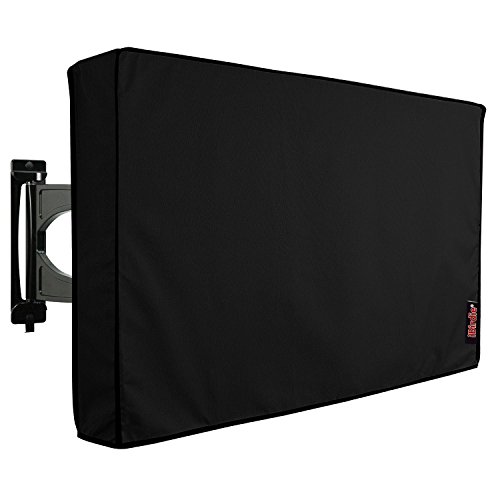
The iBirdie Outdoor TV Cover is a heavy-duty protective enclosure engineered to protect 60-inch to 65-inch flat screen displays from outdoor hazards. Installing an indoor 4K LED, QLED, or OLED television on a covered patio, gazebo, or backyard deck creates an incredible viewing hub, but unprotected electronics quickly suffer from humidity, blowing dust, and moisture intrusion. This durable cover serves as a reliable first line of defense, letting you bring the living room home theater experience out into the open air without spending exorbitant sums on specialized all-weather commercial monitors.
This protective accessory is best suited for homeowners, sports fans hosting backyard Super Bowl parties, and families who enjoy warm-weather outdoor movie nights by the pool. Having a large 65-inch screen mounted outdoors lets you stream live sports, binge watch evening shows, or entertain guests during barbecue cookouts. According to product specifications, this cover fits displays measuring up to 58 inches wide, 37 inches high, and 5.5 inches deep, making it compatible with popular television models across major brands.
Preserving optimal picture quality begins with protecting the panel surface and internal components. The exterior heavy-duty fabric repels ambient grime, while the interior waterproof PVC coating prevents rain runoff and heavy morning dew from reaching sensitive internal circuit boards, power supplies, and HDMI 2.1 inputs. Keeping corrosive moisture, tree sap, and pollen away from the display ensures that vibrant HDR colors, deep contrast ratios, and sharp 4K details remain clear every time you unveil the screen for family entertainment.
Build quality and practicality remain top priorities for outdoor living spaces. The cover features a clever split back-flap system that accommodates various mounting solutions, including articulating full-motion arms, low-profile tilting wall brackets, and traditional desktop stands. Durable hook-and-loop closures run along the edges and bottom perimeter, locking the cover tightly in place so sudden gusts of wind will not dislodge it. When it is time for kickoff or family movie streaming, peeling back the fasteners takes only moments.
While this heavy-duty enclosure provides thorough defense against rain, dirt, and ambient moisture, it does not regulate ambient temperature. Standard consumer televisions installed outdoors in regions with extreme summer heat or sub-zero winters should still be placed under a covered roof or sheltered patio area to maximize overall longevity. For any homeowner seeking an affordable, dependable way to shield their outdoor 60 to 65-inch smart TV between watch parties, the iBirdie cover represents a sensible, high-value investment.
Setting up the iBirdie Outdoor TV Cover requires minimal effort and can be completed in just a few minutes. Before purchasing, verify your television dimensions, including the frame width, height, and depth, especially if you have an older display with wider bezels or a soundbar attached to the base. The cover easily slips over the top of the display and slides downward smoothly over both front and rear corners.
The multi-panel rear flap design allows cable management routes and wall-mount brackets to pass through without compromising weather defense. Simply wrap the individual flaps around your single-arm or dual-arm mount structure and seal the hook-and-loop seams firmly. Sealing the bottom enclosure seals out crawling insects, ground moisture, and windborne dust, ensuring your outdoor entertainment setup stays clean and ready for your next viewing session.
Pros
- Sturdy build with heavy-duty steel and thick arms prevents sagging or slipping
- Extensive range of motion (tilt, swivel, extend, level) for versatile viewing angles
- Fits a wide range of TV sizes and VESA patterns, including most 40-55 inch models
- Affordable price point offers great value compared to similar full-motion mounts
Cons
- No included paper template for marking drill holes, which may complicate installation for some users
- Maximum weight capacity of 110 lbs may not support very large or heavy TVs above 70 inches
- Only designed for wood studs, concrete, or brick; drywall-only installation not recommended
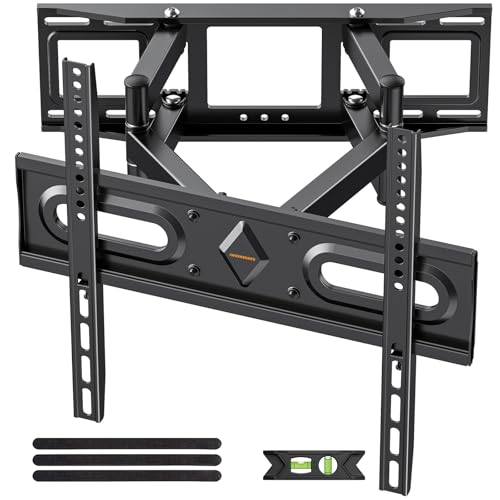
The IWORKBOARD full motion TV wall mount is a versatile and affordable solution for homeowners and renters looking to mount their 32 to 70 inch television securely to the wall. This mount is particularly well-suited for home theater enthusiasts, families, and gamers who want the flexibility to adjust their TV's position for different viewing scenarios, such as movie nights, sports gatherings, or gaming marathons.
Built from heavy-duty steel with dual articulating arms that are 30% thicker than some competing models, this mount provides a solid and wobble-free support system for TVs up to 110 lbs. The full motion capabilities include a tilt range of +5 to -15 degrees to reduce glare from windows or lights, a swivel of +/-45 degrees to direct the screen toward different seating areas, and an extension of up to 15.07 inches from the wall, making it easy to access cables or adjust the viewing angle. When retracted, the TV sits just 3.43 inches from the wall, giving a sleek, modern look that saves space in small apartments or living rooms.
Installation is straightforward with the included hardware and instructions, though some users may miss a paper template for drilling holes. The mount is designed for wood studs spaced at 8, 12, or 16 inches, as well as concrete and brick walls. It is important to note that drywall alone will not support the weight, so proper stud mounting is essential. A built-in level adjustment of +/-4 degrees allows for fine-tuning after the TV is mounted, which is a nice touch for achieving a perfectly horizontal screen.
This mount is compatible with most flat and curved TVs with VESA patterns ranging from 75x75mm to 400x400mm, covering a vast majority of 32 to 70 inch models from brands like Samsung, LG, Sony, TCL, Hisense, and Vizio. The dual articulating arms are strong and smooth, and they lock into place to hold the TV at the desired angle without drifting. The overall build quality feels reassuringly robust for its price point.
On the downside, the lack of a paper template may make the initial drilling step a bit more challenging for DIY beginners, and the 110 lbs weight capacity, while adequate for most TVs, might not handle larger or heavier models. Additionally, if your wall studs are not standard 16-inch spacing, you may need to use concrete anchors or consult the manufacturer for guidance. However, for the vast majority of living rooms, bedrooms, or home theater setups, this mount offers excellent value and performance.
Overall, the IWORKBOARD full motion TV wall mount is a reliable and flexible choice for anyone wanting to enhance their viewing experience by mounting their TV on the wall. It is especially recommended for budget-conscious shoppers, apartment renters who want to save floor space, and home theater enthusiasts who need adjustable positioning for different types of content. With a 10-year support promise from the manufacturer, it is a purchase you can feel confident about.
How a 65-Inch TV Fits a Real Room
A 65-inch television is often a sensible middle ground for a main viewing room: big enough to make 4K films and live sports easy to follow from a sofa, yet less imposing than many very large screens. Whether it feels big enough depends on the distance from your eyes to the screen, how much of your view you want it to occupy, and the room’s layout. For many households, the key decision isn’t whether 65 inches is large in the abstract, but whether it suits their usual seat.
For perspective, a standard 16:9 screen measuring 65 inches diagonally is about 56.7 inches wide and 31.9 inches tall, before accounting for the bezel or stand. Those figures are approximate because individual televisions vary. The screen can take up substantial wall or furniture space, so check the actual product dimensions and stand arrangement before committing to a location. Don’t judge the fit from the diagonal number alone.
Seating distance changes the answer
At a relatively close distance, a 65-inch screen occupies more of your field of view and can make a film feel immersive. Move farther back, and the same display appears smaller, though it may still be comfortable for everyday viewing. A rough starting point often used for 4K viewing is about 1 to 1.5 times the screen’s diagonal, which places a 65-inch set at roughly 5.4 to 8.1 feet. This is a viewing guideline, not a mandatory placement rule.
Some viewers prefer to sit farther away, especially in a multipurpose room or when watching television casually. A distance around 8 to 10 feet can still work well for a 65-inch screen, but viewers may perceive less fine detail than they would closer to the display. At 10 to 12 feet, 65 inches can feel modest for a dedicated home cinema, particularly if the goal is a wide, theater-like view. Personal comfort, eyesight, content, and room arrangement all affect the result.
Measure from your normal seated eye position to the planned screen surface, not from the back wall to the television. If several people use the room, check more than one seat and consider the farthest regular viewing position. A screen that looks commanding from the main sofa may appear smaller from a distant dining area. The best size should work for the seats people actually use, not just for a hypothetical ideal position.
Use a simple room mock-up
Before shopping, mark an approximate screen area on the wall with removable tape or outline it on a paper template. For a 65-inch 16:9 display, a rectangle close to 57 inches wide by 32 inches tall gives a useful sense of scale, though the final television may be slightly larger with its frame. Sit in your usual position and look at the outline while imagining subtitles, sports scores, and menus around the edges. This simple check can reveal whether the screen feels appropriately sized or crowds nearby furnishings.
Check the route into the room as well as the final position. Doorways, stairs, tight turns, and furniture can make a large display awkward to move, even when the wall or console has enough room. The exact package dimensions and safe handling requirements depend on the model, so consult its manufacturer information. For a large screen, use appropriate assistance and follow the manufacturer’s instructions rather than trying to manage it alone.
Resolution affects how close you can sit comfortably
A 4K screen has more pixels than a Full HD screen of the same size, which can make finer image detail easier to appreciate at a closer distance when the source is genuinely high resolution. That doesn’t mean every program will look sharper simply because the television is 4K. Broadcast quality, streaming compression, source resolution, and the television’s processing all affect what appears on screen. Older or lower-resolution material may show its limitations more clearly when viewed close up.
A 65-inch screen is a common size for 4K living-room viewing, but resolution alone cannot tell you whether it will suit your space. Someone seated far away may prefer a larger screen for a more involving image, while someone close to a television may prioritize comfort and good source quality. A useful overview of display resolution is our explanation of Full HD and 4K playback. Treat resolution and size as related choices, not interchangeable ones.
When a 65-Inch Screen Feels Too Small or Too Large
Long seating distances make a larger screen more appealing
If your main seat is 10 to 12 feet from the screen, a 65-inch set may be adequate for general television but less immersive for movies or sports. A larger display can fill more of your view at that distance, though it also needs more wall or stand space and may cost more. Compare the physical dimensions and seating position before stepping up to a larger size. Don’t buy an oversized screen simply because a room can physically accommodate it.
Content habits can shift the balance. Viewers who mostly watch news, casual streaming, or programs in the background may be satisfied with a less imposing image. Film fans, sports viewers, and people who share a screen across a broad seating area may value a more expansive picture. These preferences are personal, so try to view a similar screen size from a comparable distance if you can do so conveniently.
Consider the limits of available footage, too. A giant display makes low-resolution or heavily compressed content appear larger, not more detailed. A 65-inch screen can provide a useful balance when the room’s content sources vary, because it offers a sizable image without demanding a very long viewing distance. But there is no universal size that makes every source look equally good.
Small rooms and close seats need a comfort check
In a bedroom, apartment living area, or gaming nook, a 65-inch television may dominate the space if the main seat is close. Some viewers enjoy that larger image; others find it tiring when watching for long periods or following fast action. A smaller screen may be more comfortable if you have to move your eyes or head repeatedly to track corners of the picture. Consider how you actually watch rather than assuming that a larger diagonal is always better.
Furniture placement also matters. A television placed too high can make long viewing sessions uncomfortable, while a narrow console may not safely support the stand footprint. Verify the exact base dimensions, support requirements, and manufacturer guidance for the particular model. If wall mounting is being considered, follow the television and mount manufacturers’ safety directions, confirm the wall can support the installation, and get appropriate assistance handling the screen.
For a screen used by several people, include side seats in your assessment. Some LCD panel types lose contrast or color when viewed from an angle, but the supplied product information for the Roku television here does not specify its panel structure or viewing-angle performance. Don’t assume that a 65-inch screen will look identical from every seat. If wide seating is important, check independent, model-specific information about viewing angles before purchase.
Room Conditions Matter Beyond the Diagonal
Daylight can affect perceived picture quality
A bright window opposite the screen can cause reflections that make any television harder to watch. A larger screen doesn’t automatically solve glare; its benefit is a bigger image, while the room’s light and the display’s reflection handling determine how clearly you see it. If daylight is a regular issue, consider whether you can change the screen’s position or manage the light without obstructing safe access around the room. Check the model’s specifications for anti-reflective treatment and brightness information instead of assuming those features are present.
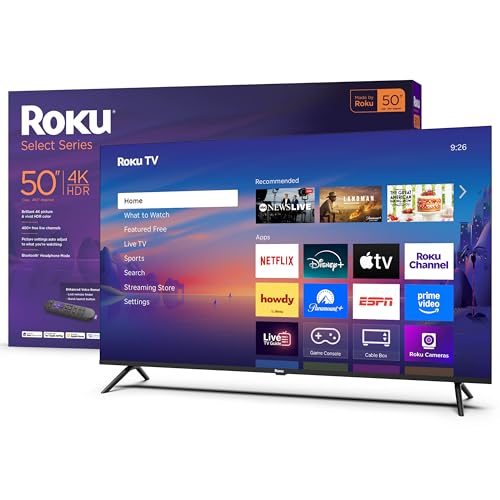
The Roku Smart TV listed in the product data is described as a 65-inch 4K QLED television with Mini-LED backlighting and Dolby Vision. Those details identify its advertised display technologies and supported format, but the supplied information does not include measured brightness, reflection performance, or local-dimming zone count. It would be misleading to promise that it will overcome strong sunlight or produce a particular level of HDR impact. Buyers with a bright room should look for model-specific measurements and reviews before deciding.
Screen size also doesn’t determine how well a television handles dark scenes. Mini-LED is a backlighting approach, and QLED refers to quantum-dot color enhancement, but the product listing alone doesn’t establish exact black-level performance or blooming control. A 65-inch screen may suit a room while still having limitations that matter for dark-room films or bright subtitles. Match expectations to verified model details rather than the screen diagonal or technology labels alone.
Sports and gaming have separate requirements
A larger screen can make players, field markings, and action easier to see from a sofa, but diagonal size doesn’t specify motion clarity. The product information provided for the Roku set doesn’t state its native refresh rate, gaming input lag, HDMI port bandwidth, or support for VRR and ALLM. Don’t infer those features from its 4K resolution or Mini-LED backlight. Sports and gaming shoppers should verify the exact model specifications for the features they need.
For gaming, the console and television must both support the desired signal features, and the correct HDMI connection matters. Since the supplied listing doesn’t document specific HDMI standards or port capabilities, check the manufacturer’s complete specification sheet before relying on 4K at a particular refresh rate or on variable refresh. For more context on gaming display choices, our gaming television overview discusses why screen size is only one part of the decision.
For sports, seating distance can be as important as processing. A screen that’s too small from a distant sofa makes the action harder to follow, while sitting extremely close can make compression artifacts or broadcast limitations more noticeable. The right size should make the action easy to see without forcing you to scan the picture uncomfortably. If motion performance is a priority, research model-specific handling rather than using screen size as a proxy.
What the Listed 65-Inch Options Can and Cannot Tell You
The product list includes a 65-inch Roku television, plus mounting and support accessories sized for televisions in or around that range. The Roku model is the only television in the list, so the accessories don’t offer alternative picture performance or screen-size comparisons. They may help with placement, but compatibility and safe installation depend on the television’s actual specifications and the chosen support surface. Read each product’s stated limits before treating a mount or stand as suitable.
The Pipishell mount listing states compatibility with many 26-to-65-inch televisions, supports specified VESA patterns up to 400 by 400 millimeters, and gives a weight limit of 77 pounds. The IWORKBOARD listing describes a full-motion mount for televisions from 32 to 70 inches, with specified VESA patterns and a listed weight limit. These figures are accessory claims, not a substitute for checking the television’s VESA pattern, weight, and the mount manufacturer’s instructions.
The PERLESMITH tabletop stand is listed for many 32-to-65-inch televisions, with a stated maximum supported weight and compatible VESA patterns. A stand can be an alternative to a wall mount when its footprint and the furniture’s support surface suit the setup. The iBirdie cover is listed for outdoor televisions measuring 60 to 65 inches, but the cover itself does not establish that an indoor television is weatherproof. Use a television specifically suitable for the intended location and follow its manufacturer’s placement and protection guidance.
For any wall installation, don’t mount a television to drywall alone when the mount requires structural support. Verify the wall structure, mount capacity, and television compatibility using manufacturer instructions, and use a qualified installer if the setup is uncertain. A 65-inch display can be awkward to handle, so get appropriate help and avoid putting pressure on the panel. Accessory listings can help narrow choices, but they cannot confirm the safety of a particular wall or installation.
A Practical Decision for Your Seating Position
For many living rooms, 65 inches is big enough when the main seating is within a comfortable viewing range and the display’s physical dimensions suit the room. It may feel small from a distant sofa or in a dedicated cinema space, while it can feel imposing in a compact room with close seating. A quick distance measurement and a wall mock-up offer a more useful answer than judging the diagonal in a store. Include normal viewing habits and all regular seats in that decision.
Before buying, verify the television’s exact dimensions, stand footprint, mounting details, and the features relevant to your room, such as reflection handling or gaming support. The information supplied for the Roku model supports its 65-inch size, 4K resolution, QLED description, Mini-LED backlight, Dolby Vision, and Roku TV platform, but it does not establish several performance measurements buyers may want. Base the choice on your measured seating distance and confirmed model specifications. If those checks show the screen fits both the room and your viewing preferences, 65 inches can be a well-proportioned main television.





Write Your Review
No reviews yet. Be the first to share your experience!