
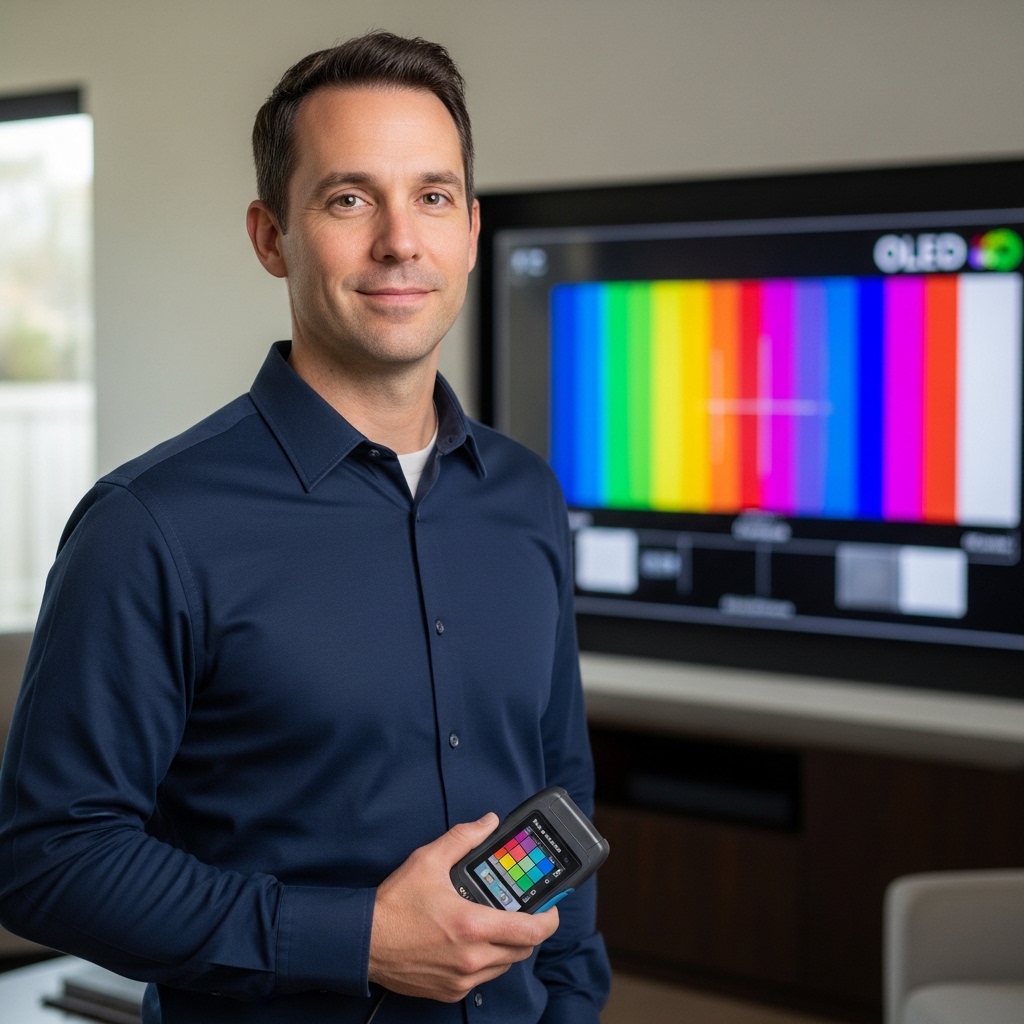

A television’s picture can feel harsh in a dark room, while a bright wall behind the screen can make movie nights feel more relaxed. A USB-powered LED strip is a simple way to add colored ambient light, but clean results depend on choosing a suitable strip length, preparing the TV’s back, and planning where the controller and power cable will sit. This guide explains how to install led lights behind tv without blocking vents or putting unnecessary strain on the strip.
Products listed here range from basic app- or remote-controlled strips to camera-based systems that react to screen colors. Their listed size compatibility and control methods vary, so check the product details against your television before ordering. If you’re also planning a broader entertainment setup, our guide to affordable gaming TVs covers a related part of the viewing experience, while our outdoor TV options are intended for a different environment and installation context.
Top Products

Pros
- Affordable upgrade for any TV, especially for movie lovers and gamers wanting immersive ambiance
- Simple installation with flexible corner wires fits most 55-75 inch TVs
- App control and music sync add convenience and fun for parties or relaxation
- Low 5V USB operation is safe and energy-efficient
Cons
- USB power may be limited for longer strips or if your TV’s USB port doesn’t supply enough current
- IR remote requires line of sight; app control may have slight delay
- Adhesive backing might weaken over time, especially on textured surfaces
The Nexillumi LED Lights for TV are an affordable and effective way to upgrade your home entertainment experience. While not a television themselves, these 16.4ft RGB LED strips are designed specifically to provide dynamic backlighting for 55-75 inch TVs. They create a soft ambient glow behind your screen, which can reduce eye fatigue during long movie nights and improve perceived contrast in dark scenes. This makes them a popular choice for home theater enthusiasts, gamers, and families who want a more immersive viewing environment without breaking the bank.
Who is this product best suited for? It works wonderfully for homeowners and apartment renters looking to add ambiance to their living room or bedroom TV setup. Gamers will appreciate the music-sync mode that pulses with game audio, while sports fans can set colors to match their favorite team. Movie lovers and families with kids will enjoy the 16 million color options for creating the perfect mood. Cord-cutters and streamers can use the app to schedule lights for Netflix binges. Budget-conscious shoppers and gift buyers will find this an easy, low-cost way to impress.
In terms of real-world performance, the LED strip offers vibrant colors and smooth transitions. The music-sync feature responds to bass and treble, adding energy to parties or action scenes. Installation is straightforward: peel and stick the strip along the back edge of your TV, using the corner wires to navigate tight bends. The included USB cable plugs into your TV’s USB port, so it powers on and off with your TV—no extra outlet needed. The 'illumi home' app provides remote control and timer functions, though some users report a slight delay compared to the IR remote.
Build quality is solid for the price. The strip is flexible and the adhesive holds well on clean, smooth surfaces. The corner wires are a thoughtful design that eliminates the need for separate connectors. The 5V USB operation is safe and consumes very little power. However, if your TV’s USB port doesn’t output enough current, you may need to use a separate USB wall adapter (not included). The IR remote requires direct line of sight, but the app compensates for that.
Setup and daily use are simple. After attaching the strip, download the app and connect via Bluetooth. You can adjust brightness, color, and modes right from your phone. The strip works well for ambient lighting, but it’s not designed to replace bias lighting for critical color work—it’s more for enjoyment. Some users note that the adhesive may weaken on textured surfaces, so cleaning the area before installation is recommended.
Realistic limitations include the strip length: 16.4ft works for 55-75 inch TVs, but for larger screens you may need two strips. Also, the music sync uses the built-in microphone, so ambient noise can affect accuracy. Overall, this is a practical, budget-friendly accessory that adds personality to any TV setup. If you’re looking for an easy way to enhance movie nights, gaming sessions, or bedroom decor, the Nexillumi LED strip is a solid choice backed by an 18-month warranty.

Pros
- Upgraded dual 4MP camera captures colors accurately across 24 independent zones
- Dedicated white sub-channel on the RGBWIC strip delivers cleaner, brighter pastels and whites
- Compatible with Matter and Amazon Alexa for effortless smart home integration
- Low latency tracking prevents distracting lighting lag during fast-paced video games
Cons
- Requires a top-mounted camera that may not appeal to viewers wanting a completely invisible bezel
- Reflections on glossy screens from nearby lamps can occasionally influence camera color detection
- Sized specifically for 55 to 65-inch televisions, requiring precise strip placement along the back edges
The Govee TV Backlight 3 is an immersive TV ambient lighting kit designed to upgrade living room entertainment centers, gaming setups, and dedicated home theaters. Engineered specifically for 55-inch to 65-inch televisions, this system mounts onto modern OLED, QLED, and LED panels to reflect on-screen colors directly onto the surrounding wall. It is an appealing accessory for movie lovers, console gamers, sports fans, and late-night binge-watchers who want to expand their screen presence beyond physical bezels.
In everyday viewing, bias lighting serves a vital practical purpose alongside its visual flair. By generating responsive, balanced illumination against the rear wall, the backlighting helps reduce eye strain during late-night streaming sessions. It also helps elevate perceived contrast and dark-level definition on traditional LED displays. The high-density RGBWIC strip features 60 LEDs per meter and includes a dedicated white diode, allowing it to produce softer pastels, pure whites, and vivid saturated tones that blend smoothly across your living space.
Screen tracking is driven by an upgraded dual 4MP hybrid camera paired with dual-chip processing. The system analyzes the television display across 24 distinct zones, matching rapid color shifts in real time so that explosive action sequences, high-speed racing games, and live broadcasts remain synchronized. Because the optical camera captures the display directly, users avoid the common HDMI handshake errors, 120Hz refresh rate bottlenecks, and VRR compatibility concerns associated with pass-through sync boxes.
The physical hardware is designed to accommodate ultra-thin displays effortlessly. A slim, 90mm gravity-fit bracket rests gently on thin TV frames with upgraded heat-resistant adhesive that prevents slipping without obstructing active pixels. On the smart side, native compatibility with Matter and Amazon Alexa allows effortless integration into existing smart home routines. Enthusiasts can also pair the strip with up to ten peripheral DreamView lights to create an expansive, synchronized light show across an entire living room.
While the compact camera remains unobtrusive, viewers aiming for a completely minimalist wall setup must still account for the small fixture sitting atop their display. Glossy screens situated directly across from bright windows or lamps may also require careful room lighting control to prevent stray reflections from skewing color tracking. For homeowners and apartment renters seeking a cost-effective route to theatrical immersion on their 55 or 65-inch display, this system offers remarkable speed, rich color reproduction, and intuitive app functionality.
Integrating reactive bias lighting into a home theater setup significantly enhances the overall cinematic atmosphere during family movie nights or sports watch parties. The gentle halo of rear illumination reduces the harsh contrast between a brilliant 4K HDR screen and a pitch-black room, softening visual fatigue over extended viewing sessions.
Thanks to the 24-zone color mapping, the illumination expands the emotional tone of whatever is on the screen without becoming a jarring distraction. Movies with sweeping landscapes, vibrant animated features, and dark atmospheric thrillers all gain a heightened sense of scale that makes standard living room viewing feel much closer to a private screening room.
Installing the system on a 55 to 65-inch television is straightforward thanks to the gravity-fit camera bracket and flexible backing adhesive. Users simply clean the rear panel of the television, route the flexible strip around the perimeter, and balance the dual 4MP camera centered along the top bezel.
Initial calibration is managed through the companion smartphone app using provided screen calibration markers, allowing the camera to accurately map the screen corners. Connecting to Wi-Fi and linking with Matter or Amazon Alexa allows quick integration into everyday home automation routines.


Pros
- Affordable price point makes it accessible for any budget-conscious shopper looking to improve TV ambiance.
- Simple setup with adhesive backing - can be mounted on most TV backs without complex wiring.
- Music sync feature adds an extra layer of immersion for parties and gaming sessions.
- App and remote dual control offer flexibility in operation.
- 16.4ft length provides full coverage for large screens up to 75 inches.
Cons
- Adhesive may weaken over time, especially in warm or humid environments - users may need to reinforce with extra tape.
- USB power requires a nearby USB port on the TV or an external adapter; some TVs may not have a powered USB port when off.
- Music sync sensitivity can be inconsistent with very soft or very loud audio - some manual adjustment may be needed.
The KANTUTOE LED Lights for TV is a 16.4ft RGB strip light kit designed to add ambient backlighting to televisions between 45 and 75 inches. While it's not a TV itself, this accessory can dramatically enhance the viewing experience for home theater enthusiasts, gamers, movie lovers, and families looking to create a more immersive atmosphere. The product uses a built-in microphone to sync colors with music and offers Bluetooth app control for customizing 16 million colors and dynamic modes.
For home theater enthusiasts, the backlighting helps reduce eye strain during long movie nights and makes the picture appear more expansive. Gamers may appreciate the music sync feature during intense gaming sessions or when hosting tournaments. Families with kids can use the lights for bedtime routines or holiday decorations, while cord-cutters and streamers can match the ambiance to their favorite Netflix or Disney+ shows. The low-heat USB power supply ensures safety even when left on for hours.
Based on product specifications and user feedback, the installation is straightforward with a strong foam adhesive that sticks to the back of the TV. The 16.4ft length is enough to cover all four sides of a 75-inch TV, though careful routing is needed to avoid visible gaps. The adhesive may lose grip over time in warm rooms, so some users recommend using additional mounting clips. The USB power draw is low, but note that some TVs disable USB ports when powered off, which would require a separate USB wall adapter for always-on effects.
In terms of performance, the music sync works reasonably well for moderate volume levels, picking up bass beats and tempo changes. The app provides a range of presets and a color wheel for fine-tuning. However, the built-in microphone can be oversensitive to loud ambient noise, and the response may lag slightly during fast-paced music. The remote control offers basic functions like brightness and mode cycling, which is useful when the phone is not nearby.
The product is best suited for budget-conscious shoppers who want to experiment with TV backlighting without a significant investment. It is not a premium smart lighting solution like Philips Hue, but for under $10, it delivers solid value. Those with larger entertainment centers or who want seamless integration with other smart home devices may want to consider higher-end alternatives. However, for a simple, effective upgrade to a living room, bedroom, or gaming den, the KANTUTOE strip lights are a practical choice.
Overall, if you enjoy movie nights, gaming marathons, or just want to add a splash of color to your TV setup, this product is worth trying. Just keep its limitations in mind regarding adhesive longevity and USB power requirements. It's a great gift for tech enthusiasts or as a fun addition to a dorm room or apartment setup.

Pros
- Affordable way to upgrade TV viewing with dynamic, colorful backlighting
- Music sync feature works well with built-in mic, no extra hardware needed
- Easy installation with strong adhesive and USB power, no tools required
- App and remote control offer plenty of customization for any mood or activity
Cons
- 9.8-foot length may be too short for larger TVs over 60 inches or for full perimeter coverage
- Adhesive may weaken over time on textured or hot surfaces; additional mounting tape may be needed
- App compatibility and Bluetooth range can vary, and some users report occasional disconnections
The Daymeet LED Strip Lights are a popular choice for adding ambient backlighting to TVs, monitors, and other home entertainment setups. While not a television itself, this accessory can significantly enhance the viewing experience for homeowners, apartment renters, gamers, movie lovers, and streamers who want to reduce eye strain and create a more immersive atmosphere. Priced affordably, these lights offer a simple way to upgrade any room without a major investment.
Based on product specifications, the strip features RGBICW technology, allowing multiple colors to display simultaneously along the strip for a rainbow effect. With over 160,000 color options and 200 dynamic patterns, users can match the lighting to their content or mood. The built-in microphone enables music sync, making the lights pulse and change with beats, game soundtracks, or voice commands - ideal for gaming marathons or Super Bowl watch parties. The lights are controlled via the douCo StripX app (available on Google Play and Apple Store) or a 2.4G remote, offering brightness and mode adjustments from the couch.
Installation is straightforward: peel off the backing and stick the strip to the back of the TV or surface. The 5V USB power draw means it can plug into any USB port on the TV, computer, or wall adapter, and the low voltage is safe around children. The adhesive is described as strong, but some users may need to clean the surface first or use additional clips for a more permanent hold. The 9.8-foot length is best suited for TVs between 32 and 60 inches; larger screens may require two strips or a longer alternative.
In real-world use, the lights can dramatically improve the perceived contrast and reduce eye fatigue during long viewing sessions. For gamers, the music sync adds an extra layer of immersion, and the app allows for custom scenes that react to gameplay audio. Movie lovers will appreciate the ability to set a warm bias light that makes dark scenes pop. However, the strip is not designed for full-room lighting; it's strictly accent lighting behind the TV.
Some limitations include the adhesive's durability on hot or dusty surfaces, and the app's Bluetooth range may cause occasional lag or disconnection if the phone is far from the strip. The controller box is small but must be placed where the remote can reach it. Overall, for the price, these lights offer excellent value for anyone wanting to elevate their home entertainment setup without breaking the bank.
Whether you're a cord-cutter binge-watching Netflix, a family hosting movie night, or a gamer setting up a dedicated battle station, the Daymeet LED Strip Lights provide a simple, effective way to add ambiance and reduce eye strain. They also make a great gift for tech enthusiasts or bedroom TV owners. Just ensure your TV is within the recommended size range and that you have a USB port available. For the cost, it's a low-risk upgrade with high visual payoff.

Pros
- Affordable price adds big visual improvement to any TV
- App and remote offer convenient custom color and music sync choices
- Bright, even light helps reduce eye fatigue during dark room viewing
Cons
- 9.84FT length may be tight for larger TVs beyond 43 inches
- Adhesive may weaken over time on textured or warm surfaces
- Music sync accuracy depends on microphone sensitivity and ambient noise
The MATICOD RGB LED TV strip is a budget-friendly lighting accessory designed to enhance your viewing experience by adding ambient backlighting to televisions sized 32 to 43 inches. It's a simple, low-cost way to create a more immersive home theater feel without breaking the bank, perfect for apartment renters, dorm residents, or homeowners looking to upgrade their living room setup.
This USB-powered strip connects easily to your TV's USB port or any standard adapter, and installation is straightforward thanks to the peel-and-stick backing. The 9.84-foot cord is intended for medium-sized screens, so measure your TV circumference before buying. Once in place, the lights project a soft glow behind the screen that can reduce eye strain during dark room viewing, making it great for movie lovers, gamers, and families who watch TV into the night.
Control options include a 21-key remote, a basic 3-key controller on the wire, or the duoCo Strip app via Bluetooth. The app unlocks over 16 million colors, 21+ dynamic modes, a timer, and a music sync feature that responds to sound through a built-in microphone. While the music sync is fun for parties or action scenes, its accuracy depends on the microphone picking up audio without too much background noise. The app connection is generally reliable once paired, though you'll need to stay within Bluetooth range.
For picture quality improvements, the backlighting can help boost perceived contrast and make colors seem more vibrant, especially on entry-level LED TVs with average black levels. It's not a substitute for professional bias lighting, but it does make dark scenes more watchable and reduces the harshness of a bright screen in a pitch-black room. This can be a nice addition for cord-cutters streaming Netflix or Disney+, or for sports fans setting up a Super Bowl party atmosphere.
Build quality is basic but adequate for the price. The 5050 RGB LEDs are bright and evenly spaced, though the adhesive may not hold as well on textured surfaces or in humid environments over time. You can also use included mounting clips to secure the strip more firmly. The package does not include a USB wall adapter, so plan accordingly if your TV lacks a USB port or you want the lights on independently.
Overall, the MATICOD LED strip offers good value for budget-conscious shoppers seeking a simple ambiance upgrade. It's best for casual users who want a fun, colorful glow behind their TV without investing in pricier smart lighting systems. If you're a home theater purist or need a precise bias lighting solution, you may want to look at higher-end options, but for most families, gamers, and streamers, this is a solid, inexpensive choice.

Pros
- Music sync feature adds exciting, real-time ambiance to movies, sports, and gaming without extra equipment.
- Long 19.68-foot strip easily fits large 55-85 inch TVs, ensuring full backlight coverage.
- Infinitely dimmable LEDs help reduce eye strain during dark room viewing — a practical benefit for home theater fans.
- Easy installation with included strong adhesive and clips, plus a mini receiver that stays out of sight.
- Affordable price point makes it accessible for budget-conscious shoppers, renters, and gift buyers.
Cons
- USB power limits brightness compared to higher-end powered strips; may not be as vivid in very bright rooms.
- Music sync relies on a built-in microphone, which can pick up background noise from conversations or appliances.
- App and remote control functionality may have limited range or occasional connectivity issues based on user feedback.
The KANTUTOE TV LED Backlight is a versatile and budget-friendly way to add immersive ambient lighting behind your television. Designed for TVs ranging from 55 to 85 inches, this 19.68-foot RGB strip wraps around the back of your screen to cast a colorful glow that enhances contrast and reduces eye strain during dark-room viewing. Whether you are setting up a home theater for movie nights, a gaming station for late-night tournaments, or simply want to add a bit of personality to your living room or bedroom, this LED kit offers a practical solution.
One of the standout features is the music sync function. A built-in high-sensitivity microphone picks up sound from your TV or music source, and the lights automatically change color and pulse to the beat. This works well for sports watch parties, video game soundtracks, or just vibing to your favorite playlist. You can also choose from over 20 dynamic modes and 16 million colors using the included remote control or a Bluetooth app, giving you plenty of customization options to match your decor or mood.
Installation is straightforward even for first-time users. The strip comes with strong foam adhesive and additional clips to keep it securely attached to the back of your TV. The mini receiver is small enough to be hidden completely behind the set, maintaining a clean look. Since it is USB powered, you can plug it directly into your TV's USB port or any standard USB wall adapter — no complicated wiring needed. This makes it a great option for apartment renters, dorm rooms, or anyone who wants a quick upgrade without professional help.
From a practical standpoint, the infinitely dimmable LEDs are a real bonus. You can adjust the brightness to a subtle glow that helps reduce the harsh contrast between your bright TV screen and a dark room, potentially lessening eye fatigue during long binge-watching sessions. This is especially useful for families with kids who watch cartoons before bed, or for cord-cutters who stream shows late into the night. The 19.68-foot length is more than enough for most large TVs, ensuring even coverage across all edges.
However, there are a few realistic limitations to consider. Because the strip is USB powered, it does not get as bright as some higher-end, mains-powered bias lighting systems. In a very bright room, the effect may be subtle. Also, the music sync microphone can occasionally pick up ambient noise from conversations or appliances, so it works best when you want the lights to react specifically to your TV audio. Some users have noted that the remote and app connectivity can be a bit inconsistent at longer distances, though this is common at this price point.
Overall, the KANTUTOE TV LED Backlight is a solid choice for home theater enthusiasts on a budget, gamers wanting to level up their setup, or anyone looking to add a fun, functional accent to their entertainment space. It is simple to install, offers plenty of customization, and the dimmable feature helps protect your eyes. If you are after an affordable way to make movie night, sports viewing, or gaming more immersive without breaking the bank, this LED kit deserves a spot on your list.
Installing the KANTUTOE TV LED Backlight is designed to be quick and hassle-free, even if you have never used LED strips before. The package includes a 19.68-foot flexible strip, a mini receiver, a remote control, strong foam adhesive, and clips. Start by cleaning the back edge of your TV with the included alcohol pad to ensure good adhesion. Then, peel the backing and carefully press the strip along the outer edges of your TV, starting from one corner and working your way around. The adhesive is quite strong, and the additional clips help keep the strip flush against the surface over time.
Once the strip is in place, connect the small receiver to the end of the strip and hide it behind your TV using the included double-sided tape. The receiver is compact enough to stay out of sight. Finally, plug the USB cable into your TV's USB port or a standard USB wall adapter. The lights will turn on immediately, and you can start controlling them with the remote or the KANTUTOE app. No special tools or technical skills are required, making this a great weekend project for apartment renters, dorm residents, or anyone wanting a quick room upgrade.
The KANTUTOE LED strip offers multiple ways to tailor the lighting to your preference. With the included remote control, you can adjust brightness, cycle through 16 million colors, and select from over 20 dynamic modes like flash, fade, and smooth transition. The music sync mode activates with a single button press, making the lights dance to your TV audio or any ambient sound.
For even more control, download the KANTUTOE Bluetooth app on your smartphone. The app lets you fine-tune colors, create custom scenes, set timers, and adjust sensitivity for the music sync feature. This is handy for gamers who want a specific color scheme for a game, or for families who want a soft, warm glow for bedtime stories. The app interface is intuitive, though some users may find the Bluetooth connection range a bit limited. Overall, the combination of remote and app provides enough flexibility for most home theater and bedroom setups.
At its price point, the KANTUTOE TV LED Backlight delivers strong value for anyone looking to enhance their TV viewing environment without spending a lot. It competes well with other budget LED strips, especially for larger TVs where full coverage is important. The music sync, dimmable LEDs, and wide color selection make it a versatile accessory for movies, sports, gaming, and everyday streaming.
For home theater enthusiasts on a budget, gamers wanting to reduce eye strain during long sessions, or renters looking for a non-permanent way to personalize a space, this kit checks many boxes. While it does have limitations in maximum brightness and occasional remote connectivity, the overall performance and ease of use make it a worthwhile investment. If you are after an affordable, fun, and functional upgrade to your home entertainment setup, the KANTUTOE LED backlight is a solid choice.
How to Install LED Lights Behind a TV Without a Mess
Installing a TV backlight is usually a matter of cleaning the mounting surface, planning the strip route, attaching the LEDs, and connecting the controller and power according to the product instructions. The goal is indirect light on the wall, not visible individual LEDs from the seating position. A careful layout also helps prevent loose corners, dangling wires, and adhesive failure.
Choose a strip that suits the TV and the way you watch
Start with the strip’s stated length and compatible screen-size range, rather than assuming one kit fits every television. The listed products illustrate the difference: Nexillumi LED Lights for TV is described for 55-to-75-inch sets and has a 16.4-foot strip, while Daymeet LED Lights for TV is listed for 32-to-60-inch televisions and has a 9.8-foot strip. A camera-based kit, such as Govee TV Backlight 3 with Dual 4MP Lens, uses a different setup from a simple strip and should be installed according to its own instructions.
Measure the path you expect the strip to follow around the back of the screen, including corners and any gaps caused by the television’s shape. A strip that is too short may leave a noticeably uneven glow, while excess length should never be cut unless the manufacturer specifically identifies cut points and permits trimming. Do not fold a flexible strip sharply or force it around a tight bend; check the kit’s guidance for corner handling, connectors, and minimum bend limits.
Decide whether you want steady color, music-reactive effects, or lighting that follows what appears on screen. The Nexillumi product listing describes app and IR remote control, while KANTUTOE TV LED Backlight Sync to Screen is described as using a camera to capture screen colors. Camera-based systems require suitable camera placement and calibration steps, so they may take more setup than a basic strip. Choose based on the effect you’ll actually use, not the largest list of modes.
Prepare the TV without risking its screen or ventilation
Turn the television off and let the area behind it become cool before attaching anything. If the TV is wall-mounted, don’t pull or tilt it in a way that could loosen its bracket; follow the television and mount manufacturers’ safety instructions, and ask for appropriate help if access is awkward. Never open the TV casing or attempt to route power inside the television.
Identify the flat, clean surfaces where the adhesive can make contact. Avoid speaker openings, ventilation slots, labels that must remain visible, moving stand parts, and areas where cables need to connect. A backlight strip should not cover vents or interfere with the stand, wall mount, or other equipment. If the television’s rear surface has a textured finish or deep ridges, check whether the strip’s adhesive is intended for that kind of surface.
Clean only the intended attachment area using a method permitted by the TV manufacturer. Don’t spray cleaner directly onto the television or use solvents that could damage its finish. Let the surface dry fully before applying adhesive; dust, grease, or leftover cleaning moisture can reduce how well the backing sticks. Avoid touching the adhesive once its protective liner has been removed.
Plan the route before peeling the adhesive backing
Lay out the strip’s approximate route before fixing it in place. Many people start near the power connection and guide the strip around the back perimeter, but the best starting point depends on the cable location and product design. Keep the route consistent so the light spreads across the wall rather than bunching up at one edge.
Check the length around each side and decide how corners will be handled. Some strips include corner wires or connectors, while others need a gentle curve within the manufacturer’s limits. The Nexillumi listing describes corner wires intended to help bend and connect its strip without separate connectors. That feature is specific to that listing, so don’t assume another model has the same construction.
Leave enough slack near the controller and USB lead to connect them without pulling on the LED strip. Choose a place where the receiver can remain accessible for a remote, and where a camera-based system can be positioned as instructed. Keep cables clear of hot surfaces, pinch points, sharp edges, and the path of a tilting screen. Plan where the power lead will reach before sticking the strip down.
Attach the strip gradually and keep it straight
Peel away only a short section of protective backing at a time. Press the strip gently onto the planned surface, keeping it aligned and avoiding pressure on individual LED components. Work around the television in manageable sections instead of removing the entire adhesive liner first; a long loose strip is harder to place accurately and can stick to itself.
At corners, follow the strip maker’s instructions rather than creasing the flexible board. If a supplied clip or connector is provided for a particular turn, use it as directed. Don’t stretch the strip to bridge a gap or pull hard to correct a misplaced section. If you need to reposition it, stop and check the instructions, because pulling can damage the strip or weaken its adhesive.
Use included clips only where the product directions allow them and where they won’t obstruct ventilation or cables. Avoid adding tape, glue, or fasteners that could damage the television’s finish or interfere with service access. Once the route is attached, look along the perimeter for lifted areas, sharp bends, or a lead that is under tension. Make corrections before connecting power.
Connect power and set up the controls
Connect the strip, controller, and USB power lead in the order described in the product instructions. Several products here are described as USB-powered, including the Nexillumi, KANTUTOE, and Daymeet options. Check the exact power requirements and approved connection method for your selected kit; don’t assume every television USB port supplies the power a particular strip needs.
If the kit is designed to use the TV’s USB port, check the television manual for port behavior, including whether the port supplies power while the TV is off or in standby. If the lights switch off with the television, that may be expected for that connection. If the manufacturer permits a separate power source, use only a compatible source and follow its instructions. Don’t modify plugs, splice cables, or run ordinary power cords through walls.
For app-controlled lights, install the app identified by the product instructions and follow its pairing steps. Nexillumi’s listing names the illumi home app, Daymeet’s listing names douCo StripX, and MATICOD’s listing names duoCo Strip. Names and features can change, so confirm the current instructions for the specific product you buy. A remote or controller button may be a simpler fallback if you don’t want to use a phone app.
Set brightness low at first and select a steady color or simple mode to inspect the installation. Adjust the position or brightness until the wall receives a soft, even glow without direct light distracting you from the screen. If the strip includes music synchronization, remember that a microphone-based mode responds to nearby sound, not necessarily to the television’s video signal. A camera-based screen-sync kit uses a camera instead, with placement and calibration requirements specified by its manufacturer.
Check the light in the room where you watch
Test the backlight from your normal seat after dark and with the room lights set as you usually use them. Look for bright spots caused by LEDs that are too close to the wall, an exposed strip visible from the side, or a glow that feels too intense against the picture. Lowering brightness or choosing a calmer color can make the effect less distracting. The right setting is a matter of room layout and personal preference.
Wall color, distance from the wall, screen placement, and ambient room lighting all affect how the glow looks. A light-colored wall may show colored light more readily than a dark surface, while a television placed close to the wall may produce a more concentrated halo. These are practical layout effects, not evidence that the TV’s picture has changed. Backlighting is also not a substitute for a properly adjusted screen or for controlling direct reflections on the display.
For color-sync systems, compare the result across different types of content, such as a bright scene and a dark one. If a camera-based system is included, ensure it is mounted and aimed according to the manufacturer’s directions, without covering the screen or obstructing an important sensor. Adjust sensitivity or calibration only through controls provided by the product. If colors seem out of step, check camera placement and setup before assuming the strip is faulty.
People researching television setup may also find our practical 4K UHD display guide useful for understanding the screen itself. Ambient lighting can change the viewing atmosphere, but it does not add detail to the video signal or improve the television’s native resolution. Keep those separate expectations in mind when deciding whether a backlight kit suits your setup.
Fix common installation problems without forcing parts
If a section lifts, switch off and disconnect the kit using the manufacturer’s directions before inspecting it. Check whether the surface was clean and dry, whether the strip was pulled tight, and whether the attachment point is on an uneven or unsuitable part of the TV. Don’t add stronger adhesive without considering whether it could damage the television finish or make future removal unsafe. Contact product support if the instructions don’t cover the problem.
If the lights don’t turn on, check the connections and control method first, then confirm the approved power source and the television’s USB behavior if you’re using that port. Test the remote or app according to its instructions, and check whether the kit needs to be paired again. Avoid repeatedly plugging and unplugging connectors while the strip is powered. Don’t open the controller or attempt electrical repairs.
Uneven illumination can come from a route that leaves one side uncovered, a strip positioned differently around corners, or a nearby surface that reflects light unevenly. Recheck the layout from the viewing position and make modest adjustments only where the product can be repositioned safely. A camera sync kit may also show uneven color matching if its camera is poorly placed or has not completed the specified setup. Follow the model’s calibration process rather than improvising a mounting position.
App pairing trouble is separate from an adhesive or LED issue. Confirm that you’re using the app named for the model, follow its connection instructions, and use the supplied remote or controller if available. Don’t assume that similarly named products use the same app or pairing process. If basic steps fail, consult the manufacturer’s support information instead of using an unverified third-party utility.
Keep removal and long-term use in mind
Before installation, consider whether you may need to remove the strip later for a move, repair, or change in setup. Adhesive strength and removal guidance vary by product, and pulling quickly can damage a strip or mark a TV surface. Follow the maker’s removal directions and the television manufacturer’s surface-care guidance. Don’t use heat, blades, solvents, or force unless the relevant instructions explicitly permit that method.
Periodically look behind the television to make sure cables remain secure, the strip has not peeled away, and ventilation openings are clear. If the television is wall-mounted, don’t tug on the strip or attached cables in a way that could disturb the mount. Follow the mount and TV makers’ safety guidance, verify that any wall support is appropriate for the equipment, and use help when handling a heavy display. A backlight should never be used as a reason to block airflow or alter the TV’s mounting hardware.
For a straightforward setup, measure first, clean and dry the attachment area, map the route, attach the strip gradually, and connect only as the product instructions permit. Then check brightness, cable clearance, and the effect from your usual seat. Matching the strip length and control style to the television matters more than adding the most elaborate lighting modes. A neat installation should stay out of the way of the display, its ventilation, and its safe mounting.






Write Your Review
No reviews yet. Be the first to share your experience!