


Shopping for a modern television often feels overwhelming when marketing acronyms dominate every specification sheet. Many viewers upgrading from older high-definition screens wonder what is 4k hdr tv and how it alters daily entertainment. The short answer centers on two distinct image improvements working together: four times the pixel density of standard high-definition paired with expanded luminance and color depth. While resolution sharpens fine textures across movies and sports broadcasts, high dynamic range ensures that bright sunlight glints and dark shadow details look remarkably natural.
Navigating panel choices such as standard LED, QLED, or Mini-LED adds another layer of technical nuance to the buying decision. Source hardware plays a major role, whether you connect a dedicated media player or select one of the top streaming television setups for daily viewing. Understanding how panel brightness, local dimming, and metadata standards interact helps you choose a display that fits your ambient room lighting. This guide breaks down the core hardware engineering, format standards, and practical viewing tips you need for an informed purchase.

Pros
- Clean 4K HDR10 picture with Roku Smart Picture automatic optimization
- Fast, user-friendly Roku interface with extensive streaming app availability
- Handy Bluetooth Headphone Mode for private bedroom and apartment listening
- Seamless smart home integration with Apple AirPlay, Alexa, and Google Assistant
- Lightweight build and slim bezels fit easily on small stands or wall mounts
Cons
- Standard 60Hz refresh rate does not support 120Hz high-frame-rate competitive console gaming
- Modest peak brightness means HDR highlights may look less dramatic in brightly lit sunrooms
- Compact built-in speakers emphasize vocal clarity but offer limited low-end bass for movie explosions
The Roku 43-Inch Select Series 4K Smart TV delivers an accessible balance of Ultra HD resolution, streamlined streaming, and user-friendly features. Designed primarily for apartment dwellers, bedroom viewing, dorm rooms, or secondary entertainment spaces, this LED television serves budget-conscious shoppers, busy families, and dedicated cord-cutters who want reliable performance without complicated calibration menus.
At its core, the display utilizes a 4K panel delivering four times the pixel density of standard high-definition screens. With support for HDR10 and Roku Smart Picture technology, the television analyzes incoming signals to enhance color vibrancy and balance contrast automatically. While it does not include full array local dimming or the ultra-high peak brightness found on premium flagship screens, it produces crisp detail and satisfying black levels for everyday viewing, casual sports matches, and streaming movie nights.
The built-in Roku operating system stands out as one of the most intuitive streaming platforms available. Channels such as Netflix, Disney+, Prime Video, and YouTube launch briskly, while access to free live TV provides dozens of options right out of the box. Navigating the interface feels responsive thanks to the included Roku Voice Remote, which allows users to search across apps, change inputs, and adjust volume hands-free. Broad smart home compatibility with Apple AirPlay, Alexa, Siri, and Google Assistant also ensures effortless media casting directly from smartphones or tablets.
Built-in speakers on smaller flat screens can sometimes struggle, but this model features dedicated speech clarity tuning to make television dialogue intelligible at reasonable volume levels. A standout feature for apartment residents and night owls is the Bluetooth Headphone Mode, allowing private audio listening directly through personal wireless headphones. For gaming, casual console players will appreciate low input latency and crisp 4K imagery, although serious competitive gamers should note the panel operates at a standard 60Hz refresh rate without native HDMI 2.1 120Hz support.
Weighing roughly 13 pounds, the television features a modern frameless aesthetic that blends neatly into any room decor. Setup takes mere minutes, requiring simple screw-in legs or standard VESA wall mount installation. For shoppers seeking a straightforward, high-value 4K screen for cozy living rooms, guest bedrooms, home offices, or kids playrooms, the Roku 43-Inch Select Series provides a dependable and frustration-free home entertainment solution.
The Roku Select Series TV centers on the acclaimed Roku OS, known for its uncluttered home screen and swift navigation. Streaming enthusiasts get instantaneous access to major subscription apps alongside thousands of free live TV channels, sports hubs, and news broadcasts without recurring subscription costs for basic programming.
Smart home connectivity is particularly versatile on this model. With Apple AirPlay built in, iPhone, iPad, and Mac users can mirror photos, stream vacation videos, or beam playlists directly to the 43-inch display. Voice commands through Roku Voice, Amazon Alexa, or Google Assistant make launching specific shows, adjusting volume levels, and switching inputs entirely hands-free.
Weighing only 13 pounds, this 43-inch television is exceptionally easy to unbox and assemble by a single person. The included two-pole stand attaches securely using standard screws, fitting comfortably on smaller media consoles and bedroom dressers without requiring deep furniture surfaces.
For wall mounting, the slim chassis supports standard VESA patterns, allowing owners to utilize low-profile fixed mounts or full-motion articulating brackets. The straightforward initial setup wizard connects to home Wi-Fi networks in just a couple of minutes, auto-detects connected devices, and walks users through remote pairing without technical hassle.
Pros
- Delivers crisp 4K Ultra HD picture clarity with dynamic HDR10+ color support.
- Alexa+ voice integration simplifies content discovery across numerous streaming platforms.
- Supports Xbox cloud gaming without requiring an expensive physical video game console.
- Extremely compact and lightweight design remains completely hidden behind your display.
- Provides quick access to a huge catalog of live, free, and subscription entertainment channels.
Cons
- Relies on HDR10+ without listed support for Dolby Vision dynamic metadata.
- Xbox cloud gaming performance depends heavily on home Wi-Fi stability and requires a separate paid subscription.
- The home screen displays sponsored banners and promotional content rows that some viewers may find cluttered.
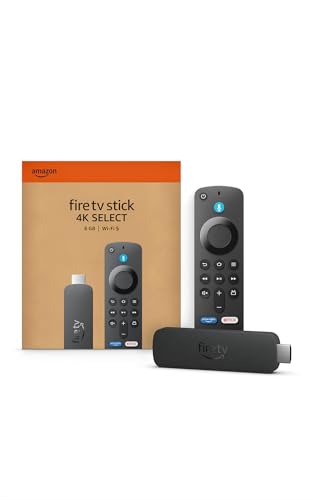
The Amazon Fire TV Stick 4K Select serves as a dedicated streaming media player built to transform any standard television into an intelligent entertainment display. Designed primarily for cord-cutters, apartment renters, busy families, and bedroom TV users, this compact dongle attaches directly to an open HDMI port. It presents a cost-effective way to modernize older flat-screen sets or replace sluggish built-in smart TV interfaces with an updated, responsive operating system.
Regarding visual performance, the device supplies crisp 4K Ultra HD playback with high dynamic range support via HDR10+. Connected to an HDR10+ capable LED, QLED, or OLED TV, viewers can enjoy enhanced contrast ratios, punchy colors, and clear highlights during movie nights or weekend sports broadcasts. Fast motion handling remains smooth for live hockey matches or football games, provided your home Wi-Fi delivers sufficient bandwidth to prevent buffering drops.
Smart functionality stands out through the modernized Fire TV user experience, backed by natural voice interaction through Alexa+. Rather than endlessly scrolling through distinct apps, viewers can speak naturally to find specific genres, track down actors, or manage playback across services like Prime Video, Netflix, Disney+, and Max. Furthermore, the inclusion of Xbox cloud gaming through Xbox Game Pass turns your living room TV into a casual console, allowing users to pair a wireless Bluetooth gamepad and play blockbuster titles directly over the cloud.
In terms of hardware build and everyday practicality, the player measures just over four inches long and weighs less than a tenth of a pound. This low-profile profile easily hides behind slim wall-mounted displays without demanding complex cable management or bulky shelf space. Connectivity relies on standard HDMI along with Wi-Fi, making the initial configuration quick and straightforward for non-technical users looking to stream workout videos, news updates, or late-night shows.
A few practical considerations are worth observing before choosing this model. The specifications highlight HDR10+ rather than Dolby Vision, which might leave dedicated home theater buffs wanting broader premium HDR format support. Furthermore, while the cloud gaming feature works well for casual play, competitive gamers may notice occasional latency depending on home network congestion, and an active Xbox Game Pass subscription is required.
For everyday viewers, apartment living rooms, student dorms, and guest bedrooms, the Fire TV Stick 4K Select delivers remarkable utility. It combines reliable 4K playback, an expansive library of free and premium streaming apps, and smart voice assistance into an unobtrusive footprint. Whether organizing family cartoon marathons or catching the big game with friends, this streaming player provides a practical, straightforward upgrade for modern home entertainment.
The updated interface prioritizes speed, helping family members pin their favorite applications directly to the home bar for one-click access. Integration with Alexa+ enables conversational searches, meaning you can ask for movies by quote or ask for recommendations based on mood, eliminating repetitive remote clicking.
For casual gamers, the ability to stream Xbox titles straight to the television via Xbox Game Pass provides an accessible alternative to buying a dedicated console. Players simply connect a compatible Bluetooth controller, launch the app, and play major titles with low input lag on solid Wi-Fi connections.
Physical installation requires only seconds, as the stick slots right into any open HDMI port on the back or side of your television. Because it draws power via an included cable and adapter, it stays hidden away, keeping living room entertainment consoles clean and wire-free.
The player pairs effortlessly with home Wi-Fi networks and guides users through a fast on-screen setup process. Once connected, users can also control compatible smart lights, thermostats, and security cameras straight from the couch using the included voice remote.

Pros
- Generous 65-inch display size at an accessible value point for living rooms and family spaces
- Built-in Samsung TV Plus delivers massive libraries of free streaming channels out of the box
- Reliable 4K upscaling brings sharper definition to standard cable channels and older streaming titles
- Integrated Alexa voice assistance enables seamless hands-free navigation and volume adjustments
- Smooth frame transitions with Motion Xcelerator minimize noticeable judder during football and basketball games
Cons
- Standard 60Hz refresh rate lacks native 120Hz support for competitive next-gen console gaming
- Lacks full array local dimming, which limits deep black levels in completely dark home theater rooms
- Built-in speakers provide modest bass output, making a dedicated soundbar recommended for cinematic audio
The Samsung 65-Inch Class U8000H Series Crystal UHD Smart TV offers a well-rounded 4K viewing package designed for everyday home entertainment. Geared toward families, apartment dwellers, cord-cutters, and budget-conscious buyers, this LED display brings a spacious 65-inch canvas into living rooms, finished basements, or primary bedrooms. Whether hosting weekend sports watch parties, enjoying family movie marathons, or catching up on morning news, this model aims to provide dependable visuals without complicated calibration steps.
At the core of the display is the Crystal Processor 4K, which works to optimize color expression and deliver clear upscaling for sub-4K cable broadcasts and streaming media. Features like Color Booster help bring vibrant tones to animated movies and nature documentaries, while Motion Xcelerator keeps fast-moving sports and action sequences steady at 60Hz. Although it does not feature full-array local dimming or OLED-level deep blacks, its contrast and brightness are well-suited for moderate to bright living rooms where casual daytime viewing and evening streaming dominate.
For casual gamers using modern consoles, the television delivers low input lag and responsive handling at 4K 60Hz, ensuring smooth playback across adventure titles and sports games. The smart platform offers intuitive navigation, quick app launch times, and built-in Alexa voice control for finding shows and adjusting settings without picking up the remote. In addition, Samsung TV Plus provides cord-cutters with immediate access to over 750 free live channels and thousands of on-demand programs right out of the box, eliminating the immediate need for paid subscriptions.
The exterior sports a clean, minimalist design with slim bezels that keep viewer focus squarely on the screen. Weighing under 32 pounds, the panel remains manageable during setup, whether mounting on a standard VESA bracket or resting on its included media stand feet. HDMI and audio return options support easy connectivity for soundbars, streaming players, and gaming hardware. While the built-in stereo speakers produce intelligible dialogue for sitcoms and news broadcasts, pairing the display with a soundbar is beneficial for rich, room-filling audio during blockbuster movies.
Overall, the Samsung 65U8000H represents a balanced blend of screen size, smart functionality, and everyday picture reliability. While serious home theater purists seeking true black levels or competitive gamers needing 120Hz refresh rates may look toward higher-tier models, this Crystal UHD TV excels for shoppers who want an expansive, easy-to-use smart display for daily family viewing and effortless streaming.
Navigating entertainment is seamless thanks to Samsung's comprehensive smart interface, which organizes favorite streaming platforms like Netflix, Prime Video, Disney+, and YouTube into an easy-to-read dashboard.
A major highlight for cord-cutters is Samsung TV Plus, which grants instant access to hundreds of free live TV channels and vast libraries of on-demand movies without requiring account sign-ups or subscription fees.
Hands-free voice functionality with built-in Alexa makes it easy to search for specific actors, switch inputs, launch apps, or pause playback with simple voice commands, fitting smoothly into modern smart homes.
Sports fans will appreciate the integrated Motion Xcelerator technology, which intelligently calculates and inserts frame transitions in real time to prevent annoying motion blur during high-speed football plays or hockey action.
For gaming setups, the TV automatically switches to a low-latency mode to reduce control lag, delivering crisp 4K visual feedback at 60Hz for consoles like the Xbox Series S or Nintendo Switch.
While competitive esports players may require native 120Hz panels, casual gamers will find the smooth responsiveness and vibrant color palette plenty capable for relaxing evening gaming sessions.

Pros
- Mini LED backlight technology delivers impressive contrast and controlled local dimming for dark scenes.
- Samsung Gaming Hub consolidates cloud gaming services and console access in a single menu.
- Smooth DLG 120Hz motion handling enhances fast-moving sports and action sequences.
- Vast free streaming content library through Samsung TV Plus appeals directly to cord-cutters.
- Lightweight 22.5-pound design makes unboxing, positioning, and wall mounting simple.
Cons
- DLG 120Hz technology utilizes dual line gating rather than a native 120Hz panel at full 4K resolution.
- Built-in speakers may lack deep low-end bass, making an external soundbar upgrade advisable for larger rooms.
- Viewing angles may soften contrast slightly when viewed from extreme off-center seating positions.
The Samsung 55-Inch M70H Series is a versatile 4K smart television engineered around Mini LED backlight technology, designed to bridge the gap between entry-level screens and premium living room displays. This 55-inch size fits comfortably in mid-sized living rooms, apartments, and primary bedrooms where space and picture impact need to find an easy balance. Sports fans, everyday streamers, and console gamers will find plenty of tailored functionality here, especially those looking for bright HDR highlights and deep black levels without investing in costly OLED panels.
Under the hood, the Mini LED Processor 4K drives Supreme Mini LED Dimming to deliver tighter backlight control than conventional LED arrays. Product specifications indicate that the Pure Color Spectrum unlocks over one billion colors, helping animated family movies, high-contrast blockbusters, and nature documentaries maintain saturation and clarity. While it focuses on Mini LED HDR rather than proprietary formats like Dolby Vision, standard HDR content benefits from elevated peak brightness and shadow detail that keep dark sequences readable even in rooms with ambient daytime lighting.
Action sequences and fast sports benefit from Samsung's Motion Xcelerator paired with DLG 120Hz capability. This dual-line gate approach boosts frame clarity, reducing visible trail blur during Sunday football broadcasts or high-speed racing games. In addition, the integrated Samsung Gaming Hub consolidates cloud gaming platforms and connected consoles into one unified interface, letting players jump into games with low input lag. The dedicated Soccer Mode also optimizes motion sharpness and boosts turf vibrancy, making it an entertaining choice for weekend watch parties.
Running on Samsung's robust smart operating system, navigation feels fluid with fast access to popular streaming apps such as Netflix, Prime Video, Disney+, and YouTube. Cord-cutters will particularly appreciate Samsung TV Plus, which grants instant access to hundreds of free live channels and thousands of on-demand titles without any ongoing subscription. Voice control features and intuitive menus offer quick navigation, making routine content browsing straightforward for every member of the household.
The display features a slim Titan Black aesthetic and weighs around 22.5 pounds, making it easy for one or two people to handle during unboxing or mounting to a standard VESA bracket. While the internal audio produces clear dialogue for morning news and comedy shows, the slim cabinet naturally limits deep bass response, so pairing it with an external soundbar is recommended for theater-level audio immersion. Off-axis viewing may also show minor contrast fade compared to wide-angle OLED panels, though it remains strong for typical couch seating arrangements.
For budget-conscious homeowners, gamers, and streaming-focused families wanting modern Mini LED brightness, the Samsung M70H Series represents an appealing, feature-packed display. Its blend of high-contrast processing, gaming perks, and built-in free content makes it a practical centerpiece for modern home entertainment setups.
Console and cloud gamers will appreciate the dedicated features packed into the M70H Series. The Samsung Gaming Hub brings together popular cloud gaming services and connected consoles into a centralized screen, enabling fast access to favorite titles without switching between separate inputs manually.
The inclusion of Motion Xcelerator and DLG 120Hz technology helps maintain smooth visuals during fast-action gameplay. By optimizing refresh rates and minimizing input lag, this display keeps response times snappy for first-person shooters, sports titles, and racing games alike.
Samsung's smart platform provides a comprehensive entertainment ecosystem right out of the box. Users can easily access premier subscription streaming services alongside Samsung TV Plus, which offers over 2,700 free streaming options and hundreds of subscription-free live channels.
The intuitive interface features personalized recommendations tailored to viewer habits, while built-in voice assistance allows quick searching for shows, changing inputs, or managing volume without endless remote clicking.

Pros
- Brilliant 4K playback with HDR10+ compatibility enhances movie nights and sports streaming.
- Discreet plug-in design hides behind the TV without blocking adjacent HDMI ports.
- All-in-one voice remote eliminates the need to juggle separate TV power and volume remotes.
- Roku platform offers responsive navigation and a massive selection of free and premium channels.
- Simple setup makes it ideal for upgrading older smart TVs, bedroom displays, or guest room setups.
Cons
- Lacks Dolby Vision support, which some high-end 4K home theater owners might prefer.
- Requires a wall outlet adapter if your TV USB port provides insufficient power.
- Does not include an integrated Ethernet port, relying entirely on home Wi-Fi connectivity.
The Roku Streaming Stick Plus is a dedicated 4K streaming media player engineered to modernize any television setup with fast access to digital entertainment. It caters directly to cord-cutters, apartment dwellers, movie enthusiasts, and busy families who want an intuitive smart TV experience without replacing their current display. Whether you are outfitting a primary living room screen, a guest bedroom display, or a college dorm TV, this compact dongle provides a straightforward streaming upgrade.
On the video performance front, the device streams in ultra-high-definition 4K resolution and supports HDR10+ formatting. When connected to a compatible 4K TV, viewers can expect rich contrast, accurate color rendering, and sharp picture clarity during family movie nights or weekend sports streaming sessions. The HDR processing helps preserve highlight details in bright daylight scenes and prevents shadow crushing in darker dramatic films, providing a noticeable visual lift over standard 1080p streaming sticks.
At the heart of the experience is the renowned Roku operating system, which remains one of the cleanest and easiest navigation interfaces on the market. Users get access to massive libraries of on-demand content, including Netflix, Disney+, Prime Video, and Max, alongside an extensive catalog of free ad-supported live television. The included voice remote speeds up searches across multiple services, while integrated TV power and volume controls eliminate everyday remote clutter on the coffee table.
From a hardware and design perspective, the stick form factor is built for convenience and clean installations. Measuring just under four inches in length, it slips neatly into any rear or side HDMI port without obstructing adjacent inputs, making it an excellent match for tight wall-mounted TVs. Power can often be drawn directly from a standard TV USB port, which minimizes visible cords. Built-in Wi-Fi connectivity handles multi-room wireless setups, making travel between home, hotel rooms, and vacation rentals seamless.
While the device excels at general streaming tasks, there are a few practical trade-offs to keep in mind. The unit relies entirely on wireless networking, meaning users with congested Wi-Fi routers cannot plug in a direct wired Ethernet cable without third-party adapters. In addition, home theater purists seeking advanced Dolby Vision mastering will need to look to higher-tier players, as HDR support here is focused around HDR10 and HDR10+. Some older TV USB ports might also fail to deliver enough amperage, necessitating the use of a standard wall outlet.
Overall, the Roku Streaming Stick Plus represents an exceptionally practical purchase for streamers, sports fans, and families seeking dependable 4K performance at an accessible price. It transforms sluggish, outdated smart TV interfaces into responsive entertainment hubs with minimal physical footprint. For everyday living room viewing, secondary bedroom displays, or portable streaming on the go, this stick delivers strong everyday value.
The Roku OS interface provides a clutter-free, customizable home screen where your favorite streaming apps sit front and center. You can quickly launch major platforms like YouTube, Hulu, Apple TV+, and ESPN without wading through aggressive full-screen banner advertisements.
Cord-cutters benefit from deep integration with The Roku Channel, offering hundreds of free live linear channels covering local news, weather, sports commentary, and classic sitcoms. Unified subscription management also allows you to consolidate billing across various premium services into a single profile.
The included voice remote allows users to press a button and speak natural commands to launch movies, locate favorite actors, or switch genres. Furthermore, its universal power and volume buttons sync directly with your television, streamlining daily TV operation down to a single handheld controller.
Setting up the Roku Streaming Stick Plus requires just a few minutes, making it well-suited for non-technical users and quick bedroom TV upgrades. You simply plug the stick directly into an available HDMI port on the back or side of your television.
For cable management, the stick can frequently run off a 5V USB port built into your TV using the included cable, eliminating the need to drop power cords down through walls or behind furniture. If your TV does not output sufficient USB power, the stick can easily be plugged into a nearby wall outlet.
Once connected, on-screen prompts guide you through Wi-Fi network pairing, account activation, and remote calibration for TV volume and power controls. Its slim footprint keeps neighboring HDMI slots completely unobstructed for gaming consoles or soundbars.

Pros
- Quantum dot QLED panel provides rich color volume and solid HDR10 contrast for everyday viewing.
- Responsive Roku OS interface makes streaming, app switching, and live TV navigation remarkably simple.
- Enhanced voice remote includes a handy lost remote finder feature and customizable shortcuts.
- Bluetooth Headphone Mode enables effortless private listening for late-night entertainment.
Cons
- Standard 60Hz refresh rate lacks native 120Hz high-frame-rate support for competitive next-gen gaming.
- Does not feature advanced local dimming for inky black levels in pitch-black home theater rooms.
- Built-in speakers provide clear dialogue but lack deep low-end bass without an external soundbar.
The Roku 50-Inch Select Series 4K QLED Smart TV serves as an accessible, entertainment-focused display engineered to bring quantum dot color technology to everyday living spaces. Geared toward apartment renters, busy families, cord-cutters, and budget-conscious movie watchers, this 50-inch screen strikes a versatile balance between compact sizing and immersive entertainment. Whether you are outfitting a primary apartment living room, setting up a secondary bedroom TV, or upgrading a family bonus room, this model emphasizes straightforward operation and vibrant picture quality without complicated menu systems.
In terms of visual performance, the inclusion of a QLED panel provides noticeably punchy color saturation and improved brightness compared to standard entry-level LED displays. Support for HDR10 highlights specular details in modern 4K streaming shows and movies, while Roku Smart Picture technology works behind the scenes to analyze incoming signals and adjust picture modes automatically. While it does not incorporate full array local dimming for true inky blacks in completely dark home theater basements, its overall contrast and color volume remain well-suited for well-lit living rooms during afternoon football watch parties or evening family movie nights.
Gamers and streamers will appreciate the TV's responsive operation and low input lag for casual console play. Although restricted to a standard 60Hz refresh rate rather than advanced 120Hz gaming standards, it handles Nintendo Switch, PlayStation, and Xbox gaming smoothly for casual players and weekend tournaments. The standout highlight remains the Roku OS platform, which provides instantaneous access to essential services like Netflix, Disney+, Prime Video, and a massive library of free ad-supported live channels. Navigation is remarkably snappy, while smart home compatibility with Apple AirPlay, Apple Home, Alexa, and Google Assistant makes casting media effortless.
The exterior hardware features an attractive frameless bezel design that gives the TV a sleek, modern profile that blends seamlessly with any decor. Weighing under 17 pounds, the lightweight chassis makes handling and mounting onto standard VESA wall brackets exceptionally straightforward. Built-in stereo speakers are specifically tuned for dialogue clarity so you can catch every line of television drama or sports commentary without straining. For late-night entertainment, the Bluetooth Headphone Mode allows users to route audio straight to wireless headphones, while the enhanced voice remote includes a lost remote finder that ends frantic searches between couch cushions.
Realistic expectations are necessary regarding home theater extremes. Enthusiasts seeking deep black levels for high-end cinematic setups or competitive gamers demanding HDMI 2.1 120Hz VRR capabilities may need to explore premium displays at higher price tiers. However, for everyday viewers, college dorm rooms, guest bedrooms, and cost-conscious households seeking reliable 4K clarity, seamless streaming, and intuitive controls, this 50-inch QLED model represents an exceptionally practical home entertainment solution.
The integrated Roku TV operating system remains one of the cleanest and easiest smart platforms available for streaming households. The home screen offers personalized recommendations and eliminates endless scrolling by organizing your favorite streaming services, connected inputs, and live television options in one central location.
Cord-cutters benefit from instant access to The Roku Channel, providing hundreds of free live TV channels spanning news, sports, movies, and daytime programming right out of the box. Setup takes just minutes over fast Wi-Fi, and automatic software updates ensure the interface stays fresh and secure over time.
Smart home users can take advantage of broad ecosystem support, including Apple AirPlay for mirroring photos and videos directly from iPhones or iPads. Hands-free convenience is further expanded with support for Roku Voice, Siri, Amazon Alexa, and Google Assistant for quick volume changes, input switching, and title searching.
Unboxing and setting up the Roku 50-Inch Select Series TV is designed to be user-friendly, even for solo installers. At a physical weight of approximately 16.8 pounds, lifting and positioning the display onto standard media consoles or entertainment centers requires minimal effort.
For wall mounting, the display is compatible with standard VESA wall brackets, making it easy to hang in master bedrooms, guest rooms, or apartment living spaces where saving floor space is a priority. The slim profile and clean cable arrangement keep clutter to an absolute minimum.
On-screen setup guides you step-by-step through Wi-Fi pairing, streaming account activation, and input configuration. Within minutes of plugging in the power cord, the television is ready to stream shows, connect cable boxes, or hook up your favorite gaming consoles.
Everything You Need to Know About 4K HDR Television Technology
A 4K HDR display combines an ultra-high-definition panel matrix with advanced luminance processing. Rather than simply packing extra pixels onto the screen, this pairing expands dynamic contrast and chromatic range. Four times the clarity of traditional 1080p high definition works alongside extended highlights to deliver an image that closely mirrors human vision. Understanding how these display systems function ensures you can match panel specifications to your specific room environment.
The Dual Foundation: Separating 4K Resolution from High Dynamic Range
Spatial sharpness on a modern screen begins with native pixel resolution. A standard 4K Ultra HD panel contains 3840 horizontal pixels and 2160 vertical pixels, creating an image grid of roughly 8.3 million points. Older 1080p screens display only 2.07 million pixels across that same physical screen area. This higher pixel density eliminates visible screen-door artifacts, allowing viewers to sit closer without noticing individual pixels.
High Dynamic Range operates on a fundamentally different axis of visual performance. While 4K determines how many pixels compose the image, HDR governs the luminance and color data within each pixel. An ultra-high-definition screen lacking HDR capabilities still renders standard dynamic range video, which often clips intense highlights and crushes subtle shadow details. Combining native 4K pixel structure with HDR reproduction ensures both geometric detail and realistic optical depth.
How High Dynamic Range Functions: Luminance, Contrast Ratios, and Color Volume
The human eye naturally navigates vast extremes between bright sunlight and subtle shadow textures. Traditional standard dynamic range standards constrained content creators to a modest peak brightness ceiling of roughly 100 nits and the dated Rec. 709 color spectrum. HDR standards break through these legacy constraints, establishing mastering parameters that reach up to 1,000 or even 4,000 nits. This elevated headroom allows specular highlights, such as polished reflections or campfire sparks, to punch through without washing out surrounding scenery.
Expanded color reproduction represents the second critical half of high dynamic range engineering. Standard video pipelines utilize 8-bit color depth, which produces approximately 16.7 million distinct chromatic shades. HDR protocols mandate 10-bit or 12-bit color pipelines targeting the wider DCI-P3 and BT.2020 color spaces, allowing displays to reproduce over one billion tonal variations. Proprietary technologies like the Samsung Color Booster and wide-gamut filters leverage this spectrum to eliminate harsh color banding across complex sky gradients.
HDR Metadata Formats Compared: HDR10, HDR10+, Dolby Vision, and HLG
Content creators communicate luminance targets to televisions through dedicated metadata streams embedded within the video signal. HDR10 represents the fundamental baseline format adopted across physical media, gaming consoles, and streaming libraries. This open standard uses static metadata, establishing a fixed brightness parameter that governs the entire runtime of a title. While universally supported on displays like the Roku Select Series, static tone mapping requires the display processor to apply a single compromise curve across both dark and bright scenes.
Dynamic metadata protocols elevate picture fidelity by adjusting luminance parameters continuously on a scene-by-scene or frame-by-frame basis. Samsung displays and external streaming hardware like the Amazon Fire TV Stick 4K Select champion HDR10+, which provides dynamic instructions to preserve highlights without sacrificing shadow delineation. Dolby Vision operates on a similar proprietary dynamic metadata framework widely adopted by production studios and streaming services. Both dynamic standards prevent dark scenes from appearing excessively dim while maintaining vibrant specular peaks.
Broadcasters rely on Hybrid Log-Gamma, commonly known as HLG, to distribute live sports and terrestrial television programming. Because live broadcasting cannot accommodate separate SDR and HDR distribution streams due to bandwidth restrictions, HLG packages both signals into a unified broadcast feed. Legacy television sets read the standard gamma curve, while compatible 4K HDR displays unlock the extended dynamic range information seamlessly. This dual compatibility makes HLG an essential standard for football matches and major live athletic broadcasts.
Backlight and Panel Implementations: LED, QLED, Mini-LED, and Emissive OLED
Entry-level displays utilize direct-lit or edge-lit liquid crystal panel arrays behind traditional polarizing filters. The Samsung 65-Inch Class Crystal UHD U8000H Series demonstrates how standard LED configurations deliver crisp 4K resolution alongside dependable everyday viewing. However, because edge-lit and direct-lit designs illuminate broad panel sectors simultaneously, they lack the pinpoint illumination control required to render inky blacks alongside dazzling HDR highlights. In high-contrast sequences, these panels can display elevated black levels that appear dark gray in unlit rooms.
Quantum dot LED displays, marketed widely as QLED, introduce a specialized nanocrystal layer to improve color purity and backlight efficiency. Models like the Roku 50-Inch Select Series Smart TV 2026-4K QLED employ quantum dots to convert blue LED illumination into pure primary colors. This optical layer enhances total color volume and increases daytime screen luminance. As a result, QLED sets remain an exceptional choice for bright living areas with abundant ambient light.
Mini-LED backlighting represents a significant advancement over standard local dimming liquid crystal architectures. By utilizing thousands of miniature diodes, displays like the Samsung 55-Inch Class M70H Series pack high-density arrays capable of precise backlight modulation. Supreme Mini LED Dimming isolates bright objects against pitch-black backgrounds, significantly controlling blooming around movie subtitles. Buyers seeking fast-paced action often explore Mini-LED sports viewing panels to combine intense daytime brightness with refined contrast control.
Emissive display technologies, such as Organic Light Emitting Diode panels, diverge completely from transmissive backlights by utilizing self-illuminating pixels. Each subpixel turns off independently to generate true infinite contrast ratios, completely eliminating backlight bleed and haloing in dark home theaters. While Mini-LED panels maintain the advantage in sustained full-screen daylight brightness, emissive displays remain the reference standard for black-level precision and wide off-axis viewing stability.
Motion Handling, Refresh Rates, and Artifact Reduction
Discerning buyers must look beyond manufacturer marketing labels to understand physical panel refresh rates. A native 60Hz panel refreshes its visual raster 60 times per second, which satisfies standard television broadcasts, streaming movies, and casual gaming. Higher-tier displays incorporate native 120Hz panels that refresh at double that speed, providing noticeably sharper motion during live athletic events. Deceptive proprietary ratings often advertise inflated numbers created through software interpolation rather than native hardware capabilities.
Motion estimation and motion compensation inserts artificially generated intermediate frames to smooth out fast motion. While motion smoothing clarifies fast camera pans during sports broadcasts, applying aggressive processing to cinematic films creates the unnatural soap opera effect. Film enthusiasts often disable motion smoothing entirely or activate Filmmaker Mode to preserve the authentic cadence intended by directors. Fine-tuning custom de-judder sliders in your picture settings menu strikes a balanced compromise between fluidity and cinematic texture.
Advanced image engines integrate adaptive frame handling to improve motion clarity across multiple genres. Samsung models feature Motion Xcelerator technology and dedicated Soccer Mode presets that actively optimize frame transitions and turf color reproduction in real time. Select displays also utilize dual line gate architecture to emulate a 120Hz refresh rate during gaming, reducing ghosting and input lag when connected to modern gaming consoles.
Image Processing, AI Engines, and Sub-4K Upscaling Reality
Much of everyday television content remains far below native 4K ultra-high-definition resolution. Legacy cable broadcasts, local news channels, and syndicated reruns commonly stream in 720p or 1080i high definition. Displaying a sub-4K signal on a 4K panel requires the television to generate millions of interpolation pixels to fill the 3840 by 2160 matrix. Without capable hardware processing, low-resolution incoming feeds can appear soft, noisy, and muddy on larger screen sizes.
Integrated processing silicon, such as the Samsung Crystal Processor 4K or Roku Smart Picture engine, continuously analyzes incoming signals to enhance visual clarity. These processors apply spatial noise reduction, detect object edges, and reconstruct missing high-frequency details before mapping the signal to the native screen matrix. Intelligent tone mapping algorithms simultaneously inspect the dynamic range of incoming standard content, applying moderate color and contrast enhancements to make SDR feeds look crisp and vibrant.
Hardware upscaling cannot magically recreate information lost to heavy broadcast compression. An over-the-air signal with high digital compression or a low-bitrate internet feed will still exhibit minor macroblocking and soft gradients. However, a well-engineered processing chip minimizes these distractions, ensuring that daily news, classic television shows, and sports broadcasts look sharp and cohesive on large displays.
Gaming Capabilities, Bandwidth Standards, and HDMI 2.1 Integration
Console and PC gaming enthusiasts face specific technical criteria when shopping for modern 4K HDR displays. Platforms like the PlayStation 5 and Xbox Series X demand high-bandwidth HDMI 2.1 ports capable of transmitting 4K resolution at 120Hz alongside uncompressed 10-bit HDR data. Budget-focused screens typically feature standard HDMI 2.0 inputs capped at 4K 60Hz, which satisfies standard console gameplay but prevents high-framerate competitive modes. Verifying dedicated 48Gbps HDMI 2.1 port counts ensures your display can handle the graphical demands of modern gaming hardware.
Input latency and frame synchronization define the quality of the interactive gaming experience. Auto Low Latency Mode automatically detects active gaming signals and switches the television into a stripped-down Game Mode, bypassing non-essential video post-processing to drive input lag below 15 milliseconds. Variable Refresh Rate synchronizes the panel refresh cycle with the fluctuating frame output of your console or PC graphics card. Eliminating screen tearing and frame stutter ensures responsive control in fast-twitch racing games and first-person shooters.
Cloud gaming services are rapidly transforming how gamers access modern titles on their living room displays. The Amazon Fire TV Stick 4K Select demonstrates this trend by enabling cloud-based Xbox Game Pass access directly through smart streaming interfaces without requiring a physical console. While cloud gaming relies on high-speed internet connections and low network latency rather than local HDMI bandwidth, proper HDR tone mapping remains vital for rendering rich contrast in virtual environments.
Viewing Environments, Glare Management, and Room Placement
Ambient lighting conditions directly determine how effectively a 4K HDR television performs in a home setting. In sunlit rooms with large windows, diffuse ambient light bounces off the display glass, washing out dark shadow details and reflecting room furnishings. Televisions equipped with Mini-LED backlights or high-output QLED layers combat daytime washout by delivering high sustained full-screen luminance alongside anti-reflective panel coatings. Placing your display perpendicular to primary light sources significantly minimizes specular glare and preserves perceived contrast.
Light-controlled media rooms and dedicated home theaters shift the performance priority from peak brightness to absolute black level fidelity. In dark environments, excessive screen brightness without precise local dimming causes noticeable blooming around bright subtitles and letterbox borders. Emissive OLED displays and Mini-LED panels with dense dimming zone counts excel in dark settings because they maintain pitch-black shadows without backlight bleed. Controlling ambient illumination allows viewers to enjoy cinematic tone mapping without straining their eyes.
Seating geometry and off-axis viewing angles represent another critical room planning consideration. Liquid crystal displays built with Vertical Alignment panels produce deep contrast ratios directly in front of the screen but lose color saturation when viewed from wide side angles. IPS and ADS panel variations retain consistent chromatic accuracy across wide sectional sofas but exhibit lower native contrast in dark rooms. Calculating seating distance ensures you achieve a 30 to 40-degree field of view for immersive entertainment.
Audio Connectivity, Soundbar Pairing, and HDMI eARC Passthrough
Ultra-thin modern chassis leave virtually no physical depth for robust internal speaker enclosures. As a result, factory television speakers typically lack low-frequency bass response and can sound muffled during dynamic dialogue sequences. While proprietary software filters clarify spoken voices, external audio hardware remains crucial for true home cinema impact. Many buyers evaluate televisions with superior acoustic clarity before selecting a dedicated soundbar or multi-channel surround sound system.
Enhanced Audio Return Channel provides the critical high-speed connection between your television and external audio gear. While legacy optical connections and older HDMI ARC ports compress digital sound into basic multi-channel formats, eARC carries uncompressed audio formats like Dolby Atmos and DTS:X directly to your soundbar. This expanded bandwidth eliminates lip-sync latency and ensures that spatial sound formats map accurately around your living room.
Hardware planning requires careful attention to rear television input configurations. On displays that include only two high-bandwidth HDMI 2.1 ports, manufacturers frequently assign the eARC channel to one of those high-speed inputs. Connecting an external soundbar to that designated port leaves only one remaining input for high-framerate 4K 120Hz gaming consoles. Understanding your port layout in advance prevents connection bottlenecks when integrating both high-end gaming consoles and external surround sound gear.
Smart Platforms, Streaming Hardware, and Panel Longevity
Built-in smart operating systems deliver quick access to streaming libraries, live television channels, and smart home controls. Operating systems like Roku OS, Samsung Tizen, and Fire TV offer intuitive navigation, customized content hubs, and integrated voice remotes. Alternatively, compact plug-in adapters like the Roku Streaming Stick Plus provide portable streaming access that powers directly from the rear USB port of your television. These external dongles provide a cost-effective way to refresh smart software if an older television processor begins to feel sluggish over years of use.
Maintaining pristine image quality requires sensible panel care and safe physical installation practices. When cleaning an anti-reflective display surface, use a dry, soft microfiber cloth and avoid abrasive cleaning solutions or household glass sprays that degrade optical coatings. When installing displays on wall brackets, always anchor heavy lag bolts directly into wooden wall studs rather than relying on hollow drywall anchors. Following two-person lifting protocols prevents structural torque and panel cracking during setup.
Modern displays incorporate automated maintenance algorithms to protect delicate pixel structures from permanent damage. Prolonged exposure to static broadcast tickers, news banners, or gaming scoreboards can occasionally cause temporary image retention on certain panel types. Televisions combat this through automated screen savers, subtle pixel shift routines, and logo luminance dimmers that monitor static on-screen elements. Allowing your television to complete its regular standby maintenance cycles ensures that your panel delivers consistent color accuracy and dynamic contrast across years of family entertainment.
Selecting the right television setup comes down to balancing native resolution, dynamic metadata standards, and real-world room lighting. A 4K HDR television brings noticeable depth and lifelike contrast to your living room when paired with high-quality source content and proper picture settings. By looking past surface-level marketing claims and focusing on panel backlighting, processing power, and connectivity standards, you can confidently invest in a display that provides exceptional entertainment for years to come.



Write Your Review
No reviews yet. Be the first to share your experience!