

An 85-inch television can create a striking home-cinema view, but the diagonal measurement alone doesn’t tell you how much wall or furniture space the set needs. The answer to how big is an 85 inch tv depends on the screen’s aspect ratio, bezel, stand, and exact model, so treat the screen estimate as a starting point rather than a final installation measurement.
For a standard 16:9 screen, the visible picture is about 74 inches wide and 42 inches tall, or roughly 6.2 feet by 3.5 feet. The television’s overall dimensions will be somewhat larger, and its stand may affect the space it needs on a cabinet. If you’re also deciding whether a large screen suits your room, this 4K UHD viewing guide explains why resolution and seating distance matter together.
The products below include 85-inch televisions as well as screen protectors listed for 85-to-86-inch sets. Those categories serve different purposes: a television provides the picture, while a protector is an accessory whose fit should be checked against the actual display. For other room-placement considerations, see our guide to TVs for bright outdoor viewing areas; an indoor television should not be assumed suitable for outdoor exposure.
Top Products

Pros
- Expansive 85-inch screen combined with smooth 120Hz motion handling for fast-paced live sports and action movies
- Seamless integration with PlayStation 5 consoles alongside dedicated HDMI 2.1 gaming tools like VRR and Game Menu
- Intuitive Google TV interface with Gemini AI assistant for effortless voice search and smart streaming navigation
- Comprehensive HDR and cinematic audio support featuring Dolby Vision, Dolby Atmos, and DTS:X decoding
Cons
- Standard LED backlighting may show elevated black levels in dark home theater rooms compared to OLED or Mini-LED panels
- Substantial 85-inch footprint and 78.8-pound weight require a wide, sturdy TV console or heavy-duty wall mount
- Built-in speakers may lack deep bass, making a dedicated soundbar recommended for a fully immersive theater space
The Sony 85-Inch BRAVIA 3 II (K-85XR30M2) is an expansive 4K HDR smart LED television engineered for big-screen entertainment in modern American homes. Designed specifically for homeowners, home theater enthusiasts, sports fans, and gamers, this model provides massive screen real estate without moving up into ultra-premium flagship price tiers. Whether anchored in an open-concept living room, an expansive basement den, or an active family lounge, this display caters directly to movie lovers seeking cinematic immersion, streamers looking for simple app access, and families gathering for movie nights or Super Bowl watch parties.
In terms of picture performance, the display relies on the cognitive XR Processor to deliver sharp detail and rich contrast in real time. Features like XR Clear Image intelligently upscale lower-resolution cable broadcasts, vintage shows, and streaming video by suppressing grain and restoring lost texture. Thanks to XR Triluminos Pro, color reproduction covers a wide spectrum with nuanced skin tones and vivid nature hues. Dynamic range gets a major boost through support for Dolby Vision, giving compatible movies authentic highlights and shadow depth. Fast-moving broadcasts like football, hockey, or car races maintain sharp motion clarity due to the native 120Hz refresh rate and Motionflow XR technology, minimizing distracting blur during sudden plays.
Gamers will find this television particularly well tailored for the PlayStation 5 and current-generation gaming setups. Equipped with HDMI 2.1 capabilities, it provides 4K gameplay at 120 frames per second, Variable Refresh Rate (VRR) to eliminate screen tearing, and Auto Low Latency Mode (ALLM) for responsive control. Exclusive PS5 enhancements such as Auto HDR Tone Mapping automatically tune dynamic range settings during initial console setup, ensuring bright highlights and dark corridors reveal critical details. The on-screen Game Menu lets players toggle crosshairs, motion blur reduction, and screen sizes on the fly, making it an appealing centerpiece for marathon gaming tournaments and casual weekend play alike.
From a structural and aesthetic standpoint, the BRAVIA 3 II showcases a sleek black frame with narrow bezels that keep the focus entirely on the massive display. At nearly 75 inches wide and just under 79 pounds, it demands a sturdy TV console or a secure VESA-compatible wall mount. The user interface runs on Google TV enhanced with Gemini AI, organizing streaming services like Netflix, Disney+, Prime Video, and YouTube into personalized watchlists while allowing natural conversational voice commands. Audio output is powered by Sony X-Balanced Speakers with Dolby Atmos and DTS:X decoding, which deliver punchy dialogue and wide stage presence for everyday viewing, while an eARC port allows simple one-cable pass-through to an external surround soundbar or AV receiver.
While this television excels in size, color, and gaming responsiveness, buyers should consider standard LED panel characteristics. In completely dark rooms, black levels will not achieve the inky depth of OLED displays or high-density Mini-LED alternatives, and off-axis viewing can show slight color desaturation. However, for everyday living room light, afternoon sports viewing, video streaming, and console gaming marathons, this 85-inch setup offers an impressive balance of scale, smart convenience, and trusted Sony image processing. It stands as an attractive, high-value recommendation for any homeowner or entertainment lover wanting true theater scale at home.
Equipped with HDMI 2.1 inputs, this display supports high-bandwidth gaming at 4K resolution up to 120Hz. Fast-action titles benefit from low input latency, while Variable Refresh Rate (VRR) matches the television refresh rate to your console frame rate to prevent screen stuttering and tearing.
PlayStation 5 users benefit from exclusive automatic optimizations, including Auto HDR Tone Mapping and Auto Genre Picture Mode, ensuring seamless transitions between cinematic streaming and high-speed gaming without tedious menu calibration.
Google TV brings popular streaming channels into one unified home screen, recommending movies and shows based on viewing preferences across multiple subscriptions. Built-in Gemini voice control simplifies search by interpreting natural conversational requests, checking the weather, or managing smart home lights.
Additionally, viewers gain access to Sony Pictures Core with included movie credits and streaming access to hundreds of Sony classics, streaming select titles with high bitrates and IMAX Enhanced certification.

Pros
- Museum-grade matte display virtually eliminates glass reflections during bright daytime viewing.
- Single-cable One Connect Box and flush wall mount provide an ultra-clean, wire-free presentation.
- Massive 85-inch screen creates an expansive cinematic view for family movie nights and sports watch parties.
- Art Mode with motion sensing displays high-resolution art rather than an empty black rectangle when idle.
Cons
- Edge-lit backlighting does not achieve the deep black levels of OLED displays in pitch-black rooms.
- Access to the complete library of museum art requires an ongoing subscription fee.
- Substantial 100-pound weight requires careful stud alignment and two-person handling during wall installation.
The Samsung 85-Inch Class LS03D The Frame Series QLED 4K TV serves as both a high-performance home entertainment display and an architectural statement piece. Instead of leaving a massive blank screen dominating your living room, this lifestyle display shifts into an authentic gallery canvas when idle. Based on product specifications, this 2024 model features a certified glare-free matte display, Pantone Validated ArtfulColor, and a sleek profile engineered to hang completely flush against standard drywall.
This expansive 85-inch display is ideally suited for homeowners, open-concept living spaces, and home theater enthusiasts who prioritize clean interior design alongside big-screen entertainment. Sports fans hosting Super Bowl parties will appreciate the sheer scale of the display, while movie lovers and busy families will enjoy streaming their favorite shows without distracting glare from floor lamps or picture windows. For tech lovers who despise tangled cords behind TV consoles, the exterior hardware layout solves a persistent living room dilemma.
Picture performance on the LS03D relies on Samsung 4K QLED technology paired with Quantum HDR. The matte screen finish scatters ambient light effectively, making daytime TV viewing and sports watching remarkably crisp even in sun-drenched rooms. Color reproduction remains vibrant, with ArtfulColor tuning ensuring that both classic museum paintings and modern 4K HDR movies appear true to life. For gamers and sports fans, motion handling remains smooth, helping fast-moving balls and action sequences stay sharp without excessive judder.
Build quality and installation practicality are core highlights of the Frame lineup. The included Slim Fit Wall Mount holds the 85-inch television snug to the wall surface, while customizable magnetic bezels let you tailor the exterior frame to match your interior trim or furniture. All external HDMI cables, streaming sticks, and power cords plug into the standalone One Connect Box, which connects to the display via a single ultra-thin wire. Samsung Tizen OS handles everyday streaming seamlessly, with voice commands supported via built-in Alexa for hands-free convenience.
Despite its visual appeal, potential buyers should recognize a few practical tradeoffs. Because The Frame relies on an edge-lit backlighting system rather than OLED pixels or dense Mini-LED local dimming zones, contrast levels and black floor depth in completely darkened rooms will not match dedicated high-end cinema displays. In addition, unlocking the complete catalog of artwork in the Samsung Art Store requires an ongoing subscription fee, and the sheer weight of the 85-inch panel means careful wall anchoring is required during setup.
Overall, the Samsung 85-Inch The Frame LS03D represents a thoughtful blend of home decor and modern 4K home entertainment. If you want an expansive, premium TV for bright living rooms, weekend sports gatherings, and casual gaming that doubles as museum-grade art when the show is over, this 2024 model delivers exceptional style and daily versatility.
The standout feature of Samsung The Frame is its Art Mode, which transforms the display into museum-quality artwork rather than an idle black screen. The UL-certified matte finish eliminates glass glossiness, making digital brushstrokes and textures look like genuine prints or paintings. With built-in motion sensors, the display can automatically turn on art when you enter the room and power down when no one is around to conserve energy.
Homeowners can tailor the exterior look using interchangeable magnetic bezels sold in multiple finishes, such as modern teak, white, walnut, or beveled metal frames. Combined with the included Slim Fit Wall Mount and the discreet One Connect Box, all unsightly cable bundles remain hidden inside your media console or closet, preserving a minimalist decor aesthetic.


Pros
- Vibrant 85-inch Mini-LED display with 1,000 nits brightness and rich contrast
- High-end gaming support with native 144Hz, VRR up to 288Hz, and Dolby Vision Gaming
- Four HDMI 2.1 ports allow multiple high-performance sources and eARC soundbar hookups
- Integrated 50W 2.1 sound system with a 20W subwoofer delivers above-average built-in audio
- Convenient Google TV platform with Apple AirPlay 2, Chromecast, and hands-free voice search
Cons
- Significant 85-inch physical footprint requires a wide media stand or heavy-duty wall mount
- Off-angle color and contrast may degrade slightly compared to premium OLED alternatives
- Only two of the four HDMI ports support the full 4K at 144Hz bandwidth
The iFFALCON 85U85 is an 85-inch 4K Mini-LED smart television engineered to deliver big-screen immersion without sacrificing modern performance standards. Built with a Mini-LED backlight array, high native refresh rates, and Google TV integration, this display is tailored for home theater fans, console gamers, sports enthusiasts, and families wanting a true cinema experience in their living room or finished basement. Thanks to unique commercial options like hotel mode and IP control, it also serves property managers and business owners seeking an oversized display for rentals, lobbies, or conference spaces.
Picture quality stands out as a primary highlight based on the panel specifications. The Mini-LED backlight technology and local dimming work alongside a high 6,500:1 static contrast ratio and peak brightness reaching up to 1,000 nits. This configuration helps produce deep black levels and intense specular highlights, making HDR content pop whether you are watching dark, moody cinema classics or colorful animated features. With support for Dolby Vision IQ, the TV uses ambient light sensors to dynamically calibrate tone mapping to your room lighting, while HDR10+ and IMAX Enhanced certifications ensure compatibility with leading 4K streaming platforms.
Console and PC gamers will appreciate the expansive feature suite packed into this massive display. The panel supports a native 144Hz refresh rate with Variable Refresh Rate reaching up to 288Hz, supported by AMD FreeSync Premium Pro to keep fast action smooth and eliminate tearing. Auto Low Latency Mode (ALLM) instantly triggers game settings when a PlayStation 5 or Xbox Series X is detected. Having four HDMI 2.1 connections lets you connect multiple high-end sources at once, with two ports dedicated to 4K at 144Hz, while Dolby Vision Gaming ensures high-dynamic-range titles remain responsive and color-accurate during marathon sessions.
Audio performance receives a welcome upgrade over conventional flat-screen speakers courtesy of an integrated 50W 2.1-channel sound system. Combining dual 15W speakers with an integrated 20W woofer, the TV produces clear dialogue and punchier low-end response, enhanced by Dolby Atmos decoding and DTS Virtual:X processing. On the software side, the Google TV interface provides streamlined access to popular streaming services such as Netflix, Prime Video, and Disney+. Hands-free voice commands through Google Assistant and Alexa, along with Apple AirPlay 2 and built-in Chromecast, make media sharing intuitive for the entire household.
Because this is an 85-inch television measuring over 74 inches wide, buyers should plan ahead for installation. Mounting requires a heavy-duty VESA wall bracket and solid wall studs, while console tables will need ample depth and width to support the dual-foot stand. While high contrast is maintained directly in front of the screen, typical VA-based Mini-LED viewing angles can show slight color washouts from extreme side seating. For shoppers searching for a massive, feature-loaded centerpiece that excels at movie watching, high-frame-rate console gaming, and family entertainment, this display presents a well-rounded balance of screen real estate and modern features.
For competitive and casual gamers alike, this 85-inch display brings top-tier console and PC features to a giant format. The native 144Hz panel supports Variable Refresh Rate up to 288Hz, giving fast-moving action games sharp clarity with virtually no motion blur or screen tearing. With AMD FreeSync Premium Pro, frame rates remain smooth even during visually demanding action sequences.
Connectivity is well-suited for multi-console homes thanks to four HDMI 2.1 ports. Two of these ports handle full 4K resolution at 144Hz, allowing players to hook up a PlayStation 5, Xbox Series X, or high-end gaming PC without swapping cables. Auto Low Latency Mode switches the television into low-lag game mode automatically, while Dolby Vision Gaming preserves rich contrast and color accuracy directly from compatible titles.
The combination of Mini-LED backlighting and local dimming provides impressive contrast and shadow detail across the expansive 85-inch screen. With up to 1,000 nits of peak brightness and a 6,500:1 contrast ratio, the screen achieves deep blacks alongside vibrant color highlights, making neon-lit sci-fi films and bright outdoor sports look crisp and lively.
Format support is comprehensive, featuring Dolby Vision IQ, HDR10+, and IMAX Enhanced. Dolby Vision IQ automatically monitors room lighting to optimize contrast and brightness, ensuring daytime viewing remains clear without washing out darker scenes during late-night home theater movie viewings.
Understanding 85-Inch TV Size and Room Fit
An 85-inch television is measured diagonally across the visible screen, not from one outside corner of the television chassis to the other. For a typical 16:9 picture, geometry gives an approximate screen width of 74 inches and height of 42 inches. Those figures describe the image area, not the full product, so they should not be used as exact cabinet or wall measurements.
The diagonal is the hypotenuse of the screen rectangle. With a 16:9 aspect ratio, the width is about 1.78 times the height; applying that ratio to an 85-inch diagonal produces the approximate dimensions above. A bezel, frame, or other design details add a little to the outside dimensions, while the stand can add height and determine how the television sits on furniture.
Model specifications are the reliable source for exact width, height, depth, and stand spacing. Check the measurements for the configuration you plan to use, since a wall-mounted set and one sitting on its included feet have different clearance needs. Also measure the usable surface, not just the advertised width of a console, and account for nearby objects that could obstruct the screen or connections.
Why the screen can feel larger than its measurements suggest
Screen area increases faster than diagonal size because both width and height grow together. An 85-inch screen therefore occupies substantially more visual space than a smaller television, even though the diagonal difference may not sound dramatic. The tall picture can dominate a modest room, especially when it is placed close to the main seating position.
That scale can be appealing for films, sports, and games, but it makes placement more consequential. A screen that looks manageable on a product listing can feel overwhelming when viewed from a short distance. Consider the full wall, the furniture below it, and the locations of windows and seats before choosing a spot.
There is no single viewing distance that works for every household. A closer seat makes the image fill more of your field of view, while a farther seat makes the same panel feel less imposing. Viewer preference, the type of content, and comfort matter alongside the screen’s 4K resolution.
Estimating viewing distance from the screen
A useful planning estimate is to begin around one to one-and-a-half times the screen’s diagonal for an immersive 4K view. For an 85-inch set, that works out to approximately 7.1 to 10.6 feet. This is a flexible viewing guideline, not a manufacturer requirement or a guarantee that every viewer will prefer the same seat.
At about 10 feet, an 85-inch screen is often a reasonable candidate for an immersive setup; at 12 feet, it may still look large but can feel less enveloping. A closer seat may reveal more of the image’s detail, while also making camera movement or lower-quality video more noticeable. Try to judge the distance from the normal eye position to the screen, rather than measuring from the back of a sofa.
Resolution changes how close many viewers can sit comfortably, but it doesn’t make all source material equally detailed. Native 4K video can preserve fine detail at a shorter distance than heavily compressed or lower-resolution content. Upscaling may improve the appearance of some sources, but it cannot restore information that the original video never contained.
Room layout can override a textbook viewing formula. A walkway, fireplace, or fixed seating row may determine where the television and sofa can go. If the screen is viewed by several people from different seats, consider whether the outer seats have a comfortable angle, and avoid placing the display where viewers must turn their necks for long periods.
Checking wall and cabinet space before purchase
Measure the intended location in more than one direction. For a wall, note the available width and height, then compare them with the manufacturer’s chassis dimensions and mounting information. For a cabinet, confirm that the stand arrangement fits the usable top and that the surface is rated for the television’s weight.
Large displays require careful handling. Follow the manufacturer’s instructions for unpacking, lifting, placement, and mounting, and get appropriate assistance rather than trying to manage an oversized set alone. If using a wall mount, verify that the wall structure and mounting hardware are suitable for the television’s weight, and follow product and mount safety guidance.
Don’t judge a mount by screen size alone. Confirm that the mount is listed as compatible with the specific television and supports its weight and mounting pattern. Keep ventilation openings unobstructed, and plan cable access before installation so that necessary connections remain reachable without putting strain on ports or cords.
Cabinet depth and stand position can be easy to overlook. A television may have enough width clearance but still sit too close to the front or back edge when its feet are installed. Check the product’s stand dimensions and positioning details against the furniture, and don’t assume that a screen protector or an accessory is included with the television.
What the Available 85-Inch Options Tell You
The products listed here illustrate why screen size and television features should be considered separately. The Sony BRAVIA 3 II is described as a 4K LED Google TV with Dolby Vision, Dolby Atmos, and HDMI 2.1 features including 4K at 120Hz, VRR, and ALLM. Those specifications may interest console gamers, but they do not change the screen’s approximate physical dimensions or replace checking the exact chassis measurements.
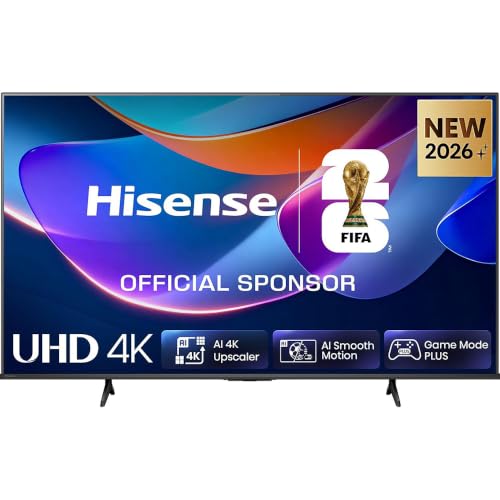
The supplied description for the Hisense A6S lists a 4K LED display, HDR, the VIDAA smart platform, and a 60Hz refresh rate. The Roku Select Series listing describes a 4K QLED display with Roku TV, while the Samsung The Frame listing emphasizes a QLED screen, Art Mode, an anti-reflection matte display, and an included Slim Fit wall mount. These product descriptions identify different features, not a single universal specification shared by every 85-inch television.
The iFFALCON listing describes a Mini-LED television with Google TV, a native 144Hz panel, VRR, and HDMI 2.1 connections, including two ports listed for 4K at 144Hz. Those details could be relevant to high-refresh gaming, but buyers should confirm the exact model, port requirements, and compatibility for their connected devices. A large diagonal alone doesn’t indicate whether a television has the refresh rate, HDR formats, or connections someone needs.
The Samsung model’s listed matte display may be relevant in a room where reflections are a concern, while a screen’s actual performance depends on its design and viewing conditions. Product descriptions do not provide comparable measured brightness or glare results for all the televisions here, so they cannot establish that one will work best in direct sunlight. For a sunny room, consider the placement of windows and lamps, and avoid assuming that a large screen or a particular panel label guarantees reflection-free viewing.
Smart platforms also differ. Google TV appears on the Sony and iFFALCON listings, Roku TV on the Roku model, and VIDAA on the Hisense listing. Platform choice affects the apps and interface you use, but the supplied descriptions don’t establish comparative navigation speed, long-term reliability, or wireless performance.
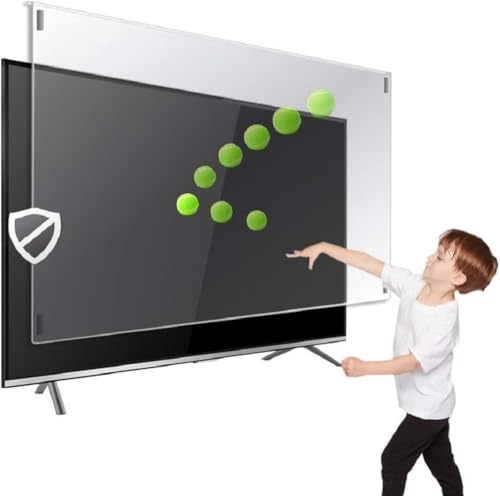
Do not treat the screen-protector products as televisions. TV-Protector and Vizomax are listed as clear protectors for certain 85-to-86-inch displays, intended to cover the screen rather than produce a picture. Before purchasing one, confirm compatibility and installation details with its manufacturer and your television’s guidance; an accessory’s stated diagonal range does not establish the exact measurements of every set in that range.
Interpreting screen size alongside picture features
An 85-inch 4K picture can make viewing distance and source quality especially noticeable. Streaming services, broadcast channels, consoles, and discs may supply different resolutions, frame rates, and compression levels. Check the features that matter for your sources instead of assuming that the screen’s size alone ensures smooth motion, strong HDR, or a particular level of detail.
Refresh-rate labels deserve close attention when gaming or watching fast action. The supplied listings distinguish a 60Hz Hisense display from the Sony’s listed 4K-at-120Hz capability and the iFFALCON’s stated 144Hz panel. These are product-specific details; they should not be generalized to every model or confused with a manufacturer’s motion-processing label.
For a console, confirm that the model supports the connection features you intend to use and identify which HDMI ports provide them. HDMI 2.1 appears in the Sony and iFFALCON product descriptions, while the supplied information doesn’t specify complete port configurations for every product. Read the model documentation before planning around a particular resolution, refresh rate, VRR feature, or port.
Audio deserves room in the plan as well. The iFFALCON listing specifies a built-in audio configuration and eARC support on one HDMI connection, while other supplied descriptions do not provide equivalent details. If you intend to use a soundbar or receiver, check the television’s connection information and leave practical space for the equipment, cables, and remote access.
Common Sizing Mistakes and a Practical Fit Check
A frequent mistake is treating 85 inches as the television’s width. It is the diagonal of the visible screen, so the picture is roughly 74 inches across, and the outer chassis is larger still. Another mistake is relying on a generic online diagram instead of the dimensions for the exact model and stand configuration.
People also underestimate how much a close seat changes the experience. A very large view can be immersive for a film, but it may feel tiring if you’re constantly scanning across the screen or sitting closer than you prefer. Watch a familiar program or image at the planned distance if possible, and consider the habits of everyone who regularly uses the room.
Room brightness and reflections can change perceived picture quality without changing the television’s physical size. A window opposite the screen may reflect across the image, and a bright lamp can become distracting in darker scenes. Positioning and room lighting are worth considering before purchase, but don’t rely on an anti-reflection description as proof that every reflection will disappear.
For buyers comparing a big-screen television with a smaller one, make the seating distance part of the decision. A large screen can be a better fit for a more distant sofa, while a smaller set may suit a narrower room or closer seat. This gaming TV guide covers a related choice: matching gaming features to a television rather than relying on screen size alone.
A quick fit check can prevent avoidable surprises: measure the viewing distance, the available wall or cabinet, and the path the boxed television must take into the room. Compare those measurements with the exact model’s specifications and stand layout, then confirm the installation approach is consistent with the manufacturer’s safety guidance. For wall mounting, use an appropriate mount and verify wall support; seek suitable help when handling a large panel.
In practical terms, plan around a visible picture approximately 74 inches wide by 42 inches tall, then allow extra room for the chassis, stand, and connections. Treat a viewing distance near 7 to 11 feet as a starting range, not a rule, and adjust for comfort, content, and room layout. The exact model dimensions and your preferred seat position are the final checks that turn the 85-inch label into a useful fit decision.



Write Your Review
No reviews yet. Be the first to share your experience!