
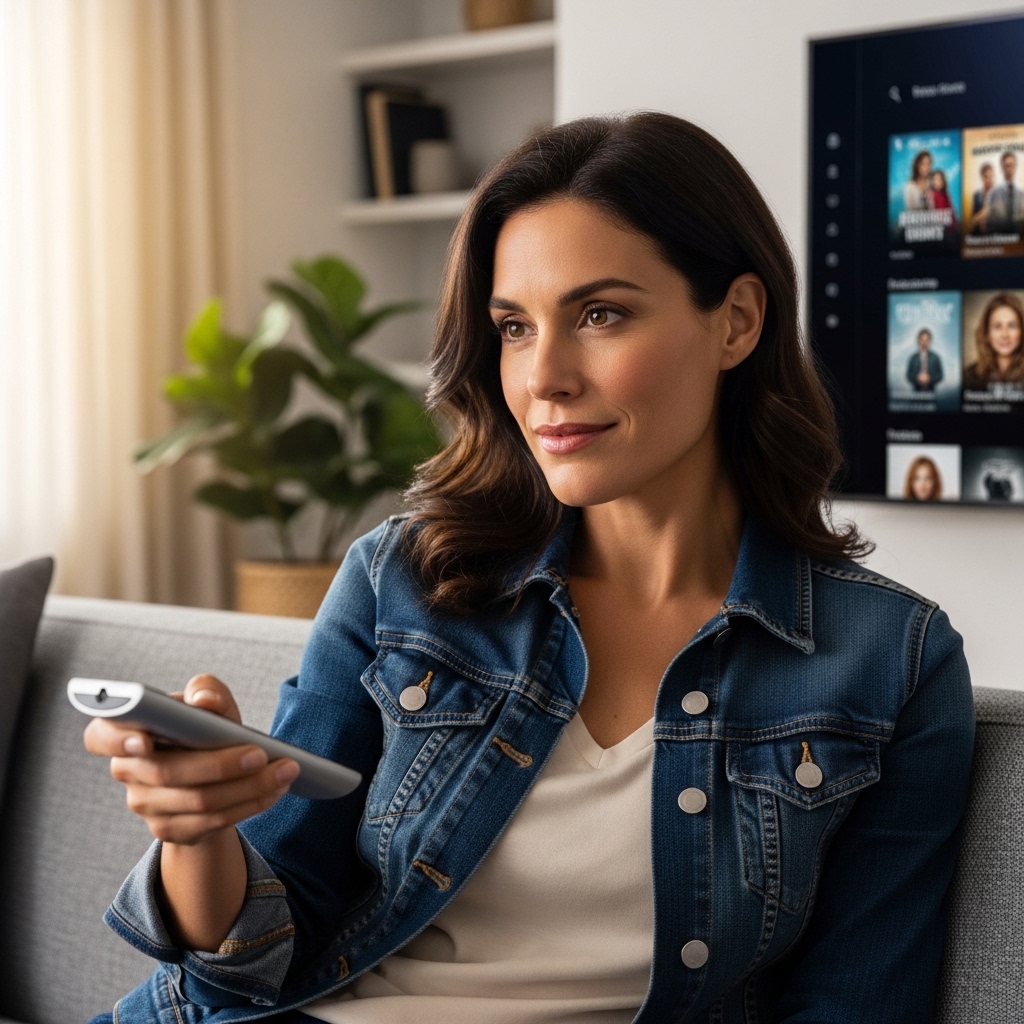

Starting to shop for a new living room screen often leads straight into a confusing alphabet soup of marketing labels and display badges. Navigating retail displays can feel overwhelming when every television claims to offer unmatched picture clarity. Understanding what does 4k uhd mean on a tv gives you the foundation to separate genuine picture improvements from basic promotional buzzwords. It clarifies exactly why modern screens look noticeably crisper than older displays.
The designation fundamentally defines display sharpness through a dense physical grid of light-emitting picture elements. This layout provides four times the spatial resolution of older high-definition panels, giving images smoother curves and lifelike textural details. When evaluating modern displays like the Hisense 43″ A6S 4K UHD Smart LED TV with Dolby or browsing 55-inch streaming television options, recognizing how pixel density interacts with backlighting and color processing ensures you find the right screen for your living room.

Pros
- Supports both Dolby Vision and HDR10+ formats for broad high-dynamic-range streaming compatibility
- Includes VRR and ALLM via Game Mode Plus, which is rare for an entry-level compact screen
- AI upscaling sharpens cable feeds, YouTube streams, and older video games effectively
- Generous port selection featuring three HDMI ports, two USB inputs, and Bluetooth connectivity
Cons
- VIDAA smart operating system has a smaller U.S. app library compared to Google TV or Roku
- Standard direct-lit LED backlight lacks local dimming, limiting deep black levels in dark home theater rooms
- Built-in speakers provide modest bass, making an external soundbar recommended for cinematic movies
The Hisense 43-Inch A6S Series is an entry-tier 4K Ultra HD smart television designed to offer modern display features without a hefty price tag. Built with direct-lit LED backlighting and a native 3840 x 2160 panel, it presents a practical solution for apartment dwellers, college students, bedroom entertainment seekers, and budget-conscious shoppers looking for an everyday media hub. Its manageable screen size makes it an effortless addition to compact spaces where a massive panel would easily overwhelm the room.
Picture processing on this display is driven by Hisense's AI 4K Upscaler and AI Smooth Motion technology, which helps clean up lower-resolution cable television and fast-paced sports broadcasts. The inclusion of both Dolby Vision and HDR10+ decoding is particularly noteworthy for a compact screen, giving movie lovers improved highlight rendition and richer color depth across compatible Netflix or Prime Video titles. While the direct-lit panel lacks local dimming zones, it produces respectable overall brightness and clarity in typical ambient room lighting.
Gamers pairing this television with an Xbox Series X, PlayStation 5, or Nintendo Switch will appreciate the built-in Game Mode Plus suite. With Auto Low Latency Mode (ALLM) and Variable Refresh Rate (VRR) support, the display automatically minimizes input lag and smooths out screen tearing during action-packed multiplayer sessions. While it operates at a standard 60Hz refresh rate rather than high-end 120Hz, it handles casual gaming tournaments and console marathons with solid responsiveness.
Smart streaming is handled by the VIDAA U8.5 platform, which emphasizes speed and straightforward navigation alongside VIDAA Voice control. Popular streaming apps are directly accessible from the clean home screen, though users seeking niche regional channels might occasionally need an external streaming stick. The physical design remains clean and understated, featuring slim black bezels, standard desktop feet, and VESA mount capability for easy wall installation in tight bedroom corners.
On the audio side, the built-in stereo speakers provide crisp dialogue for morning news programs, podcasts, and casual sitcoms, though deep cinematic bass is noticeably modest. In addition, wide off-angle viewing may experience some color desaturation typical of standard LED panels. For late-night blockbuster movies, adding a budget soundbar via HDMI ARC or optical audio output will noticeably round out the audio experience.
Based on product specifications and everyday living room requirements, the Hisense A6S 43-Inch TV hits a sweet spot between price, picture quality, and practical features. It stands out as an excellent choice for a secondary TV in a master bedroom, a dedicated console station for kids and teens, or a primary display for small apartments where value and versatile connectivity matter most.
For console players and casual desktop gamers, the Hisense A6S offers Game Mode Plus, an essential feature set rarely found at this price bracket. ALLM immediately switches the screen into low-latency mode upon detecting a console signal, ensuring that button presses translate quickly onto the screen. VRR support further stabilizes frame pacing, preventing distracting screen tearing during intense shooter matches or fast-paced racing games.
Connectivity is also well-equipped to manage multiple media sources at once. With three HDMI ports, you can keep a gaming console, streaming dongle, and cable box hooked up simultaneously without constantly swapping cables. Bluetooth connectivity allows for private headphone listening during late-night sessions, while optical audio output ensures straightforward pairing with dedicated sound systems.
Everything You Need to Know About 4K UHD on Modern Televisions
At its most direct level, 4K Ultra High Definition refers to a television display standard that packs 3840 horizontal pixels by 2160 vertical pixels across the panel. This configuration totals roughly 8.3 million individual pixels, which quadruples the image density found on traditional 1080p Full HD displays. Learning what 4K UHD represents helps demystify how digital video signals translate into real-world picture clarity in your living room. Moving beyond simple marketing claims allows viewers to judge how resolution, contrast, and video processing work together.
The Exact Pixel Architecture Behind 4K Ultra HD
The technical definition of consumer Ultra High Definition stems from a specific resolution standard established by television broadcast and display consortiums. A 4K UHD screen features a grid of 3840 horizontal lines by 2160 vertical lines arranged in a standard 16:9 widescreen aspect ratio. The consumer term 4K originated as a practical shorthand because the horizontal pixel count approaches nearly four thousand pixels. Commercial digital cinema uses a slightly wider 4096 by 2160 standard known as DCI 4K, but consumer televisions universally adhere to the 3840 by 2160 format.
Pixel density plays a crucial role in determining how clear an image appears at various display dimensions. On a compact 43-inch television, fitting over eight million pixels results in tightly clustered points of light that produce exceptional clarity even from a short distance. When scaling that same pixel count up to a 75-inch or 85-inch screen, the individual pixels grow physically larger to span the wider surface area. This physical expansion explains why sitting closer to an oversized panel can reveal softening that remains invisible on smaller, denser displays.
Each individual pixel on an LCD panel is further broken down into red, green, and blue subpixels that modulate light to create colors. Liquid crystals twist to allow variable amounts of backlight illumination to pass through these microscopic color filters. In direct-lit displays like the Hisense 43″ A6S, light-emitting diodes situated behind the LCD panel energize the subpixel matrix to generate bright visuals. The sheer number of addressable pixels allows fine textures such as individual hair strands, distant foliage, and fabric weaves to render without jagged stair-stepping edges.
4K Resolution Versus High Dynamic Range: Clarifying the Confusion
Many retail shoppers mistakenly believe that purchasing a 4K television automatically guarantees brilliant colors and punchy contrast. Resolution strictly measures pixel quantity, whereas High Dynamic Range governs the luminance range and color depth each pixel can express. A television can theoretically deliver razor-sharp 4K resolution while still producing washed-out colors and weak contrast if its panel hardware lacks proper dynamic range capabilities. True visual immersion happens when a high-density pixel canvas is paired with robust luminance management.
Dynamic range standards vary considerably across modern streaming platforms and physical media. The baseline open standard is HDR10, which relies on static metadata to assign a single brightness curve across an entire movie. Advanced dynamic metadata formats like Dolby Vision and HDR10+ instruct the display processor to adjust tone mapping on a frame-by-frame basis. This dynamic optimization prevents bright clouds from blowing out while maintaining shadow depth in dark dungeon or night scenes.
Entry-level displays frequently include multi-format decoding capabilities to ensure broad source compatibility. For example, the Hisense 43″ A6S 4K UHD Smart LED TV with Dolby includes decoding for both Dolby Vision and HDR10+ signals. While smaller budget screens have lower peak brightness than premium flagship sets, onboard decoding allows the video processor to interpret high-grade metadata accurately. This prevents severe color clipping, mapping incoming cinematic color palettes gracefully to fit the panel’s physical backlight limits.
Sub-4K Upscaling Engines and Broadcast Picture Processing
A major concern for viewers transitioning from older sets is how everyday broadcast television looks on an ultra-high-definition screen. The vast majority of over-the-air broadcasts and standard cable channels still transmit in legacy 720p or 1080i high-definition formats. Because a 4K screen contains 3840 by 2160 physical pixels, it cannot display a 720p image without scaling it to fill the entire physical panel. Without intelligent processing, simply stretching low-resolution signals would result in blurry shapes and blocky visual noise.
Modern televisions rely on internal upscaling processors to bridge the resolution gap between older video sources and the 4K panel. Primitive scalers merely duplicated pixels across adjacent rows, creating noticeably soft edges and artificial halos. Modern processors utilize artificial intelligence algorithms that analyze incoming video frames against visual reference databases to synthesize natural detail. Systems like the AI 4K Upscaler reconstruct edge contrast, refine texture boundaries, and smooth out jagged lines in real time.
Compressed streaming video introduces additional digital hurdles that require dedicated image processing. Heavily compressed internet video streams often suffer from macroblocking, color banding, and visual compression noise during dark scenes. Advanced picture processing engines apply spatial de-noising filters and temporal noise reduction to clean up streaming artifacts before rendering them on the 4K matrix. This processing ensures that older family favorites and standard-definition video files remain crisp and enjoyable on modern displays.
Panel Backlight Technologies: Direct LED, Mini-LED, and OLED Differences
The underlying backlight architecture fundamentally influences how effectively a 4K panel renders contrast and black levels. Standard Direct LED displays position an array of light-emitting diodes directly across the rear chassis of the television. This configuration provides even illumination and reliable brightness across the screen surface, making it common in value-oriented models. Because direct backlights illuminate broad areas simultaneously, they rely on the liquid crystal shutter to block light during dark scenes.
More sophisticated LCD architectures incorporate local dimming zones to enhance perceived contrast. Exploring Mini-LED displays designed for fast action demonstrates how miniaturized diodes grouped into hundreds of zones can illuminate bright highlights while dimming dark backgrounds. This precision significantly suppresses backlight haloing around bright subtitles or scoreboard graphics during night scenes. The elevated peak brightness of Mini-LED systems also helps overcome daylight reflections in sunlit living rooms.
Organic Light Emitting Diode technology takes an entirely different approach by eliminating backlights altogether. Every individual pixel on an OLED display serves as its own independent light source that can switch completely off. This self-emissive design yields infinite contrast ratios and true zero-luminance black levels without any backlight bleed. However, transmissive LED panels remain vastly more cost-effective to manufacture in mainstream screen sizes, providing strong value for everyday family viewing.
Refresh Rates, Motion Smoothing, and Real-World Clarity
Motion handling represents another critical dimension where consumer specifications are frequently misunderstood. A television’s native refresh rate indicates how many complete visual frames the physical panel can draw per second, with standard panels running at 60Hz and performance panels reaching 120Hz. Retail marketing often highlights inflated numbers through labels like Motion Rate or Clear Motion Index. These marketing terms describe software motion interpolation or backlight strobing rather than true hardware panel refresh capabilities.
Motion Estimation and Motion Compensation technology, commonly abbreviated as MEMC, helps bridge frame-rate mismatches during high-speed viewing. Algorithms like AI Smooth Motion analyze sequential video frames and generate intermediate frames to smooth out fast camera pans. This motion processing proves particularly advantageous when tracking high-speed hockey pucks or football spirals during live athletic broadcasts. The processing eliminates distracting judder, keeping fast-moving objects legible as they travel across the screen.
Viewers should be aware that aggressive motion smoothing can trigger the unnatural visual sensation known as the soap opera effect. Hollywood films and dramatic television series are conventionally recorded at twenty-four frames per second to maintain a distinct cinematic texture. When aggressive interpolation forces these films into artificial sixty-frame cadences, actors can appear unnaturally detached from their background environments. Adjusting motion settings in the picture menu allows viewers to preserve authentic cinematic pacing while keeping motion smoothing active for sports.
Gaming Capabilities, Bandwidth Standards, and Input Latency
Modern gaming systems have turned 4K televisions into primary interactive monitors for millions of players. Next-generation gaming consoles like the PlayStation 5 and Xbox Series X routinely output rich 4K graphics that demand high-speed interface connections. Older HDMI ports lack the bandwidth required to transfer uncompressed 4K signals at elevated refresh rates without sacrificing color subsampling. Understanding input specifications ensures players can unlock responsive controls and crisp graphics without visual stutter.
Modern display standards include essential gaming features such as Auto Low Latency Mode and Variable Refresh Rate. Game Mode Plus protocols detect incoming console signals and automatically disable unnecessary video post-processing to minimize controller input latency. Variable Refresh Rate synchronizes the television’s refresh cycle directly to the console’s graphic processor output, eliminating jarring screen tears during volatile battle scenes. These optimizations ensure fast-paced competitive gameplay feels immediate and fluid.
Flexible hardware connectivity is vital for accommodating multiple gaming consoles and media accessories. Televisions equipped with three HDMI ports, dual USB connections, and headphone jacks provide ample room for sound systems, streaming dongles, and gaming platforms. Checking port specifications helps avoid cable swapping when switching between streaming media players and gaming hardware. Reliable Bluetooth and dual-band Wi-Fi connectivity further streamline modern home entertainment setups by eliminating messy physical cables.
Viewing Distance, Room Placement, and Screen Size Optimization
The human visual system possesses finite optical acuity, which directly influences how 4K resolution is perceived across different room layouts. If you place a compact screen too far from your couch, your eyes cannot physically resolve the individual pixel boundaries that separate 4K from standard 1080p. Sitting at an optimal distance ensures you capture the subtle facial details, textural depth, and environmental realism that ultra-high-definition imaging provides. Matching room dimensions to display diagonal size prevents wasted visual potential.
Cinema engineering standards developed by SMPTE and THX recommend a viewing field of view between thirty and forty degrees for optimal immersion. For a 43-inch television, an ideal viewing distance spans approximately four to six feet from the display surface. Larger living room centerpieces measuring 65 inches or 75 inches generally perform best when seated between eight and ten feet away. Following these geometric guidelines ensures the picture fills your field of vision comfortably without causing eye strain.
Proper physical installation and viewing angle considerations are equally important for maintaining optimal picture quality. When mounting a display to drywall, always anchor heavy mounting brackets directly into solid wall studs using rated VESA hardware. Aligning the center of the display with seated eye level minimizes neck fatigue during extended viewing sessions. Maintaining a direct line of sight also prevents the contrast degradation and color fading that typically affect VA LCD panels when viewed from sharp off-axis angles.
Audio Passthrough, Smart Platforms, and Practical Ownership Takeaways
As modern 4K televisions have adopted ultra-slim chassis profiles, internal cabinet space for acoustic drivers has become severely constrained. Built-in speakers often face downward or backward, resulting in thin bass response and occasionally muffled vocal dialogue during explosive action scenes. Comparing your options alongside dedicated televisions for clear audio and dialogue clarifies how internal acoustic engineering impacts everyday listening. Many living room setups benefit greatly from adding a dedicated soundbar or multi-channel surround sound system.
Connecting external audio gear is straightforward when utilizing dedicated digital output ports. Built-in optical audio outputs and Audio Return Channel HDMI ports send digital surround sound signals directly from smart streaming apps to external receivers. Wireless Bluetooth connectivity allows viewers to pair private headphones for late-night viewing sessions without disturbing other household members. These audio output options ensure the audio experience matches the grandeur of the high-definition visuals.
Operating system platforms tie the entire television experience together through intuitive app access and voice navigation. Modern interfaces like VIDAA U8.5 provide rapid access to premier streaming services while offering integrated voice commands for effortless content discovery. Understanding what 4K UHD means on a modern television ensures you look beyond simple resolution stickers when shopping for your home. By evaluating pixel density, backlight construction, HDR tone mapping, and motion processing as an interconnected package, you can select a television that delivers outstanding entertainment value for years to come.




Write Your Review
No reviews yet. Be the first to share your experience!