
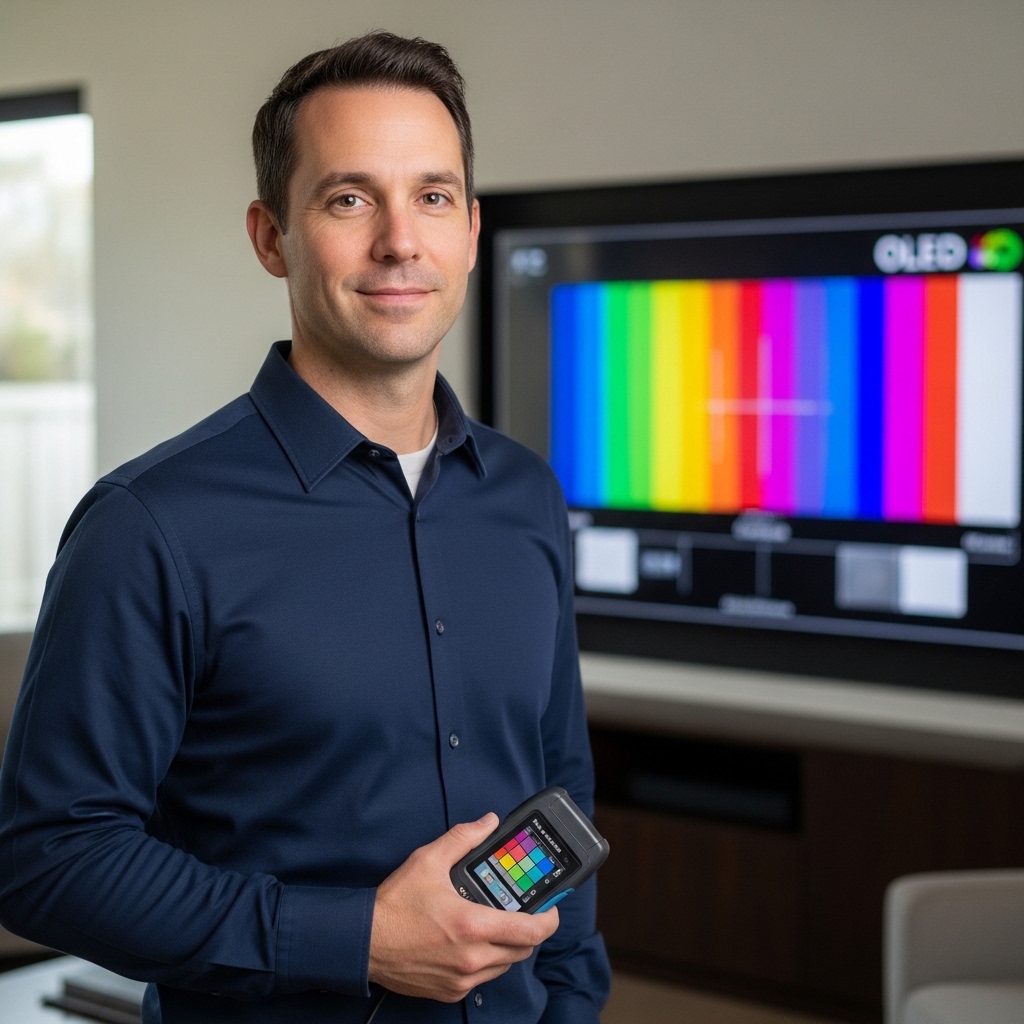

Sunlit living rooms with floor-to-ceiling windows often challenge standard flat panels, pushing viewers toward displays with superior luminance and color vibrancy. Understanding when was qled tv introduced helps explain why quantum dot enhancement films became the industry standard for combating ambient glare without risking screen burn-in. Early commercial quantum dot implementations surfaced around 2013 under Sony’s Triluminos branding, but Samsung officially launched and popularized the specific “QLED” brand moniker in early 2017 to redefine premium LED-backlit LCD televisions. For a deeper look at the underlying architecture, our quantum dot display architecture guide outlines how microscopic semiconductor nanocrystals dramatically expand color volume.
Modern quantum dot displays have evolved far beyond those initial commercial releases, transitioning from basic edge-lit arrays to sophisticated Mini-LED backlights and multi-zone local dimming systems. Today’s panels deliver incredible peak brightness, full color volume, and advanced gaming features like native 120Hz refresh rates and HDMI 2.1 variable refresh rates. Whether evaluating a high-performance living room screen or a compact secondary bedroom setup, knowing how the category started clarifies what performance tier best fits your entertainment setup.

The Evolution and Architecture of Quantum Dot Televisions
Samsung formally introduced the “QLED” moniker in January 2017 at the Consumer Electronics Show in Las Vegas, releasing its first commercial QLED television models to the public later that spring. Although quantum dot materials existed in earlier commercial displays, 2017 marked the structural rebranding and mass-market push of Quantum Dot Light Emitting Diode technology. Understanding this launch milestone helps clarify why modern quantum dot displays dominate living rooms with high ambient light while avoiding the burn-in risks of competing organic display types.
The Timeline: From Early Quantum Dot Experiments to the 2017 QLED Launch
Quantum dot technology began years before Samsung established the consumer brand name. In 2013, Sony incorporated optical quantum dot components developed by QD Vision into select Triluminos televisions. These early displays used thin glass tubes filled with semiconductor nanocrystals positioned alongside edge-mounted blue light emitting diodes. While effective at producing wider color gamuts, this early manufacturing method faced chemical stability hurdles and high production costs.
Samsung refined the concept by integrating quantum dot materials into flexible optical enhancement films, launching these improved panels in 2015 and 2016 under its premium SUHD branding. These televisions replaced traditional white LED phosphors with pure blue backlights paired with quantum dot sheets. The architecture proved far more reliable, demonstrating that quantum dots could be mass-produced efficiently while dramatically expanding color reproduction.
In January 2017, Samsung rebranded its entire quantum dot lineup as QLED, introducing flagship series such as the Q7F, Q8C, and Q9F. This rebranding directly challenged organic light emitting diode displays in the premium television marketplace. Shortly after the initial rollout, Samsung formed the QLED Alliance with manufacturers like Hisense and TCL to accelerate adoption, paving the way for quantum dot color filters to enter affordable mainstream screen sizes.
How Quantum Dot Physics Revolutionized Color Volume and Brightness
Standard LED LCD panels rely on blue LEDs coated with yellow phosphor to produce white light, which is subsequently divided into red, green, and blue sub-pixels. This conventional filtering process absorbs significant luminance and produces broad, impure light spectrums that dull primary colors. Quantum dots resolve this fundamental inefficiency by using microscopic semiconductor particles engineered to emit pure, hyper-specific light wavelengths when excited by blue light.
The physical size of each quantum dot dictates the exact wavelength of light it radiates. Nanocrystals measuring approximately two nanometers emit clean, sharp green light, while slightly larger particles measuring roughly six nanometers produce rich, saturated red. By placing a quantum dot enhancement film between an energy-efficient blue LED backlight and the liquid crystal matrix, television panels achieve exceptionally narrow spectral emission peaks.
This precise optical conversion enables panels to maintain color vibrancy at high brightness levels, a capability defined as 100% color volume. On conventional displays, bright HDR highlights often appear washed out or diluted toward white as luminance increases. In panels like the Samsung 65-Inch Class QLED 4K Q70D Series Quantum, quantum dot light conversion preserves color saturation at peak brightness, earning third-party Pantone validation for accurate rendering of skin tones and natural hues.
Backlight Engineering: Direct LED, Dual LED, and Dimming Configurations
While quantum dots handle color conversion, the underlying backlight architecture determines native contrast, black level depth, and panel thickness. Early 2017 QLED screens relied on edge-lit backlights to achieve ultra-slim chassis profiles, but edge lighting struggled to manage high-contrast scenes without light bleed in dark rooms. Over the past several years, television manufacturers diversified backlight hardware to balance performance and budget requirements.
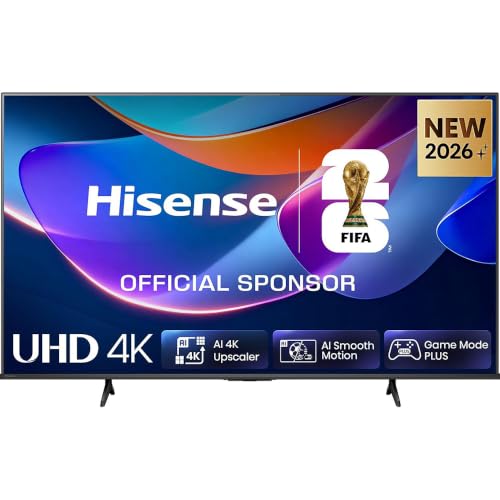
Direct LED backlighting, often abbreviated as DLED, positions an array of light emitting diodes directly behind the liquid crystal panel. Displays such as the Hisense 50″ A6S 4K UHD Smart LED TV with QLED employ DLED backlights to ensure uniform brightness across the entire screen area. Although direct backlights in entry-level models lack independent local dimming zones, this design reduces edge clouding and maintains consistent picture illumination during bright scenes.
Mid-range televisions often feature hybrid backlight engineering, such as Samsung’s Dual LED backlight technology built into the Q70D series. Dual LED configurations utilize a dedicated combination of warm and cool LED diodes, dynamically adjusting color temperature to match the on-screen content. This hardware approach improves perceived depth and contrast across cinematic scenes without adding the complex micro-controllers and high manufacturing costs associated with dense Mini-LED local dimming arrays.
QLED Versus Emissive Displays: Ambient Light and Panel Longevity
Living rooms with tall windows or prominent overhead lighting present serious challenges for self-emissive television displays. Organic light emitting diode panels can struggle to combat strong daytime reflections because internal protective limiters dim bright, full-screen scenes to protect organic sub-pixels from heat stress. Quantum dot televisions excel in sunlit environments because their inorganic nanocrystals and high-output LED backlights sustain high nit brightness across large screen areas.
Inorganic quantum dot construction also eliminates the risk of permanent image retention, commonly known as screen burn-in. Displays subjected to static graphics, such as news channel banners, stock tickers, or video game user interfaces, can degrade organic compounds unevenly over extended periods. Because quantum dot materials do not suffer from chemical degradation caused by continuous static imagery, they offer long-term hardware reliability for multi-purpose household viewing.
Comparing modern quantum dot displays against budget OLED television alternatives reveals distinct performance trade-offs. Self-emissive displays deliver perfect black levels and infinite contrast in light-controlled dark rooms, making them exceptional for private home theaters. Conversely, QLED displays provide superior full-field brightness and glare mitigation for open-concept living rooms, ensuring vibrant colors remain visible throughout the day.
High-Refresh Gaming and Connectivity: 120Hz Panels Versus 60Hz Entry Tiers
Modern console and PC gaming setups demand fast response times, smooth motion processing, and dedicated high-bandwidth inputs. However, native panel refresh rates differ significantly across television series and screen size classes. The Samsung 65-Inch Class QLED 4K Q70D Series Quantum features native Motion Xcelerator 120Hz processing, allowing players to experience games at up to 120 frames per second on current-generation consoles.
More budget-conscious options, such as the Hisense 50″ A6S 4K UHD Smart LED TV with QLED, pair a 60Hz display with Game Mode Plus features like Variable Refresh Rate (VRR) and Auto Low Latency Mode (ALLM). VRR synchronizes the screen’s refresh cycle with console frame outputs, preventing distracting visual tearing during fast action sequences. ALLM automatically detects active gaming inputs and disables heavy video processing, reducing controller input latency for responsive gameplay.
Managing multiple high-speed gaming devices requires evaluating available HDMI port assignments. If your entertainment center includes gaming consoles alongside a dedicated eARC soundbar, verify whether the audio return channel shares a high-bandwidth input. When an eARC port doubles as a high-frame-rate gaming input, connecting a soundbar limits available 120Hz connections for secondary consoles, requiring manual cable swaps or external HDMI splitters.
HDR Format Ecosystems: Quantum HDR, Dolby Vision, and Dynamic Tone Mapping
High Dynamic Range technology expands the contrast spectrum between dark shadow details and brilliant highlights while utilizing wider color gamuts. Yet, display manufacturers implement different HDR formats with distinct processing rules. Static HDR10 applies a single set of brightness instructions across an entire film, while dynamic formats like Dolby Vision and HDR10+ adjust luminance curves on a scene-by-scene or frame-by-frame basis.
Televisions like the Hisense 50″ A6S support both Dolby Vision and HDR10+, providing comprehensive compatibility across streaming platforms like Netflix, Disney+, and Amazon Prime Video. In contrast, Samsung focuses on its proprietary Quantum HDR implementation alongside HDR10+ and standard HDR10, opting out of Dolby Vision licensing. Samsung relies on internal AI tone mapping to analyze incoming video signals and adjust highlight curves in real time.
Video processing engines play a crucial role when upscaling lower-resolution cable broadcasts and standard high-definition video. The Quantum Processor 4K in Samsung displays uses artificial intelligence to refine fine lines, eliminate digital compression noise, and enhance texture clarity. In parallel, the AI 4K Upscaler and Smooth Motion processing in Hisense displays optimize standard definition content toward 3840 by 2160 resolution, maintaining clear image definition without introducing noticeable motion blur.
Smart Platform Ecosystems and Audio Passthrough Integration
The onboard operating system shapes daily viewing habits by dictating interface speed, smart home connectivity, and application availability. Modern connected smart television platforms present distinct navigation layouts and background resource demands. Samsung’s Tizen OS provides a feature-rich smart interface with built-in voice assistants, cloud gaming hubs, and broad streaming application support, making content discovery effortless.
Alternatively, Hisense’s VIDAA OS uses a streamlined architecture engineered for rapid boot times and low system overhead. VIDAA Voice control allows users to search across multiple streaming libraries quickly using spoken remote commands. While Tizen integrates deeply with mobile screen mirroring and home automation ecosystems, VIDAA emphasizes uncluttered menus and direct app launching, eliminating the immediate necessity for external streaming media sticks.
Slim television chassis leave minimal internal volume for large speaker drivers, prompting manufacturers to engineer creative audio processing solutions. Samsung integrates Object Tracking Sound Lite, which uses virtual audio algorithms to simulate directional sound that tracks on-screen movement. Even with virtual processing, routing uncompressed audio through an eARC connection to a dedicated soundbar remains the most effective method for achieving clear dialogue and impactful bass.
Screen Sizing, Viewing Distance, and Safe Installation Standards
Selecting an appropriate screen size involves matching room dimensions to established viewing angle guidelines from organizations like SMPTE and THX. For an immersive 4K home entertainment experience, maintaining a 30 to 40 degree field of view is recommended. A 65-inch television like the Samsung Q70D provides an ideal viewing distance between 6.5 and 9 feet, allowing viewers to see fine resolution detail without eye strain.
For smaller spaces such as bedrooms, dormitories, or home offices, a 50-inch display like the Hisense A6S suits seating distances between 5 and 7 feet. Installing an excessively large display in a compact room can cause discomfort during fast-panning camera motions, while an undersized screen obscures fine text and subtle HDR highlights. Measuring your planned seating arrangement prior to purchase ensures an ergonomic and comfortable visual setup.
Proper physical installation protects your equipment and ensures safe household operation. When mounting a 65-inch television, always use a two-person lift to avoid twisting the display chassis or cracking internal optical sheets. Secure the wall mount bracket directly into solid wooden wall studs using heavy-duty lag bolts, avoiding reliance on hollow drywall anchors. Always verify that your wall bracket matches the television’s specific VESA mounting pattern and weight limits before securing the screen.
Practical Takeaways for Selecting a Modern Quantum Dot Display
Since Samsung officially introduced the QLED brand in early 2017, quantum dot displays have evolved from expensive luxury items into versatile, high-performing home entertainment centerpieces. Today’s marketplace offers options spanning entry-level direct-lit models to advanced high-refresh gaming displays with sophisticated backlight controls. Clarifying your primary entertainment needs, room lighting conditions, and console requirements simplifies the selection process.
If your viewing routine prioritizes competitive console gaming, expansive screen real estate, and high frame rates, a 65-inch 120Hz display with Dual LED backlighting provides excellent flexibility. If you need an affordable secondary screen for a bedroom or home office, a 50-inch direct-lit QLED display with Dolby Vision delivers vibrant color and reliable smart streaming. Aligning your room layout and viewing habits with these proven display technologies ensures years of immersive home entertainment.





Write Your Review
No reviews yet. Be the first to share your experience!