
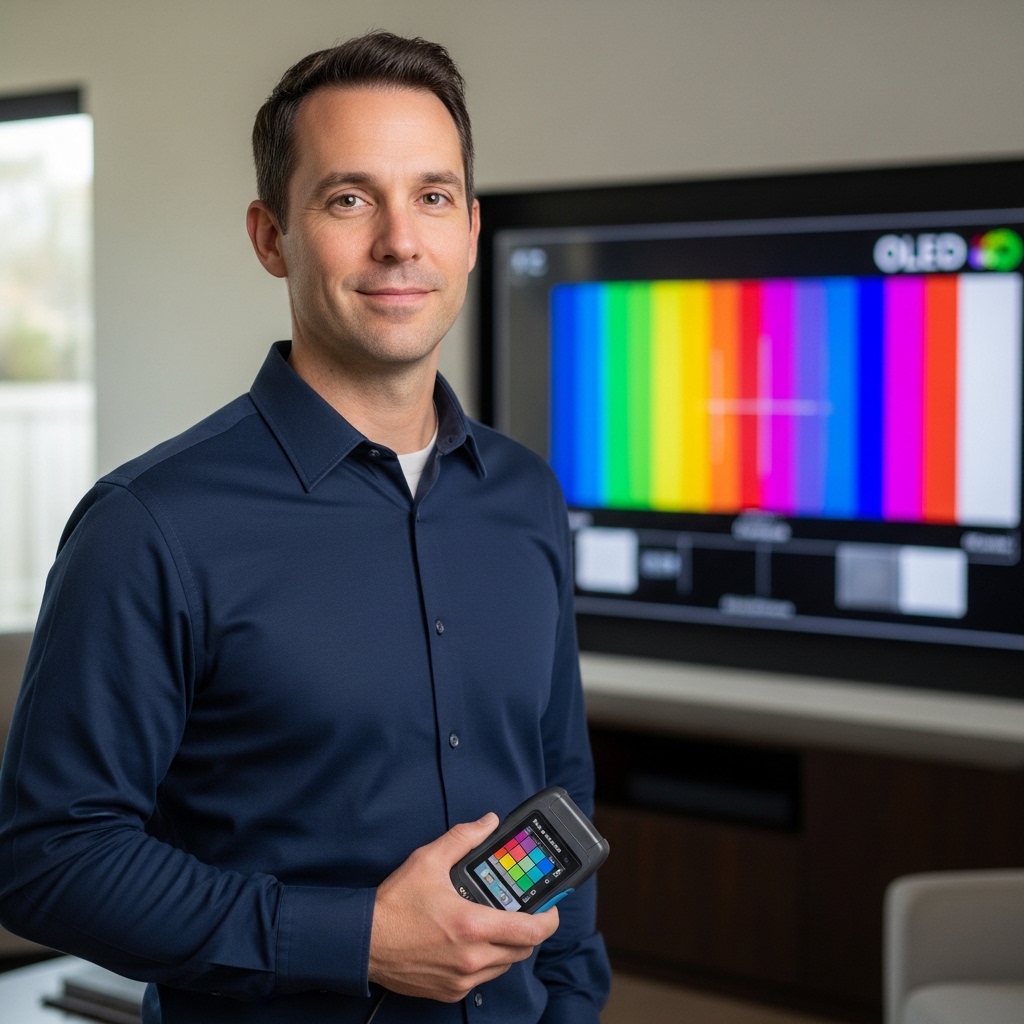

A TV dongle is a compact device that plugs into a television or connects to it by cable to add a specific function, such as receiving broadcasts or showing content from another device. The word TV dongle describes a shape and connection style, not one standard feature, so the device’s purpose matters more than the name.
Some dongles send a phone or computer screen to a TV, while others receive over-the-air television signals or transmit an HDMI source wirelessly. These devices don’t all connect a TV to home Wi-Fi, and they aren’t automatically streaming players. Check what input the TV has, what source device you plan to use, and whether the goal is internet streaming, screen sharing, broadcast reception, or moving an HDMI signal. For context on display resolution, see this guide to 4K UHD TV meaning.
Pros
- Plug-and-play setup with no complicated configuration needed.
- Broad device compatibility including iPhone, iPad, Android, Windows laptops, and MacBooks.
- Regular free firmware updates via OTA to keep performance and compatibility up to date.
- Portable and lightweight design perfect for on-the-go use at home, office, or travel.
- Very affordable compared to upgrading to a newer smart TV or streaming device.
Cons
- Does not support streaming from DRM-protected apps like Netflix, Hulu, or Amazon Prime Video due to protocol restrictions.
- Not compatible with Google Pixel and Motorola smartphones.
- Requires a strong and stable Wi-Fi network for smooth mirroring without lag.
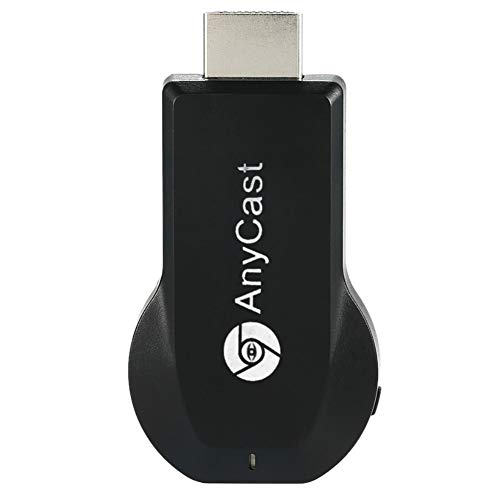
The SmartSee Anycast Wireless Display Adapter is a compact streaming media player that transforms any TV or projector with an HDMI port into a screen mirroring device. It is designed for homeowners, apartment renters, families, cord-cutters, streamers, and anyone who wants to share content from their phone, tablet, or laptop on a larger display. This device is especially useful for those who do not own a smart TV but want to enjoy screen mirroring without spending a lot of money.
In terms of performance, the Anycast adapter supports up to 1080P HD resolution for clear and sharp mirroring. It uses Wi-Fi connectivity and works with AirPlay (iOS), Miracast (Android and Windows), and DLNA protocols to provide broad compatibility. Based on product specifications and user feedback, it mirrors screens reliably with minimal lag when used on a stable network. However, it is important to note that it cannot stream content from apps with DRM protection, such as Netflix or Hulu, due to protocol limitations. This makes it ideal for sharing personal content like photos, videos, and presentations rather than streaming subscription services.
The build quality is practical and portable. The dongle itself is small, measuring about 2.5 by 1.4 by 0.6 inches, and it comes with a USB power cable with an integrated Wi-Fi antenna. The included mode switch button allows easy switching between AirPlay and Miracast modes, which helps resolve compatibility issues. The device supports regular OTA firmware updates, so it can stay compatible with newer devices without manual intervention. The setup is straightforward: plug the dongle into the HDMI port, connect the USB power cable, select the correct HDMI input on the TV, and then connect your device via the appropriate mirroring protocol.
Ease of use is a strong point. Most users can get it working in under a minute. The instruction manual clearly outlines steps for different devices, and the automatic mode detection selects the correct protocol. For everyday scenarios like sharing vacation photos with family, giving a business presentation, or watching YouTube videos from a phone, this adapter performs well. Some users find that occasional connection issues can be resolved by pressing and holding the mode button for a few seconds to restart the device.
Realistic limitations include the lack of support for certain Android devices like Google Pixel and Motorola, and the inability to mirror content from protected streaming apps. Additionally, performance depends on Wi-Fi strength; a weak network may cause buffering or lag. The adapter does not support 4K resolution or high refresh rates, so it is not suitable for gaming or high-definition movie streaming at higher resolutions.
Overall, the SmartSee Anycast Wireless Display Adapter is a solid, budget-friendly solution for anyone who frequently needs to mirror their screen onto a larger display. It is particularly well-suited for home entertainment use, business meetings, classroom teaching, and travel. For families who want to share memories on the big screen or for professionals needing a portable presentation tool, this device offers excellent value without the need for expensive smart TV upgrades.

Pros
- Space-saving dongle footprint hides completely behind wall-mounted TVs, monitors, and projectors
- Reliable 1080p HDMI output with Dolby Digital audio support for clear broadcast picture and sound
- Convenient live TV pause and DVR recording functionality supporting storage drives up to 4TB
- Includes a full-sized remote control, 3-foot HDMI cable, and an IR receiver with channel readout display
Cons
- Requires a separate 5V USB wall charger if your display lacks a powered USB port or when running heavy external hard drives
- Batteries for the remote control are not included in the box
- Does not function as a computer capture card or internal PC tuner
The Mediasonic HomeWorx HW135STB is a dedicated ATSC digital television converter box dongle designed to bring free over-the-air broadcast TV directly to HDMI-equipped displays. This compact tuner provides a practical, low-profile path to high-definition network viewing for cord-cutters, apartment renters, budget-minded families, and garage workshop or bedroom TV owners. It works seamlessly with modern flat panels, legacy HDTVs without internal digital tuners, desktop PC monitors, and home entertainment projectors.
Picture quality is clean and faithful to local broadcast standards, outputting full 1080p resolution over the included HDMI cable. Over-the-air broadcasts from major networks like ABC, CBS, NBC, and FOX display with sharp lines, accurate colors, and minimal compression artifacts compared to heavily compressed cable feeds. Sports fans can enjoy live football, basketball, and baseball games with crisp motion handling and zero subscription lag, while Dolby Digital audio passthrough ensures clear commentary and dialogue through built-in TV speakers or external soundbars.
Unlike bulky traditional converter boxes that take up shelf space on media consoles, this dongle features an ultra-small footprint that hangs directly off the back of a television. Power is supplied via a versatile USB Type-C connector on the device, meaning it can run directly off a television USB port or a separate 5V wall adapter. The included remote extension cable doubles as an IR receiver and a digital display panel, keeping the channel and sub-channel numbers visible from across the room even when the main unit is hidden away behind the screen.
Recording flexibility is one of the standout practical highlights of this compact tuner. By connecting an external hard drive or solid-state drive up to 4TB via the USB port, users can schedule program recordings or pause live television when life interrupts movie night or the big game. The unit also serves as a standalone media hub, letting you plug in storage media to showcase family vacation photos, stream personal music libraries, or play home video files without extra hardware.
Setting up the device takes just a few moments, requiring only an antenna connection, an HDMI hookup, and a quick automated channel scan. Potential buyers should keep in mind that while the unit is exceptionally versatile, flash thumb drives are not recommended for reliable DVR recording, and a dedicated 5V 2A USB power adapter is suggested when powering mechanical external drives. Additionally, this hardware is engineered strictly for standalone displays and cannot be plugged into a PC to act as a direct computer capture card.
For anyone wanting to unlock free local news, primetime dramas, and live sports without adding bulky equipment or recurring monthly costs, the Mediasonic HomeWorx HW135STB offers tremendous convenience and capability. Its blend of 1080p output, Clear QAM cable compatibility, external DVR support, and hidden dongle styling makes it a smart investment for everyday home viewing.
Setting up the Mediasonic HomeWorx HW135STB is straightforward and requires very little space behind your entertainment center. You simply connect your digital TV antenna to the RF coaxial input, attach the included HDMI cable from the dongle to an open port on your TV, projector, or monitor, and plug in the IR receiver display near the front bezel of your screen. The unit powers on immediately when connected to a powered USB port or a standard 5V wall block.
Once connected, navigating the on-screen menu allows you to run an automatic channel scan across both ATSC broadcast frequencies and Clear QAM unscrambled cable feeds. The upgraded remote control provides responsive channel switching and simple schedule management for DVR functions. If you plan to use the live TV pause or scheduled recording features, plugging in a compatible USB external hard drive or SSD completes the system with minimal wiring and zero living room clutter.

Pros
- Eliminates the need to run long, unsightly HDMI cables across living rooms, ceilings, or outdoor patios
- Ships with versatile USB-C and mini-HDMI adapters for immediate hookup to modern laptops and cameras
- Straightforward plug-and-play installation requires no local Wi-Fi network or software setup
- Impressive line-of-sight wireless range of up to 165 feet fits spacious home theater layouts
- Allows switching between up to eight separate transmitters connected to one display receiver
Cons
- Transmits at a maximum wireless resolution of 1080p at 60Hz rather than native 4K display output
- Signal strength drops significantly when broadcasting through thick drywall, plaster, or concrete walls
- Requires both the transmitter and receiver to be plugged into a steady 5V USB power source to prevent signal dropouts
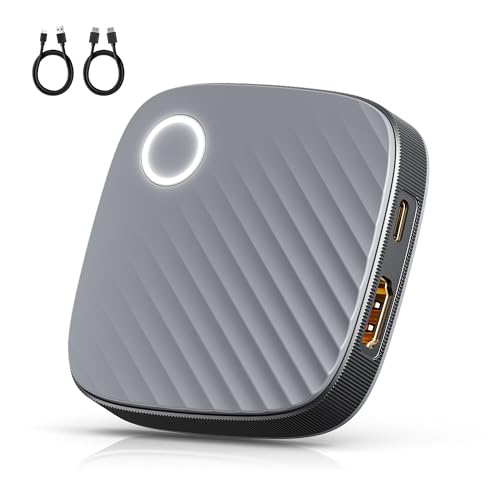
The POFAN Wireless HDMI Transmitter and Receiver Kit is a specialized home entertainment accessory built to eliminate long, tangled video cables between your source gear and your display. Instead of snaking a thick HDMI cord across your living room rug or drilling through drywall, this compact sender-and-receiver pair beams high-definition video and multi-channel audio through the air. It fits naturally into setups for apartment renters who cannot alter walls, homeowners hosting backyard movie nights on a portable projector, cord-cutters streaming from laptops, and families sharing vacation videos from smartphones or cameras to the living room television.
In terms of real-world picture transmission, the system handles video feeds up to 1080p resolution at a steady 60Hz refresh rate. While the kit accepts and downscales higher-resolution input feeds, the wireless broadcast delivers crisp Full HD clarity with dependable color saturation, clean black levels, and balanced contrast for casual movie streaming, sports broadcasts, and web browsing. Motion handling remains smooth during fast-paced football games and action scenes thanks to an internal chip engineered to combat transmission stutter. While the subtle transmission latency is fine for streaming Netflix, YouTube, and playing turn-based party games, dedicated gamers playing fast-twitch competitive shooters will still want a direct wired HDMI 2.1 connection for near-zero input lag.
Build quality is light, compact, and geared toward portability. Both the transmitter and receiver feature a low-profile matte black casing that tucks cleanly out of view behind a wall-mounted OLED, QLED, or LED television without straining the display ports. The bundle stands out by including extra hardware accessories, specifically a mini-HDMI adapter and a dedicated USB-C adapter cable. These adapters make it effortless to hook up ultrabooks, MacBooks, tablets, and DSLR cameras that lack a full-sized HDMI jack, saving you from having to purchase third-party dongles separately.
Setup could hardly be more straightforward because the hardware bypasses your home Wi-Fi entirely. There are no companion apps to install, no Bluetooth pairing menus to navigate, and no network passwords to type on a clunky TV remote. You simply connect the receiver to your television or projector HDMI port, plug the transmitter into your source device, and supply each unit with power. To maintain a rock-solid video feed without flickering or unexpected signal drops, both the transmitter and receiver should be connected to a dedicated 5V/1A or 5V/2A USB power source, such as a powered TV USB port or a standard wall charger.
As with most wireless video extenders, physical obstacles can limit overall performance. In an unobstructed room or patio setting, the signal travels up to 165 feet without stutter. However, passing the signal through dense interior walls, stone fireplaces, or across different floors can cut the usable transmission range down to roughly 10 to 15 feet. Additionally, home theater purists seeking uncompressed 4K HDR10 or Dolby Vision passthrough should keep in mind that this unit tops out at standard 1080p playback.
Overall, this POFAN wireless kit offers great practical value for everyday entertainment. It is an excellent choice for family movie nights, casual sports streaming, temporary outdoor projector setups, and clutter-free living rooms where running a long physical cable is either impossible or visually undesirable.
Integrating this wireless HDMI kit into your home theater setup is quick and tidy. The receiver dongle plugs straight into any open HDMI input on your television, soundbar, or ceiling-mounted projector. Because the unit is small and lightweight, it rests easily behind a wall mount without hanging down or creating visual clutter beneath your screen frame.
For optimal reliability, plug the receiver USB power cable into a TV port that provides at least 5V/1A of continuous current. If your television USB ports shut off with the display or fail to supply enough current, pairing the unit with a standard wall adapter ensures the wireless link stays active whenever you switch to that video input.
Connectivity options are flexible thanks to the included adapter pack. The primary transmitter features a standard male HDMI connector that plugs right into gaming consoles, Blu-ray players, cable boxes, or desktop graphics cards. The package also includes a USB-C to HDMI adapter and a mini-HDMI converter, providing seamless compatibility with modern laptops, iPads, mirrorless cameras, and mobile devices.
The receiver can also be paired with up to eight individual transmitters sold separately. This multi-device switching capability makes it easy to cycle between family laptops during holiday gatherings or switch between media players without physically unplugging cables from the back of your television.
What a TV Dongle Does, and What It Doesn’t
A TV dongle is best understood by the job it performs: it connects a source, signal, or feature to a television, usually through an available port. Some models use Wi-Fi for screen mirroring, but that doesn’t mean they give the TV general internet access or run streaming apps. The term covers devices with different designs and purposes, so confirm the function and compatibility rather than relying on the word “dongle.”
These distinctions matter because a device that mirrors a phone is not interchangeable with a TV tuner, a wireless HDMI link, or a streaming player. Each addresses a different connection problem. Start by identifying what you want to appear on the screen and where that content comes from.
These basic questions help identify the device category:
- Do you need apps and internet access directly on a TV without those features?
- Are you trying to mirror a compatible phone, tablet, or computer screen?
- Do you need to receive broadcast television through an antenna connection?
- Are you sending video from an HDMI source located away from the TV?
- Does the television have the required input, and can it supply power if needed?
Streaming dongles add a different kind of TV access
A streaming device is intended to provide access to supported streaming services through its own interface. Depending on the model and setup, it may connect to the internet over Wi-Fi and send video to the TV through an input such as HDMI. The television acts as the display, while the streaming device handles the apps and network connection.
That arrangement can help when a TV lacks built-in smart features, its software no longer supports a needed service, or you prefer a separate streaming interface. It does not make every service available, and app support, account requirements, and network needs vary by device. Check the manufacturer’s current information and the service’s requirements before assuming a particular app will work.
A streaming dongle also isn’t necessarily a fix for poor home internet. If the signal is weak where the TV sits, a streaming device using Wi-Fi may encounter similar network limitations. Determine whether the problem is the television’s built-in software, the wireless signal, the router, or the internet service before buying a device to address it.
Screen-mirroring adapters show content from another device
A screen-mirroring adapter receives content from a compatible phone, tablet, or computer and displays it on a connected screen. Depending on the product and source device, setup may use a supported protocol such as AirPlay, Miracast, or DLNA. The precise steps and compatibility limits are product-specific, so read the adapter’s instructions and confirm the source device supports the stated method.
Mirroring can be useful for photos, presentations, or content displayed in a device’s interface, but it is different from installing a streaming service on the TV. A phone or computer may remain the source, and its screen, settings, or connection can affect what appears. Some services restrict screen sharing because of content-protection rules, so a mirroring accessory should not be assumed to play every app’s video.
The supplied product descriptions illustrate why the distinction is useful. The SmartSee Anycast HD Wireless Display Adapter WiFi is described as a mirroring receiver, with stated protocol and device limitations. Its description specifically excludes certain protected apps and identifies devices that are not supported, so check those conditions rather than treating it as a universal streaming device.
A wireless HDMI transmitter-and-receiver kit serves another purpose: it sends an HDMI source’s picture and sound wirelessly to a receiver connected to the TV. That differs from casting over a home network, and the source device still needs a suitable output or adapter. Product descriptions may state resolution or distance figures, but actual suitability depends on the equipment and conditions; don’t treat a published distance as a guarantee through walls or between rooms.
TV tuner dongles receive broadcast signals
A tuner device is for receiving television signals, not for adding Wi-Fi or streaming apps. A tuner may connect an antenna or cable signal to a TV or another display, depending on its design and supported signal type. Reception depends on the signal source, location, antenna arrangement, and device compatibility; the word “dongle” alone says nothing about which broadcasts it can receive.
The listed Mediasonic converter is described as an ATSC digital TV converter with a tuner, recording features, and HDMI output. Its product information also mentions Clear QAM for unscrambled cable channels and external storage requirements for recording. Those are specific stated functions, not evidence that every TV dongle can receive broadcasts, record programs, or work with every cable service.
Before selecting a tuner, identify whether the intended source is an antenna or a cable provider and check the device’s supported signal types. Confirm what connection the TV or display needs, whether an antenna is part of the setup, and what recording storage or power arrangements the manufacturer specifies. Don’t assume a tuner supplies internet access or substitutes for a provider’s equipment.
HDMI, Wi-Fi, and power are separate parts of the setup
HDMI is a physical connection used to carry compatible audio and video between devices. Wi-Fi is a wireless network connection, often used for internet access or for communication between devices, depending on their design. A product can use both: for example, it may plug into the TV’s HDMI input while using a wireless connection for a separate function.
That combination can cause confusion. Seeing a Wi-Fi label does not establish that the accessory turns a non-smart TV into a full smart TV, and seeing an HDMI plug does not establish that it can access the internet. Read the product’s intended function, supported source devices, connection requirements, and limitations as separate details.
Power is another independent consideration. Some accessories draw power from a TV USB port, while others require a separate power source or include a cable without a power adapter. Check the product documentation and the TV’s available ports before installation. Follow the manufacturer’s instructions, handle connectors carefully, and don’t force a plug into a port.
For a wireless device, determine whether it joins the home Wi-Fi network, creates a direct connection, or uses a dedicated transmitter and receiver. These arrangements are not equivalent. If it requires the home network, the router, signal near the TV, and any required network settings can affect operation; if the instructions describe a direct link, a home internet connection may not be part of that specific function.
Check compatibility before connecting an accessory
Compatibility has at least two sides: the TV’s inputs and the source device’s capabilities. A television needs the connection specified by the accessory, while a phone or computer must support the adapter’s stated output or mirroring protocol. Operating-system versions and model exclusions can matter, so a broad claim such as “works with phones” is not enough to verify a particular setup.
Use the exact model numbers and manufacturer documentation when compatibility is uncertain. Check the TV manual for available inputs and relevant settings, then check the accessory instructions for source requirements, supported modes, power, and setup. If the documentation doesn’t confirm an important detail, treat compatibility as unverified rather than assuming a connection will work.
These checks can narrow down whether an accessory fits the intended setup:
- Match the accessory’s output connection to an available input on the TV.
- Confirm the phone or computer supports the specified protocol or video output.
- Check any listed operating-system limits, model exclusions, or protected-app restrictions.
- Read whether the device needs home Wi-Fi, a direct wireless link, or an HDMI source.
- Verify the power source and any required cables or adapters in the instructions.
- Confirm tuner signal types and recording requirements if broadcast features are needed.
Choose by the problem, not by the word dongle
If the goal is to stream apps on a TV that lacks them, look for a streaming device whose services and network requirements fit the household. If the goal is sharing a compatible device’s screen, look for a mirroring adapter and verify its protocol and app limitations. If the goal is antenna television, investigate a suitable tuner and signal source instead.
A wireless HDMI kit may suit a different situation, such as placing an HDMI source away from the screen while avoiding a long cable run. It does not necessarily provide apps, broadcast tuning, or internet connectivity. For a TV that already has the required HDMI connection and is near the source, a direct cable may be a simpler alternative, subject to placement and manufacturer guidance.
For an internet problem, first check whether the TV itself has built-in Wi-Fi and whether other devices can reach the internet from the same location. A separate streaming device may offer a different interface, but it doesn’t prove the Wi-Fi signal or internet service is adequate. If the TV has an Ethernet port and a suitable network connection is available, a wired link may be a practical way to distinguish a wireless issue from a broader network problem.
Readers deciding whether a separate player is useful can also review this explanation of using a streaming device with a regular TV. The key is to match the source device and TV connection, not to assume that any accessory called a dongle serves the same purpose.
Verify the function after setup
After connecting an accessory, select the TV input named in its instructions and check that the source device is on and using the intended mode. For mirroring, confirm that the source and receiver are using a supported connection method. For streaming, check the device’s network status and app access; for a tuner, check that the specified signal source and channel setup are available.
If the screen stays blank, work through the connection path rather than immediately concluding that the accessory is defective. Check the selected TV input, cable seating, power indication if provided, source output, and the relevant setup instructions. For a wireless connection, confirm the required mode and network arrangement without sharing passwords or changing advanced router settings without a clear reason.
A result that works for one function doesn’t verify another. A successful mirrored photo doesn’t show that a protected streaming app will play, and a tuner showing a channel doesn’t mean the TV has internet. Test the specific task you bought the accessory to perform, then consult the manufacturer if the documented setup still fails.
In short, a TV dongle is a broad name for a small add-on, not a single type of Wi-Fi device. Identify the needed function, confirm the TV and source-device connections, and verify the manufacturer’s compatibility details before choosing or setting one up.


Write Your Review
No reviews yet. Be the first to share your experience!