


A flat-pack TV stand is easier to put together when the parts are identified before any fasteners are tightened. A rushed start can leave panels reversed, shelves misaligned, or hardware under strain, so a little preparation saves frustration later. The right sequence also helps protect finished surfaces and keeps the frame square as it takes shape. This guide to how to assemble a tv stand explains a careful, general process while making clear that the product’s own instructions take priority.
Before assembly, check the television’s physical footprint, the stand’s listed dimensions, and the manufacturer’s weight limits. Diagonal screen size alone does not tell you whether the feet will sit safely on the top. Open shelving can make devices and cables easier to reach, while a closed cabinet needs suitable airflow for electronics. For a compact setup, see this compact TV stand sizing guide; for another storage approach, explore these bookcase-style media storage options.
Top Products


Pros
- Open mesh shelving promotes maximum airflow for high-performance gaming consoles and streaming devices.
- Compact footprint fits easily into smaller living rooms, bedrooms, or studio apartments.
- Convenient soundbar storage shelf allows unobstructed audio projection.
- Simple assembly with labeled parts and clear instructions.
Cons
- Slim 11.8-inch depth may not accommodate extra-deep home theater AV receivers.
- Top shelf is limited to televisions up to 55 inches, making it unsuitable for 65-inch or larger displays.
- Open shelving design leaves wires visible unless managed with zip ties or cable sleeves.
The Furologee 47-Inch TV Stand is an open-frame media console engineered to hold flat-panel televisions measuring up to 55 inches. Designed with a rustic brown wood-grain surface and a durable steel frame, this media table bridges the gap between functional living room furniture and dedicated home entertainment hubs. Whether pairing it with a vibrant 4K QLED panel, an OLED gaming display, or a standard streaming bedroom LED TV, it serves as a stable base that keeps your essential electronics well organized.
This entertainment center is well suited for apartment renters, college students, budget-conscious homeowners, and streamers looking to optimize modest living spaces. Gamers will appreciate the specialized tier spacing that allows consoles like the PlayStation 5, Xbox Series X, or Nintendo Switch to remain front and center. It also makes an exceptional choice for secondary TV setups, such as master bedrooms, home offices, or cozy den areas where massive entertainment credenzas would overwhelm the room.
A standout advantage for home theater enthusiasts is the open-air construction. Modern 4K streaming sticks, AV accessories, and gaming rigs generate substantial heat during extended movie marathons or competitive multiplayer sessions. The dual-tier metal mesh shelves ensure continuous airflow, preventing high-demand hardware from thermal throttling in enclosed cabinets. Additionally, the upper shelf accommodates compact soundbars, ensuring dialogue clarity and Dolby audio tracks fire directly toward your listening position without blocking the lower bezel of your TV screen.
Built from engineered particleboard and rigid square metal tubing, the console delivers solid tabletop support for flat-screen legs or pedestal bases. Open-back access means connecting high-speed HDMI cables, eARC audio lines, and surge protectors requires zero blind groping through tiny cable grommets. Four bonus side hooks provide handy storage for gaming headsets, extra controllers, or coiled cables, helping preserve a tidy look across your gaming setup or family movie viewing area.
Potential buyers should note that the 11.8-inch shelf depth is tailored for slim components, so oversized multi-channel AV receivers might hang over the edges. Furthermore, displays exceeding 55 inches will extend beyond the frame and are better paired with wider consoles. For viewers who own 43-inch, 50-inch, or 55-inch smart TVs and want an affordable, ventilated media center that handles soundbars and gaming gear with ease, this Furologee console represents an efficient, practical addition to any living space.
Supporting flat-panel displays up to 55 inches, this console allows standard 4K and 1080p televisions to rest at an ergonomic viewing height for couches, recliners, or beds. The dedicated sub-top shelf is sized appropriately for compact soundbars, keeping front-firing speaker drivers aligned with ear level to maximize vocal intelligibility.
Media streamers and gaming fans can place consoles, set-top boxes, and Blu-ray players across the bottom wire mesh shelves. Because there are no glass doors or solid backing panels, infrared remote signals pass through without obstruction, and heat dissipates quickly during high-frame-rate gaming or 4K HDR streaming.


Pros
- Smooth 60-degree swivel provides flexible viewing angles across wide living rooms and open floor plans
- Nine height adjustments create ideal clearance for soundbars, cable boxes, and gaming consoles beneath the screen
- Heavy-duty tempered glass base and steel column safely support up to 88 pounds without drilling wall studs
- Fits narrow media furniture far better than wide, factory-supplied TV feet
Cons
- Mounting large 65-inch or 70-inch displays onto the bracket requires two people for safe lifting
- Does not accommodate ultra-large displays exceeding 70 inches or 88 pounds
- Requires manual adjustment for swivel and tilt rather than motorized positioning
The Perlegear Universal Swivel TV Stand is an aftermarket tabletop replacement base engineered for flat-panel televisions ranging from 32 to 70 inches. Unlike basic feet included with modern displays, this heavy-duty stand attaches directly to standard rear VESA patterns while resting on a sleek tempered glass foundation. It serves as an accessible mounting upgrade for apartment renters who cannot drill into walls, as well as homeowners wanting more flexibility from their living room or bedroom entertainment centers.
A major highlight of this base is its 60-degree swivel arc, which allows the display to rotate 30 degrees to the left or right. For open-concept living rooms, kitchen-adjacent dining spaces, or corner furniture placements, this movement helps maintain direct on-axis picture quality. Viewing angles on many LED and QLED panels degrade when seen from off-center, leading to washed-out contrast and muted colors. By swiveling the screen toward your seating position, you can preserve peak brightness, rich black levels, and vibrant HDR highlights during movie night or high-stakes sports broadcasts.
Practicality also shines through its nine height configuration choices. Modern televisions often feature wide, low-profile stock feet that leave zero room for external audio gear. The Perlegear stand raises the screen center up to 24 inches, providing sufficient vertical clearance to slide a soundbar, Apple TV, or gaming console directly underneath without blocking infrared remote sensors or lower screen bezels. Additionally, an integrated 8-degree upward tilt helps offset the forward lean that sometimes affects heavier 65-inch and 70-inch screens.
Build quality is reinforced by a solid steel support pillar and a 15.75-inch by 10.24-inch tempered glass base rated to hold up to 88 pounds. Non-slip rubber pads keep the assembly firmly planted on wood or laminate consoles while preventing cosmetic scuffs. Rear safety locks and dual bracket hooks ensure the television remains anchored to the mounting plate during repositioning. Assembly is straightforward, typically taking 10 to 15 minutes with the included hardware assortment covering common M4, M6, and M8 screw sizes.
While this mount handles most mainstream 4K displays up to 70 inches, there are realistic boundaries to keep in mind. Extra-large 75-inch and 85-inch screens exceed the recommended footprint, and sets heavier than 88 pounds require larger commercial mounts. You will also want a second person nearby to help lift and hook larger 55-inch or 65-inch screens onto the frame safely.
For renters, students, and home theater fans wanting to upgrade their living space without putting holes in drywall, this Perlegear tabletop base offers exceptional utility. It frees up console surface area, optimizes picture clarity from multiple seating spots, and makes room for quality soundbars, making it an easy recommendation for everyday living room and bedroom media setups.
Setting up the Perlegear Universal Swivel TV Stand is designed to be completed in roughly 10 to 15 minutes without specialized tools. The package includes an organized assortment of mounting bolts, spacers, and washers that fit most standard television brands, including Samsung, LG, Sony, TCL, and Hisense. The steel column bolts securely into the tempered glass base, providing a firm foundation before the mounting plate is attached.
Once the rear brackets are fixed to the VESA holes on your display, you can select from three column heights and three bracket hook positions to achieve your preferred screen height. After hanging the TV onto the horizontal crossbar, built-in safety locking screws fasten beneath the rails to prevent accidental lifting. For larger screens, having a friend assist with lifting ensures an effortless and damage-free installation.
Integrating this swivel base into a dedicated home theater or living room setup solves several common audio and video placement dilemmas. Many modern 4K TVs ship with wide stance legs positioned at the extreme outer edges of the cabinet, requiring oversized media furniture. This central base condenses the footprint, allowing a 65-inch display to rest comfortably on narrower consoles.
The elevated height range is especially advantageous for home audio enthusiasts. Placing a compact or full-size soundbar right below the screen helps anchor dialogue directly to the action, enhancing speech clarity for action movies and broadcast sports. Paired with smooth 30-degree lateral swivel adjustments, this setup ensures everyone in the room enjoys an immersive audiovisual experience.

Pros
- Smooth 90-degree swivel makes it easy to counter glare and adjust viewing angles
- Sturdy 8mm tempered glass base keeps smaller TVs stable and resistant to tipping
- Multiple height positions leave convenient space for compact soundbars underneath
- Straightforward assembly takes around 15 minutes with all required hardware included
Cons
- Limited to screens up to 43 inches and a maximum 200x200mm VESA pattern
- Lacks vertical tilt adjustment for managing high overhead lighting reflections
- Height adjustment requires unbolting screws rather than a quick-release mechanism
The Hemudu Universal Swivel Tabletop TV Stand is an aftermarket pedestal base designed to replace factory television feet for displays ranging from 19 to 43 inches. Many modern televisions come equipped with wide-set feet that demand extra-wide furniture or offer no screen adjustability whatsoever. This stand serves as an ideal solution for apartment renters, dorm students, home office workers, and bedroom TV viewers who want the flexibility of a swivel mount without putting holes in their drywall. Whether setting up a secondary TV for streaming or building a dedicated bedroom entertainment center, this stand delivers a compact and tidy footprint.
Viewing angle flexibility is a major benefit of this mounting system, thanks to its 90-degree total swivel capability. With 45 degrees of left-to-right rotation in each direction, viewers can easily aim the screen toward a bed, kitchen counter, or gaming desk. This swivel action proves particularly helpful for handling room reflections or for budget VA and IPS panel TVs that suffer from picture degradation when viewed off-center. Movie lovers and sports fans can maintain clear picture clarity and contrast across different seating positions without having to lift or awkwardly scoot their media console.
Structural stability is backed by an 8mm thick tempered glass base paired with a heavy-duty steel elliptical column. Rated to support flat-screen televisions weighing up to 99 pounds, it easily handles contemporary LED, LCD, and compact OLED displays. The mounting bracket accommodates standard VESA mounting patterns from 75x75mm up to 200x200mm, ensuring broad compatibility with major brands like Samsung, TCL, LG, Sony, Vizio, and Hisense. The solid glass base also lowers the center of gravity, which helps prevent accidental tip-overs in homes with curious pets or energetic kids.
Setup is straightforward and typically takes under 15 minutes with the included hardware and step-by-step instructions. The four-level height adjustment feature is especially convenient for anyone looking to slide a compact soundbar, Roku streaming box, or gaming console directly under the screen. In addition, an integrated cable pass-through channel behind the central pillar hides power cables and HDMI cords, keeping your media cabinet looking neat and free of visual clutter during everyday binge-watching sessions.
While this stand excels at flexibility for small to mid-sized displays, it does come with a few trade-offs. The hardware maxes out at a 200x200mm VESA pattern and a 43-inch screen size, meaning it cannot accommodate larger living room home theater displays. Additionally, there is no vertical tilt feature to fight high ceiling light glare, and adjusting the height requires manual unbolting rather than an instant slider. Nevertheless, for anyone seeking an affordable, sturdy, and swivel-friendly replacement base for a bedroom, office, or secondary gaming TV, this Hemudu stand provides outstanding everyday utility.
Assembling the Hemudu tabletop stand is a drill-free process that requires only basic hand tools provided in the package. The assembly begins by attaching the anti-slip rubber pads to the tempered glass base, followed by securing the central steel elliptical column using the included heavy-duty bolts and washers.
Once the base is anchored, users attach the universal VESA mounting brackets to the back of their television using the appropriate screws and spacers provided in the hardware kit. The stand allows you to choose between four distinct height levels, giving you enough room underneath to park a soundbar or gaming console before hanging the TV on the crossbar and locking the safety screws in place.
The final touch involves routing cables through the integrated rear management clip to keep power cords, HDMI connections, and streaming sticks cleanly tucked away. This setup provides an instant upgrade over standard factory TV legs while preserving your wall surfaces.

Pros
- Built-in power strip with AC and USB ports simplifies cable management behind your television
- Customizable ambient LED strip reduces eye strain during late-night viewing and adds gaming flair
- Generous open shelving ensures proper ventilation for modern gaming consoles and streaming hardware
- Adjustable leveling feet and an included anti-tip kit enhance stability on uneven floors
- Lightweight yet sturdy frame makes rearranging furniture in apartments simple
Cons
- Storage drawer is made of reinforced fabric rather than solid wood or rigid composite board
- Compact 13.8-inch depth may feel tight for oversized vintage audio receivers or ultra-wide TV pedestal feet
- Not intended for massive displays exceeding 70 inches
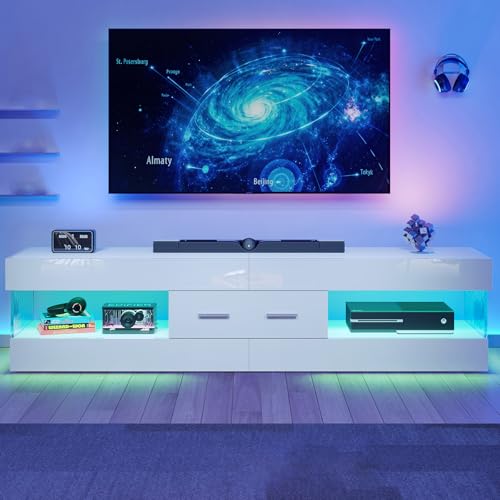
The SONGMICS 62-inch entertainment center is a versatile media console tailored for modern living spaces, dorms, and apartments. Specifically engineered to accommodate 4K LED, QLED, and OLED televisions up to 70 inches, this unit bridges the gap between sleek industrial design and everyday living room utility. Whether you are an apartment renter outfitting a cozy entertainment nook, a gamer building a command center, or a family organizing media components in the living room, this stand delivers reliable support and clean aesthetics without demanding a complicated setup.
A great home theater experience goes beyond panel resolution and contrast ratios because your viewing environment plays a crucial role in reducing eye strain during high-contrast scenes. The integrated LED strip provides dynamic ambient backlighting with over 60,000 selectable colors and intuitive app control. By providing bias lighting behind or beneath your display, it softens the perceived harshness of bright HDR highlights during late-night movie streaming or marathon gaming sessions. The music-sync feature also lets the lighting pulse to your favorite soundtrack, bringing stadium-style energy to Super Bowl watch parties or casual weekend get-togethers.
Cord clutter can quickly ruin the clean look of a modern 4K streaming station. This console tackles cable chaos by incorporating a built-in power hub with two AC outlets, a USB-A port, and a USB-C port right where your gear lives. You can easily plug in a smart TV stick, soundbar, or console charger directly on the stand without running multiple extension cords across the room. Additionally, the open shelf architecture ensures constant passive airflow around heat-intensive electronics like the PS5, Xbox Series X, or streaming receivers, which helps maintain peak gaming performance and prevents thermal throttling.
Constructed with a black steel frame and a durable engineered wood top surface, the console provides dependable support for modern wide-stance television legs. To keep accessories organized, a lightweight fabric drawer reinforced with MDF offers hidden storage for TV remotes, extra HDMI cables, and game pads. The unit includes adjustable leveling feet to balance the stand across uneven hardwood floors or thick area rugs, along with an anti-tip safety harness to secure the console against the wall, offering valuable peace of mind for households with active kids or pets.
While this console excels in functionality and ease of use, buyers should note that the storage drawer uses non-woven fabric rather than solid timber, meaning it is suited for lighter accessories rather than heavy book collections. Furthermore, the 13.8-inch depth means owners of extra-deep legacy audio receivers should measure their gear beforehand. For budget-conscious homeowners, college students, and streamers seeking a sleek, power-ready foundation for their 55-inch to 70-inch smart TVs, this SONGMICS console delivers an attractive, feature-packed solution that enhances your daily entertainment setup.
Combining an industrial steel framework with a clean engineered wood top, the BELLAH collection design balances modern loft styling with everyday practicality. The ink black finish blends effortlessly into contemporary home theater setups, master bedrooms, and open-concept living rooms.
The hybrid design includes open middle shelving alongside a foldable, MDF-reinforced fabric drawer. This blend keeps the overall shipping weight low and manageable while providing dedicated compartments for streaming boxes, 4K Blu-ray players, and media remotes.
Stability is reinforced through lower crossbars, four adjustable leveling feet to compensate for flooring variances, and an included anti-tip kit. These design details ensure that your valuable flat-panel television remains balanced and secure during everyday household activity.
Putting this entertainment console together is straightforward thanks to clearly numbered hardware, pre-drilled alignment holes, and included assembly tools. Most homeowners and renters can complete the assembly process in under an hour without specialized carpentry skills.
The built-in power strip mounts directly into the unit, eliminating the awkward process of threading thick power plugs through tight back panels. Simply position the console near a standard wall outlet to supply power to all your home theater devices simultaneously.
Setting up the smart LED lighting requires minimal effort. You can manage presets using the included physical button controller or pair the strip with your mobile phone via the companion app to unlock custom color palettes, timer settings, and reactive sound modes.

Pros
- Universal compatibility with most 23-60 inch TVs and VESA patterns up to 400x400mm.
- Smooth-rolling wheels with brakes for easy mobility and secure placement.
- Adjustable height and tilt for optimal viewing comfort.
- Sturdy all-metal construction with high weight capacity (88 lbs).
- Includes a media shelf for additional devices.
Cons
- Maximum TV size is 60 inches – not suitable for larger screens.
- The stand may wobble slightly on uneven carpet surfaces if not properly balanced.
- Cable management could be improved – wires may hang visibly behind the stand.
The Rfiver Mobile TV Stand is a practical solution for anyone who wants to move their television easily without wall mounting or a bulky entertainment center. Designed for 23 to 60 inch flat or curved screens up to 88 pounds, this rolling cart works well in living rooms, bedrooms, offices, dorm rooms, or even outdoor patios. Homeowners, apartment renters, and families with kids will appreciate the flexibility to reposition the TV for movie nights, sports viewing, or gaming marathons.
Built from all-metal construction, the stand feels sturdy and secure once assembled. The mounting bracket supports VESA patterns up to 400x400mm, covering the vast majority of modern TVs. Height adjustment and tilt allow you to fine-tune the viewing angle, reducing glare and improving comfort whether you are sitting on a couch or lying in bed. The included media shelf is a nice touch – it can hold a streaming device, gaming console, or soundbar, keeping everything within easy reach.
Mobility is the standout feature here. The wheels roll smoothly on hardwood, tile, and low-pile carpet, and the locking brakes keep the stand firmly in place when needed. Many users find it convenient to wheel the TV out of the way when entertaining or to bring it closer for an immersive gaming session. The compact footprint means it can sit flush against a wall, saving floor space in smaller rooms.
Assembly is straightforward with clearly labeled parts and step-by-step instructions. Most people can put it together in under 30 minutes with just a screwdriver. The 5-year manufacturer warranty adds peace of mind, especially given the affordable price point. However, some users note that the stand may feel slightly wobbly on thick carpet or if the TV is near the upper weight limit, so balancing the load is important.
While the Rfiver stand is highly functional, it does have limitations. It is not designed for TVs larger than 60 inches, so owners of 65-inch or bigger screens will need a heavier-duty cart. Cable management is basic – there are no built-in channels or clips, so wires may hang visibly behind the stand. That said, for the price and versatility, this mobile TV stand is a great choice for anyone needing a flexible, space-saving TV setup. It is especially recommended for renters who cannot drill into walls, gamers who want to move their display between rooms, or families who like to rearrange their entertainment area frequently.
Pros
- Six customizable height levels leave plenty of vertical space for soundbars and streaming devices
- 30-degree swivel allows quick angle adjustments from the couch, kitchen, or gaming desk
- High-strength tempered glass and steel frame deliver stable, wobble-free support up to 88 lbs
- Universal VESA bracket covers standard patterns up to 400x400 for diverse TV brands
- Integrated cable management keeps HDMI leads and power cords neatly tucked behind the center pole
Cons
- Does not accommodate larger home theater displays over 60 inches or screens exceeding 88 pounds
- Does not include vertical tilt adjustment for angling the display downward on tall furniture
- Requires assembly with multiple bolt sizes that take a little patience to match to your TV back panel
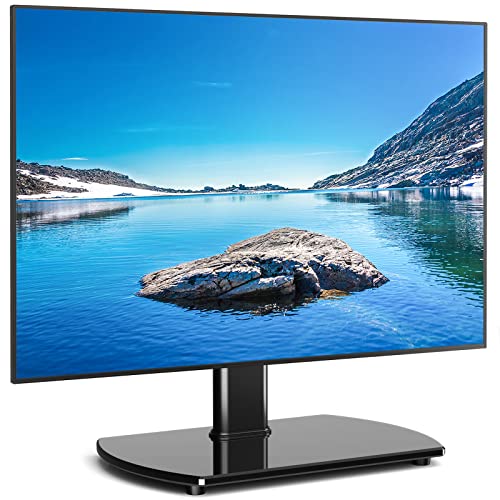
The Rfiver Universal Swivel TV Stand is a heavy-duty tabletop pedestal replacement designed for flat and curved screens measuring 27 to 60 inches. This mounting base provides a practical solution for apartment renters, homeowners, and college students who want the elevated aesthetic and flexibility of a mounted television without drilling holes into wall studs. It caters well to families, streamers, movie enthusiasts, and gamers looking to place an OLED, QLED, or 4K LED display on narrow media consoles or bedroom dressers.
Compatible with standard VESA mounting patterns ranging from 100x100 up to 400x400, this stand handles popular smart TVs running Google TV, Roku TV, Fire TV, or webOS platforms. The integrated 30-degree swivel mechanism to the left and right helps enhance viewing angles across open-concept living rooms and reduces frustrating window reflections during daytime sports broadcasts. For cinephiles and sports fans, adjusting the angle toward a favorite recliner or sofa takes only a gentle push.
A major benefit for home theater fans is the versatile vertical adjustment, offering six distinct height positions between 18.5 and 24.4 inches. This vertical clearance creates dedicated room underneath your television screen for a Dolby Atmos soundbar, streaming box, or gaming console. By elevating the display to eye level, viewers can enjoy extended movie marathons or marathon gaming sessions with less neck fatigue and improved dialogue clarity, since the soundbar drivers remain unobstructed.
Built with a heavy-duty steel pole and an 8mm thick tempered safety glass base, the stand supports televisions weighing up to 88 pounds. The glass base provides balanced counterweight and stability while giving your entertainment center a clean, modern look. On the back of the central column, built-in wire routing clips gather HDMI cables, optical lines, and power wires into a neat bundle, keeping messy clutter out of sight.
While this tabletop mount excels for screen sizes up to 60 inches, owners of giant 65-inch or 75-inch living room displays will need a larger mounting system. Additionally, the bracket swivels smoothly but lacks vertical tilt adjustment, so careful shelf height planning is helpful. For budget-conscious shoppers, cord-cutters, and entertainment enthusiasts wanting a sturdy, soundbar-friendly TV base replacement with glare-busting swivel action, this Rfiver model offers reliable utility and excellent living room convenience.
Assembling the stand involves bolting the steel support column directly to the heavy tempered glass base using the supplied hardware and rubber isolation feet. The package includes an assortment of M4, M6, and M8 TV mounting screws, spacers, and washers to accommodate flat or curved television backs with recessed VESA mounting holes.
Users can select their desired screen elevation by adjusting both the mounting plate on the upright mast and the brackets attached to the back of the television. Built-in cable management clips snap along the rear of the spine to route streaming power cords and HDMI cables securely, maintaining a clutter-free entertainment setup.
Setting up your flat-panel display on this pedestal mount allows you to reclaim valuable space on TV consoles, credenzas, and entertainment furniture. Traditional wide TV feet often require huge furniture surfaces, but this center-mounted base fits comfortably on compact tables and dressers, making it ideal for bedrooms and small apartments.
Because the vertical height can be dialed in over six settings, it seamlessly integrates with mid-sized soundbars without blocking the TV infrared sensor or bottom bezel. Whether you are hosting Super Bowl watch parties or streaming movies on Netflix, the 30-degree swivel ensures every seat in the room gets an unobstructed view.
How to Assemble a TV Stand Without Guesswork
Most flat-pack TV stands follow the same broad logic: identify parts, build the supporting structure in the order shown, square the frame, and tighten fasteners only as directed. The exact sequence varies by design, especially between a shelf unit, a cabinet, a rolling floor stand, and a tabletop TV mount. Treat the included manual as the authority for part orientation, hardware placement, and any stated load limits. The steps below are a careful framework, not a substitute for model-specific instructions.
Prepare the room, parts, and working surface
Choose a level area with enough room to lay out the panels and assemble the unit without twisting it around furniture. A clean floor helps prevent grit from scratching a finished surface, but a blanket or other soft covering can also help protect panels while they are handled. Keep small children and pets away from loose screws and tools during the work. If the stand is large or awkward to lift, arrange for help rather than trying to carry or rotate it alone.
Open the packaging carefully and compare the pieces with the parts list before assembly begins. Group similar fasteners together, but keep their labels or packaging visible so different screw lengths do not get mixed up. Identify which faces are finished, which edges have holes or grooves, and whether any panels are marked as left or right. A quick inventory can catch a missing or damaged part before it becomes difficult to access later.
Check the included instructions for the tools required and whether any tools are supplied. Don’t assume that every product uses the same connectors: a no-tools shelf unit, a metal-frame console, and a cabinet with drawers can require different handling. Avoid substituting fasteners or drilling new holes to force parts into alignment. If a piece appears damaged or a hole pattern does not match the diagram, pause and contact the seller or manufacturer for guidance.
Build the frame in the order the manual shows
Begin with the base or first structural assembly identified in the instructions. For a panel-based unit, keep the panels oriented as illustrated and start each connector by hand so it can engage without cross-threading. Cam locks and similar fittings need to meet their intended connector before they are turned; forcing a misaligned lock can damage the fitting or the panel. If the instructions call for a particular fastener direction, follow that detail instead of relying on appearance alone.
For a stand made with posts and shelves, assemble the components in the stated order and make sure each post is seated as directed. The Furinno Turn-N-Tube No Tools 3-Tier Entertainment model is described as using plastic tubes and a toolless assembly design, while the wider Furinno TURN-S-TUBE model has a similar toolless description and instructions. Those product details do not mean every tube-based unit uses identical assembly steps. Use the instructions included with the exact model, and check that shelves are positioned in their intended order before adding later pieces.
On a metal-frame console, distinguish the frame members and shelf panels before connecting them. The Furologee TV Stand for TVs up to 55 Inch is described as having a metal frame, a particleboard top, open shelves, and labeled accessories. Labeled parts can make sorting easier, but the instruction diagram still determines which member belongs in each position. Keep connections loose enough to allow the frame to align until the manual indicates that they should be tightened.
Keep panels square before tightening fasteners
A stand can look assembled while still being slightly out of square. Before final tightening, check that the sides are parallel, shelves sit level, and the back or cross members align with their intended holes. A gently skewed frame can make later panels harder to attach and may cause the furniture to rock once upright. Do not use a fastener to pull a visibly misaligned panel into place; loosen the relevant connections and check the orientation first.
Tighten connectors in the manner specified by the manual, using only the supplied or recommended tools. Excessive force can strip a fitting, crush a panel edge, or damage a finish, particularly on engineered-wood components. If a screw stops turning unexpectedly, check whether it is the correct length and whether the connected parts are aligned. A fastener that spins without securing the joint is a reason to stop and seek product guidance, not to force it further.
For a cabinet with drawers or doors, install and adjust those parts only at the stage shown in the instructions. A door that sits unevenly may reflect a panel orientation or frame alignment issue rather than a faulty hinge. Avoid repeatedly tightening one side to compensate for a cabinet that is not square. If the design includes an anti-tip kit, retain the kit and follow its provided instructions when positioning and securing the furniture.
Assemble tabletop TV mounts as a separate job
A universal tabletop TV stand is not assembled like a media console. These products typically have a base, upright support, and brackets that attach to the television, so compatibility checks matter before the screen is lifted. For example, the Perlegear Universal Swivel TV Stand Base for 32–70 is listed for specified VESA patterns and a stated maximum TV weight, while the Hemudu Universal Swivel TV/Table Top TV Stand for 19 is listed for a different size range and VESA patterns. Confirm your television’s mounting-hole pattern, weight, and the precise model’s instructions rather than relying on the word “universal.”
Attach the mount brackets using the hardware and screw selection described by the mount manufacturer and television instructions. Do not guess at screw length or use a screw that bottoms out before the bracket is secure. The television must be supported during attachment and placement; use another person if the display is difficult to handle safely. Once the mount is built, check that any safety locks or retaining parts specified by the instructions are installed.
A rolling TV stand also has a different assembly path because the base, wheels, upright column, and equipment shelf are separate components. The Rfiver Mobile TV Stand product information emphasizes laying out the listed pieces and following the instructions, including attention to part positioning. Assemble the base and wheel components as directed, then attach the column and brackets in the stated order. Before mounting a television, verify the listed VESA compatibility and weight limit for the exact product.
Place the stand and check the television footprint
Move the assembled furniture to its intended location before loading it, using the method recommended by the manufacturer. Dragging a stand can stress joints or damage flooring, while carrying a unit by a shelf can place force on a connection that is not designed for lifting. Once positioned, check that it sits steadily on the floor and that adjustable feet, if included, are set according to the product instructions. Do not improvise leveling changes that could loosen the structure.
Measure the television’s actual outside width and the distance between its feet, then compare both with the stand’s top dimensions. A screen’s advertised diagonal measurement is not its physical width, and two televisions with the same diagonal size can have different foot placements. The Furinno TURN-S-TUBE product is listed as 47.2 inches wide and intended for a TV up to 55 inches, but that diagonal compatibility does not replace checking the actual feet and base position. Keep the television’s support points on the surface as directed by its manufacturer.
Check the product’s stated load capacity before putting a television or other heavy equipment on it. The Furinno Turn-N-Tube listing states a total capacity of 100 pounds and compatibility with a TV up to 32 inches; the Furinno TURN-S-TUBE listing gives a total unit capacity of 180 pounds and a limit of 60 pounds per shelf. Those figures are specific to those products and should not be applied to other stands. If the manual distinguishes between top and shelf limits, follow each limit separately and do not treat a total unit rating as permission to overload one shelf.
Load shelves, route cords, and preserve airflow
Place media devices only after checking shelf dimensions and any stated shelf limits. The supplied product information does not give interior measurements for every model, so do not assume a game console, receiver, or soundbar will fit based only on the stand’s advertised TV size. Check the device’s own dimensions, include room for plugs and cable bends, and allow the clearance its manufacturer calls for. Keep equipment stable and avoid placing heavy components where they could make the furniture uneven.
Open shelving can leave cords visible, but it also provides open access around devices. The Furologee stand is described with open mesh shelves and an open-space layout, and the Furinno TURN-S-TUBE has an open-back design. These features may make cable access more convenient, but neither description establishes that every cable can be hidden or that a device cannot overheat. Arrange cords so they are not pinched against a wall or trapped beneath furniture, and use only routing openings intended for that purpose.
Do not put heat-producing electronics inside a closed space without checking the device’s ventilation requirements. The available products include open-shelf designs, while the SONGMICS TV Stand for TVs Up to 70 Inches is described with open shelves and a drawer. Keep the drawer for suitable accessories rather than assuming it is a ventilated compartment for a console or receiver. If a device’s exhaust is blocked or it becomes unusually hot, move it to a more open position and consult its manufacturer’s guidance.
For cords, connect equipment only after confirming that plugs can reach safely without stretching or pulling on the stand. Keep power connections accessible and avoid routing a power cable through a hole that is not intended for electrical cords. The SONGMICS product information lists AC outlets and USB ports, but installation and use should still follow its own instructions and electrical safety guidance. Separate signal cables from footpaths where practical, and make sure the arrangement does not prevent access to outlets or the furniture’s safety hardware.
Anchor where required and complete a final inspection
Follow the stand manufacturer’s directions for any included anti-tip hardware. A freestanding console and a television mounted on a separate tabletop base have different stability considerations, so do not assume that one safety instruction applies to every setup. If the instructions call for an anchor, use suitable hardware for the wall and attachment point, and get help from a qualified person if you are unsure about the wall construction. Never skip a supplied safety step because the stand feels stable when empty.
Before putting the television in service, inspect the joints, shelves, feet, and mount connections against the manual. Confirm that all listed fasteners are present and seated as instructed, the furniture does not rock, and the television’s feet or mounting brackets are positioned correctly. Check that doors and drawers move without colliding with cords and that devices have the airflow clearance their manufacturers require. If something shifts, leans, or makes an unusual noise, remove the load if it is safe to do so and investigate before continued use.
Assembly work does not finish with a quick glance at the front. Walk around the unit and check the rear for loose cables, blocked openings, and any connection that was missed during setup. Revisit the manufacturer’s instructions if the model includes special leveling, locking, or safety steps. For larger fireplace-style furniture, these large TV stand layout considerations can help frame the extra space and setup decisions, while this fireplace console style guide covers another media furniture configuration.
The most reliable approach is to identify parts first, assemble in the manufacturer’s sequence, and verify fit, stability, and load limits before adding equipment. Keep the manual for later reference, especially if the stand needs to be moved or reassembled. A well-assembled stand should match the product’s intended configuration, not a modified one created to make a mismatched part fit. If any connection or compatibility detail remains uncertain, pause and ask the manufacturer rather than guessing.



Write Your Review
No reviews yet. Be the first to share your experience!