
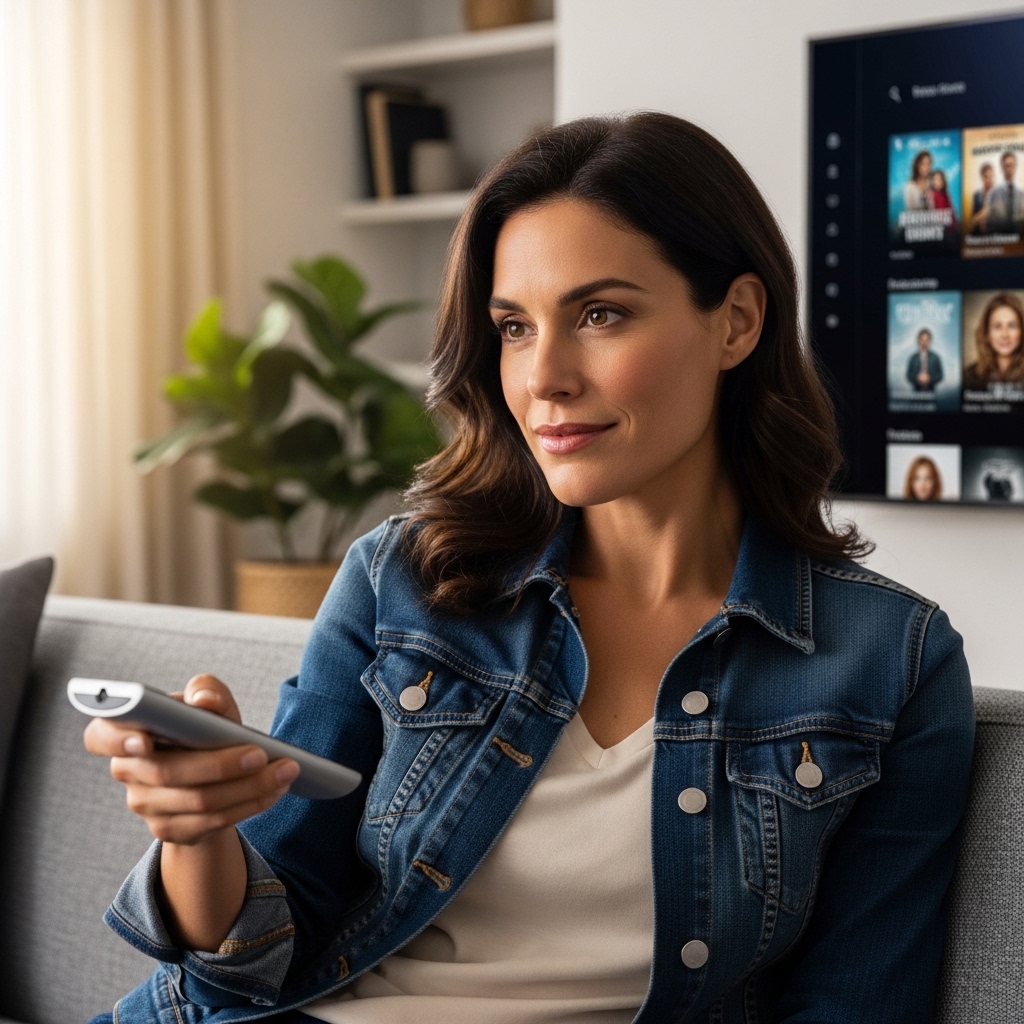

Bloated smart TV menus, microscopic remote buttons, and confusing input popups turn casual afternoon viewing into an exercise in frustration. Standard displays often overwhelm living spaces with complex home screens, hidden channel guides, and tiny on-screen fonts that strain tired eyes. Selecting an easy to use tv for elderly family members solves these daily headaches by prioritizing clean layouts, physical push-button control, and instant access to favorite programming. Modern displays with intuitive smart platforms or straightforward broadcast tuners keep television enjoyable without requiring tech support every time someone switches from local news to a classic movie. Understanding display formats like what UHD means on a TV also helps families distinguish between unnecessary pixel jargon and genuine screen clarity.
Clear 1080p Full HD panels and high-contrast LED backlights provide crisp readability from standard viewing distances of 6 to 8 feet in bedrooms or small living areas. Built-in speakers frequently struggle with muddy dialogue, making front-facing audio clarity and dedicated soundbar connections essential for hearing spoken lines clearly over background music. Simplified companion remotes featuring color-coded buttons and direct channel programming eliminate accidental input switching, while caregiver-friendly management hubs enable remote assistance across town. After carefully analyzing display specifications, operating systems, and verified owner feedback, we highlighted setups that deliver dependable brightness, wide viewing angles, and fuss-free operation for 2026.

Pros
- Allows complete off-site TV operation and troubleshooting directly via a companion smartphone app.
- Direct-to-TV video calling with auto-answer simplifies staying in touch for older adults.
- Large backlit voice remote is easy to see and navigate for seniors with cognitive or visual challenges.
- On-screen medication alerts and photo sharing appear without requiring the senior to navigate complex smart TV menus.
Cons
- Requires an ongoing paid membership subscription plan after setup to enable communication and monitoring features.
- Not a standalone television display; requires an existing TV equipped with an HDMI input and active home Wi-Fi.
- Operation depends on consistent internet connectivity and active inputs from connected cable, satellite, or streaming sources.
The Caavo JubileeTV Remote Care System serves as a specialized television hardware controller and communication hub designed to bridge the gap between complex modern displays and seniors who want a simple viewing experience. Rather than serving as an independent television panel, this compact console connects directly to an existing living room or bedroom television via an HDMI input and home Wi-Fi. It is tailored specifically for adult children and family caregivers who want to support elderly parents, individuals with cognitive decline, or family members overwhelmed by modern smart TV platforms and multi-remote confusion.
In terms of display integration, the JubileeTV operates by overlaying communication features and remote management tools directly onto the television screen. It works alongside an existing cable box, satellite receiver, or external streaming player, passing the video signal through while superimposing easy-to-read notifications, incoming video calls, photo streams, and medication reminders. Because it utilizes the host television's existing display panel, the native resolution, peak brightness, contrast, and color reproduction match whatever TV is already in the home, while ensuring that interface menus remain large, high-contrast, and effortlessly readable from across the room.
Connectivity and hardware management are central to the JubileeTV experience. The device connects directly through an available HDMI port on the TV and links to the household Wi-Fi network. From there, family members use a dedicated smartphone application to control the television remotely from across town or across the country. Caregivers can change channels, adjust volume levels, power the set on or off, launch streaming content, and resolve confusing input or login errors without having to talk a loved one through complicated settings. It also includes passive activity awareness, alerting family members when the television is actively being used.
For the senior watching in the living room, physical usability is transformed by the included voice remote. Featuring an ergonomic layout with large, high-contrast backlit buttons, it eliminates the clutter and accidental button presses common with modern TV remotes. Older adults can control their favorite programs or accept video calls using basic voice commands or straightforward button presses. Calls appear directly on the large TV display, utilizing the screen's size to make faces clear and conversation natural, without requiring the viewer to hold a tablet or squint at a smartphone screen.
There are practical limitations to keep in mind before purchasing. The JubileeTV hardware requires an active ongoing membership subscription after initial setup to maintain its smart features, remote app controls, monitoring alerts, and video calling capabilities. Additionally, it is an interface accessory rather than a standalone TV, meaning it relies entirely on the presence of an HDMI-compatible television, a stable Wi-Fi connection, and an existing cable, satellite, or streaming media box. It does not alter or upgrade the TV's native speaker wattage, refresh rate, or viewing angles.
For families managing the day-to-day challenges of senior care, the Caavo JubileeTV provides tremendous practical value. It solves the everyday frustration of television troubleshooting while turning the most familiar screen in the home into an effortless connection point. By keeping seniors engaged, socially connected, and on schedule with daily reminders while giving remote caregivers peace of mind, it stands out as an exceptional display accessory for senior care.
Modern smart TV operating systems like Google TV, Roku OS, and Fire TV can often be overwhelming for older viewers due to cluttered home screens, algorithmic recommendations, and frequent software updates. The JubileeTV system effectively streamlines this experience by providing a simplified, caregiver-managed layer over the TV. Family members can handle login prompts, navigate tricky menus, and ensure that the right input or channel is playing, completely shielding the senior from technical headaches.
Beyond standard entertainment management, the platform acts as an interactive care hub. Caregivers can push scheduled calendar reminders, medication alerts, personal text notes, and family photos directly to the TV screen during daily programming. The video calling feature with optional auto-answer is especially helpful for relatives who may have mobility issues or difficulty answering a traditional phone, allowing loved ones to check in visually and offer reassurance right through the primary family room or bedroom display.
Setting up the JubileeTV is straightforward and designed to integrate cleanly into existing entertainment centers. Measuring approximately 10.35 by 5.9 by 1.37 inches, the compact black console rests discreetly beneath the TV or inside a media cabinet. It requires an available HDMI port on the host television along with an active Wi-Fi internet connection to communicate with the caregiver mobile app.
The system connects in-line with your existing setup, linking your current cable box, satellite tuner, or streaming media player directly to the television. This passthrough design ensures that current subscriptions and channel lineups remain intact, while the included large backlit voice remote replaces multiple confusing remotes with a single, senior-friendly control solution.

Pros
- Extremely simple four-button exposed layout minimizes confusion and accidental button presses
- Simultaneously commands television power and volume alongside cable or satellite box channel selection
- Favorite channel memory locks out unwanted channels and simplifies sports, news, and daytime viewing
- Tactile high-contrast buttons offer great visibility for seniors with macular degeneration or low vision
Cons
- Cannot navigate smart TV streaming app menus such as Netflix, Prime Video, or YouTube
- Requires two standard AA batteries that are not included in the retail packaging
- Initial setup requires sliding down the faceplate to manually enter device codes
The Flipper Big Button TV Remote is a specialized universal television accessory designed to make living room entertainment completely hassle-free. Tailored primarily for seniors, individuals dealing with dementia, Alzheimer's, or vision impairments, and the family caregivers who assist them, this remote reimagines how users interact with modern television displays. While modern smart TVs from Samsung, LG, Sony, or TCL arrive with remotes crowded by microscopic buttons and confusing app shortcuts, Flipper strips the interface down to only what is necessary for daily broadcast and cable viewing.
In terms of practical television performance, the Flipper operates using reliable infrared (IR) signals that bridge two separate devices seamlessly. The remote can be configured to manage the master power and volume of a 4K LED or OLED television, or an external soundbar, while simultaneously sending channel up and down commands to a cable or satellite receiver from providers like Xfinity, Spectrum, or DirecTV. This dual-device functionality prevents the common living room mishap where a viewer accidentally changes the TV input to HDMI 2 or turns off the cable box while leaving the television screen powered on with no picture.
The hardware build emphasizes accessibility and ergonomic comfort. The remote features oversized, color-coded tactile buttons: green for power, orange for volume adjustment, blue for channel navigation, and gray for mute. Beneath a slide-down locking plastic sleeve lies a numeric keypad and setup controls that caregivers can access during initial configuration. This hidden section allows programming up to 25 custom favorite channels, enabling loved ones to cycle cleanly through their preferred local news, game shows, and sports broadcasts without ever getting lost in hundreds of blank, premium, or static channels.
While the remote offers exceptional simplicity for standard television and set-top box usage, there are realistic operational boundaries to keep in mind. The Flipper is strictly engineered for basic broadcast, cable, and satellite operation; it does not feature directional arrows, enter keys, or home buttons needed to navigate smart TV platforms such as Google TV, Roku OS, Fire TV, or Apple TV. If your family relies heavily on browsing streaming app libraries like Netflix, Hulu, or Disney+, a caregiver will still need to launch the stream with a standard smart remote before handing off volume control.
For family homes, assisted living spaces, and bedroom entertainment setups where traditional cable, satellite, or digital antenna programming remains the main source of viewing, the Flipper Big Button Remote is an outstanding practical investment. It restores independent entertainment for elderly viewers, eliminates repetitive tech support calls for family members, and makes relaxing in front of the television genuinely enjoyable again.
Setting up the Flipper remote is straightforward and handled via the slide-down locking faceplate. Caregivers simply slide the cover down to expose the numeric keypad and programming buttons, then follow the included code list to pair the television, cable box, or soundbar.
Once basic codes are entered, the remote features an automatic code search function if your specific brand model requires manual detection. After pairing, caregivers can lock in up to 25 favorite channels and slide the protective cover back up into its locked position, completely securing the settings against accidental alterations.
The Flipper remote is engineered from the ground up for low-dexterity and low-vision environments. The large, brightly colored primary buttons provide clear visual contrast against the matte casing, helping users identify functions quickly without straining their eyes.
Tactile raised lettering and distinct button shapes assist those with arthritis or tactile numbness, ensuring every press registers smoothly. By eliminating confusing menu, source, and streaming hotkeys, the device removes cognitive clutter and keeps television watching relaxing.

Pros
- Very low price for a reliable 32-inch TV from a known brand
- Multiple inputs (HDMI, USB, VGA) provide flexibility for streaming devices, consoles, or PC
- Parental controls via V-chip offer peace of mind for families
- No smart platform means faster startup and no bloatware
Cons
- Only 720p resolution - not as sharp as 1080p or 4K for larger viewing distances
- No built-in smart TV features - you'll need an external streaming device for apps
- Basic built-in speakers may lack bass and volume for immersive audio
The Westinghouse 32-inch HD LED TV is a straightforward, no-frills television designed for viewers who want a simple, affordable display without paying extra for smart features they don't need. With 720p HD resolution and progressive scan technology, this small flat screen is well-suited for bedrooms, kitchens, home offices, dorms, or even RV use (with a 12V inverter). It's an excellent choice for budget-conscious shoppers, cord-cutters who already own a streaming stick, or families looking for a secondary TV for kids.
Picture quality is decent for the price. The 720p panel delivers clear images for everyday viewing, and the progressive scan helps reduce flicker during fast-motion scenes - a nice touch for sports fans or action movie lovers. Color accuracy and contrast are acceptable for a budget LED TV, though it won't match the deep blacks of more expensive models. Brightness is sufficient for indoor rooms but may struggle if placed near a sunny window. Viewing angles are typical for an LED panel, best enjoyed head-on.
The real strength of this TV is its flexibility. With HDMI and USB inputs, you can easily connect an Amazon Fire Stick, Roku, Apple TV, or any streaming device to unlock thousands of apps and channels. It also works with cable boxes, gaming consoles, and even a computer via the VGA port. For cord-cutters, pairing it with an antenna delivers free over-the-air local broadcasts. The absence of a built-in smart platform means faster startup times and no annoying software updates - just plug in your device and go.
Build quality is what you'd expect from an entry-level model: a sturdy plastic body with a simple black bezel. The 32-inch size is compact, and the TV is lightweight enough to mount on a wall using standard VESA brackets. Setup is straightforward - attach the stand or mount, connect your devices, and scan for channels. The included remote is basic but functional. Parental controls with V-chip are a welcome addition for families monitoring children's viewing.
One limitation is audio. The built-in speakers are adequate for news or casual shows, but dialogue clarity and bass response are lacking for movie nights. We recommend adding a budget soundbar or using headphones for a better experience. Also, keep in mind this is only 720p - if you sit close to the screen, you'll notice less detail compared to a 1080p or 4K model. But for its intended use as a small secondary TV, that trade-off is often acceptable.
Overall, the Westinghouse 32-inch HD LED TV is a practical, affordable option for anyone needing a compact display without smart frills. It's perfect for a kid's room, guest bedroom, garage workshop, or as a dedicated monitor for a gaming console or PC. If you already have a streaming device and want a simple, reliable TV that won't break the bank, this is a solid choice.

Pros
- Native 1080p Full HD resolution offers better detail and sharpness than typical 720p sets in this compact size class
- Intuitive Roku TV platform provides instant access to hundreds of free live channels and all major streaming services
- Included voice remote and Bluetooth headphone connectivity add huge everyday convenience for late-night viewing
- Compact footprint and featherlight 8.2-pound chassis make tabletop placement or wall mounting completely hassle-free
Cons
- Standard 60Hz refresh rate lacks high-frame-rate gaming features like 120Hz or variable refresh rate
- Direct LED backlight does not include local dimming for deep cinema-grade black levels in pitch-black rooms
- Built-in stereo speakers are optimized for dialogue clarity but lack deep sub-bass impact for action blockbusters
The Roku 32-Inch Select Series Full HD Smart TV is a purpose-built entertainment display engineered specifically for spaces where a massive panel simply will not fit. Many small-screen displays on the market settle for basic 720p resolution, but this model stands out by delivering crisp 1080p high-definition picture quality on an efficient 32-inch LED panel. It is an outstanding match for apartment renters, college students in dorms, homeowners outfitting a secondary guest room, or anyone wanting a capable screen for the kitchen counter, home office, or garage workshop.
Picture performance on this compact screen is sharp and colorful, aided by Roku Smart Picture technology. This built-in processing automatically inspects the incoming video signal, cleans up minor compression artifacts, and optimizes brightness and color balance to match what you are watching. Whether you are catching the morning local news over coffee, streaming sitcom reruns, or following an afternoon baseball game, the display maintains punchy contrast and solid clarity without demanding tedious manual picture calibration from the viewer.
At the center of the experience is Roku OS, widely recognized across American households as one of the simplest, cleanest smart TV platforms available. The customizable home screen keeps your favorite streaming apps front and center alongside over 500 free live channels from The Roku Channel. Navigation feels snappy, apps launch quickly over standard Wi-Fi, and Apple AirPlay compatibility lets iPhone and iPad users beam home videos, workout routines, and family photos straight to the screen with a single tap.
Roku also made practical audio improvements a clear priority with the Select Series. Built-in speakers feature dedicated voice tuning that elevates dialogue clarity, making spoken lines easy to understand even during hectic scenes or when cooking in an adjacent kitchen. For late-night entertainment, the Bluetooth Headphone Mode lets you pair wireless headphones directly to the TV, allowing you to binge-watch crime dramas or play casual video games after midnight without waking sleeping kids or roommates.
Weighing only 8.2 pounds, this television is remarkably easy to lift, unbox, and position. Tabletop installation requires just attaching the two included stand feet, while standard VESA mounting patterns on the rear make it simple to hang on any slim wall bracket. While it does not boast 4K resolution, 120Hz refresh rates, or deep local dimming zones found on premium home theater flagships, it excels precisely where it needs to. For shoppers seeking an affordable, dependable, and easy-to-use second television, the Roku 32-Inch Select Series offers a balanced mix of smart functionality and everyday utility.
The built-in Roku OS platform eliminates the need for separate streaming sticks or messy adapter cables cluttering your entertainment area. With instant access to major platforms like Netflix, Hulu, Disney+, Prime Video, Max, and YouTube, jumping between your subscription services is quick and responsive. The interface remains clean and customizable, allowing you to reorder tiles so your most-watched channels always appear at the top.
Cord-cutters will particularly appreciate The Roku Channel, which provides over 500 free live streaming channels covering local news, live sports coverage, weather forecasts, reality shows, and Roku Originals. The included voice remote simplifies finding movies and actors by searching across thousands of streaming apps simultaneously, while compatibility with Amazon Alexa, Google Assistant, and Apple HomeKit ensures seamless smart home voice integration.
Compact living spaces demand equipment that is light, unobtrusive, and simple to position, which is where this 32-inch flat panel shines. Measuring approximately 28.9 inches wide by 19 inches high with the stand installed, the TV easily rests on small dressers, nightstands, desks, or kitchen countertops without dominating the room.
At just over eight pounds, wall mounting is easily manageable for a single person using standard low-profile VESA brackets. The integrated Bluetooth Headphone Mode is an indispensable feature for bedroom use, enabling completely silent private listening through your favorite wireless earbuds or over-ear headphones while your partner sleeps undisturbed beside you.

Pros
- Excellent value for a budget 40-inch smart TV with HDR and free streaming content.
- Lightweight (13 lbs) and slim design make it easy to wall-mount or place on a stand.
- Object Tracking Sound Lite provides a surprisingly immersive audio experience for a budget TV.
- Samsung's Tizen platform is responsive and loaded with popular streaming apps like Netflix, YouTube, and Prime Video.
- Knox Security offers peace of mind against phishing and unauthorized access to your smart home.
Cons
- Only 1080p resolution, so it may not satisfy those seeking 4K ultra-HD clarity for larger screens or home theater setups.
- Brightness and HDR performance are limited compared to higher-end models, especially in well-lit rooms.
- No Dolby Vision support, and color volume is adequate but not exceptional for serious movie enthusiasts.
The Samsung 40-inch F6000 Smart TV (2025 Model) is a Full HD (1080p) television designed for casual viewing, streaming, and everyday entertainment. It strikes a practical balance between affordability and essential smart features, making it a strong contender for bedrooms, apartments, dorm rooms, or secondary living spaces where a larger 4K TV would be overkill.
This TV shines for budget-conscious shoppers, cord-cutters, and families who want a simple, reliable smart TV without breaking the bank. With Samsung's Tizen OS and One UI interface, you get quick access to popular streaming apps like Netflix, Hulu, Disney+, and Prime Video. Plus, the inclusion of Samsung TV Plus (2,700+ free channels) means you can enjoy live news, sports, movies, and kids' shows without any subscription fees.
Picture quality is solid for the price point. The Full HD panel with HDR support, PurColor, and Mega Contrast technology delivers decent contrast and vibrant colors. While it can't match the deep blacks or peak brightness of a 4K QLED or OLED, it performs well in moderately lit rooms. Motion handling is adequate for casual sports and fast-paced content, though serious gamers or home theater purists may want a higher refresh rate and 4K resolution.
Sound is a pleasant surprise. Object Tracking Sound Lite creates a virtual surround effect that follows on-screen action, making movies and games feel more engaging. Pairing with a compatible Samsung soundbar via Q Symphony further enhances audio quality, allowing both the TV and soundbar speakers to work together seamlessly. The slim 3-bezel-less design looks modern and fits easily on most TV stands or wall mounts (VESA compatible).
Connectivity includes standard ports, but note this model likely lacks HDMI 2.1 or high-refresh-rate gaming features. It's fine for casual console gaming (Nintendo Switch, older PS4/Xbox One) but not ideal for competitive 120fps gaming. Setup is straightforward, and the included remote is intuitive. One standout feature is Samsung Knox Security, which adds protection against phishing and virus threats for connected smart home devices.
Overall, the Samsung 40-inch F6000 is a practical choice for anyone seeking an affordable, no-fuss smart TV for daily streaming, news, and family shows. It's not meant for ultra-bright rooms or cinephiles craving Dolby Vision, but for its price and size, it delivers a satisfying viewing experience. If you need a reliable second TV for a bedroom or a cost-effective main TV for an apartment, this model is well worth considering.

Pros
- Ready to use straight out of the box with zero pairing or code entry needed for Samsung TVs
- Oversized buttons and high-contrast labels make navigation effortless for elderly or visually impaired users
- Tactile key response helps prevent accidental double presses during daily viewing
- Lightweight and durable plastic build offers comfortable one-handed handling
Cons
- Exclusively operates Samsung televisions and cannot control external soundbars, cable boxes, or streaming media players
- Does not include dedicated quick-launch buttons for specific streaming apps or voice control features
- Requires two AAA batteries that are not included in the retail packaging
The EZclicker Big Button TV Remote is a dedicated replacement controller tailored specifically for Samsung televisions, ranging from standard LED displays to modern QLED and 4K smart screens. Designed to eliminate the clutter and microscopic keypads found on factory smart wands, this accessory provides straightforward navigation for everyday viewing. Whether managing morning news broadcasts or prime-time family entertainment, the remote simplifies the essential commands of power, volume, channel selection, and basic menu navigation.
This simplified controller is best suited for seniors, individuals dealing with vision impairment, caregivers, and families with young children who struggle with standard, complex television controllers. Modern Samsung smart TVs often ship with sleek, minimalist remotes packed with multi-function rocker switches that can be difficult for aging hands or those with tremors and arthritis to navigate. By centering on large, tactile buttons with high-contrast text, the EZclicker offers a welcoming solution for living rooms, assisted living spaces, and bedroom televisions where simplicity is paramount.
In everyday television setups, response time and ease of input are critical for an enjoyable viewing session. The remote operates via reliable infrared signaling, instantly executing core commands without the frustrating lag or Bluetooth pairing drops that sometimes plague wireless remotes. When switching between broadcast television, external inputs, or adjusting volume during sports viewing and movie nights, the enlarged central navigation pad ensures direct responsiveness without accidental button presses. Dialogue clarity adjustments and quick mute options remain instantly accessible at all times.
Measuring roughly seven inches long and weighing less than a quarter of a pound, the remote fits naturally into hands of all sizes. The layout features an oversized enter button and raised, durable silicone keys that give solid physical feedback upon every press. Its matte black casing minimizes glare under bright living room lighting while offering enough grip to avoid slipping between couch cushions. The battery compartment securely houses two AAA batteries, ensuring that the unit remains light enough for effortless handling during long viewing sessions.
Getting started requires zero technical know-how, as the device features pre-coded commands that pair directly with Samsung television receivers right out of the box. Users only need to insert two standard AAA batteries to begin controlling power and volume immediately. While it does not control secondary audio equipment, streaming sticks, or cable set-top boxes, its pure focus on Samsung TV operation makes it a dependable accessory. For budget-conscious shoppers and thoughtful gift buyers looking to restore television independence for elderly loved ones, this remote delivers uncomplicated peace of mind.
Setting up the EZclicker remote requires zero technical expertise, as it comes pre-programmed for Samsung brand televisions right out of the box. Users simply install two AAA batteries into the rear compartment, point the device at their Samsung display, and begin operating standard functions like power, volume, and channel selection immediately.
Because the unit uses standard infrared signals calibrated specifically for Samsung TVs, it eliminates the need for manual code entry, Wi-Fi pairing, or Bluetooth syncing. However, users should keep in mind that this remote is strictly compatible with Samsung televisions and will not control external audio soundbars, Roku or Fire TV streaming sticks, or dedicated cable provider converter boxes.
Modern smart television remotes have grown increasingly small and complicated, frequently featuring tiny buttons and touch pads that can frustrate users with diminished eyesight or limited finger mobility. The EZclicker addresses these hurdles by providing high-contrast markings, enlarged keypads, and generous spacing between individual commands to prevent accidental button presses.
The tactile feedback from each press gives reassuring physical confirmation, which is especially beneficial for users coping with arthritis, Parkinson's disease, or dementia. It turns complex living room home entertainment systems back into accessible, stress-free appliances for grandparents, elderly relatives, and loved ones in assisted living environments.
Frequently Asked Questions
Can an easy to use tv for elderly connect to standard cable and antennas?
Yes, straightforward televisions feature traditional coaxial RF inputs and HDMI connections for cable boxes or antennas. Non-smart models like the Westinghouse 32-inch LED set allow instant channel surfing without internet accounts, software updates, or home screen menus. Viewers simply power on the screen and change channels immediately.
How do big-button universal remotes assist seniors with dementia or arthritis?
Big-button remotes minimize confusion by exposing only power, volume, channel, and mute buttons with high-contrast color coding. Tools like the Flipper remote conceal complex programming keys behind a slide cover to prevent accidental input switching. Oversized tactile keys also make button presses effortless for individuals with arthritis or low vision.
What is the ideal screen size and viewing distance for seniors in 2026?
A 32-inch to 40-inch display placed 5 to 8 feet away offers comfortable viewing in bedrooms and cozy living spaces. This size allows clear visibility of news tickers and captions without requiring continuous eye movement across wide panels. Crisp 1080p resolution ensures sharp text without overwhelming the room.
Can family members manage television settings remotely from a smartphone?
Yes, remote care systems such as the JubileeTV hub let caregivers control channels, volume, and inputs directly from an app. Family members can clear frozen screens, answer video calls automatically, and display medication reminders on the screen. This remote access resolves technical issues without requiring an in-person visit.
How can seniors improve dialogue clarity on compact flat-screen sets?
Connecting an external soundbar or powered speaker substantially enhances speech clarity over thin internal television speakers. While voice clarity modes help isolate dialogue, many setups benefit from hooking up soundbars to one TV for richer, forward-facing sound. Optical and HDMI eARC connections deliver reliable volume without complex audio adjustments.



Write Your Review
No reviews yet. Be the first to share your experience!