


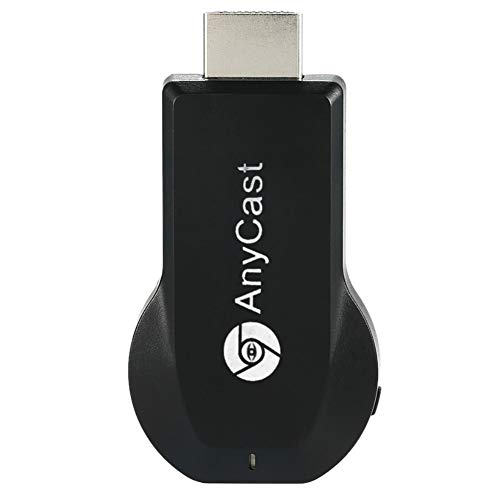
A TV in a room with weak router coverage can make streaming frustrating, but not every wireless HDMI accessory solves that problem. The best wifi extender for streaming tv should address the actual need: this listed product is a screen-mirroring dongle, not a device described as extending a home wireless network. The Ogzvhypl 2027 Upgraded Wireless HDMI Display Dongle is intended to send a compatible phone or computer display to an HDMI-equipped screen. Its listing claims support for AirPlay and Miracast, along with 1080p at 60 Hz output. If you’re comparing display resolution, this 4K UHD TV resolution guide can help clarify what those terms mean.
That distinction matters before buying: mirroring a screen is different from improving Wi-Fi coverage or connecting a TV’s streaming apps to a router. The manufacturer says the dongle supports one-click mirroring without apps, Bluetooth, or Wi-Fi, but also lists important restrictions for certain HDCP-protected services, including Netflix and Prime Video. Those limits may make it a poor fit if your main goal is watching subscription apps directly on a TV. It may suit someone who wants to mirror compatible phone or laptop content instead. The product details mention 2.4 and 5 GHz antennas, but don’t treat that as proof it extends your home network. Check your source device, TV’s HDMI input, and the specific app you plan to use.

Questions Before You Buy
Does this dongle extend my TV’s Wi-Fi signal?
No, the supplied details describe screen mirroring, not extending a wireless network. It sends compatible phone or laptop content to an HDMI display; it doesn’t claim to strengthen a home router signal or fix network congestion.
Can I watch Netflix or Prime Video through screen mirroring?
The listing warns that some HDCP-protected apps, including Netflix and Amazon Prime Video, may not be supported. Check the app’s restrictions before buying, since a smart-TV platform or another streaming device may better suit direct app viewing.
What devices and display connections does it support?
The manufacturer states support for AirPlay on Apple iOS and Mac systems, and Miracast on Android and Windows systems. The receiving screen needs an HDMI input; confirm your device’s mirroring support and TV setup before purchase.
Does it output 4K resolution?
The product description mentions 4K support and specifies 1080p at 60 Hz Full HD output. Those are different resolution descriptions, so check the manufacturer’s details and your display’s capabilities; don’t assume 4K output based on the listing alone.
Is this a replacement for a streaming player?
Not necessarily; it mirrors content from a compatible phone or computer rather than listing built-in streaming apps. For a separate HDMI streaming device, first check your television’s inputs and the services you need, as explained in this guide to using a 4K Roku with a regular TV.



Write Your Review
No reviews yet. Be the first to share your experience!