
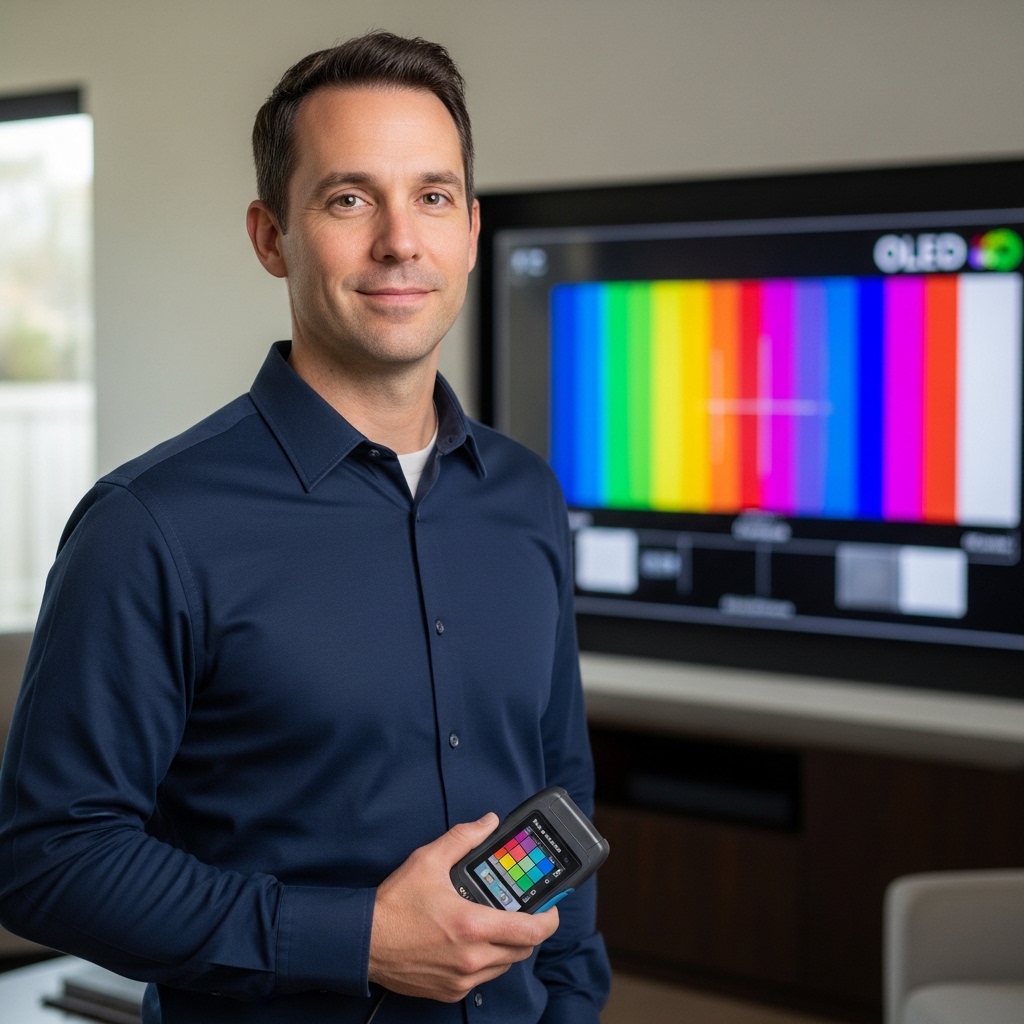

Many viewers buy an ultra-high-definition television assuming that every modern display automatically supports vibrant highlights and lifelike contrast. When asking is my 4k tv hdr, you must separate screen resolution from actual dynamic range capabilities. Older ultra-high-definition displays and budget panels often produce 3840 by 2160 pixels without possessing the backlight brightness or color gamut required for true high dynamic range. If you recently set up a 55-inch television for streaming, checking your panel specifications and input signal settings ensures you receive the best possible visual fidelity.
High dynamic range requires dedicated processing hardware, expanded color coverage, and precise backlight illumination to separate bright specular highlights from deep shadow tones. Standard 4K screens from earlier release cycles can decode an incoming high dynamic range signal while lacking the panel brightness to render it properly. Exploring display technologies or researching a Mini-LED television for sports watching demonstrates how local dimming zones and dynamic metadata shape the overall viewing experience. Understanding how your screen communicates with external source devices helps you verify your configuration and resolve common video signal problems.

How to Verify and Optimize HDR on Your 4K Television
Verifying whether your display supports high dynamic range requires examining both hardware specifications and software signal indicators. A television can display four times the pixels of standard full high definition while remaining completely limited to standard dynamic range color palettes. Determining your display capabilities involves checking on-screen signal banners, adjusting system picture settings, and inspecting physical hardware components. By evaluating each link in your playback chain, you can confirm whether you are watching genuine high dynamic range content or a standard video signal.
The Fundamental Difference Between 4K Resolution and High Dynamic Range
Resolution and high dynamic range describe two completely different aspects of picture quality. Screen resolution refers strictly to pixel count, meaning a 4K display features 3840 horizontal pixels and 2160 vertical pixels. High dynamic range, by comparison, governs the contrast ratio between the brightest highlights and the darkest shadows on screen. A television can feature millions of individual pixels but still deliver flat, washed-out images if it lacks high dynamic range capabilities.
Early 4K displays manufactured before high dynamic range standards gained widespread adoption often operated strictly within standard dynamic range parameters. Manufacturers promoted ultra-high-definition resolution heavily before panels possessed the luminance levels needed for dynamic tone mapping. As a result, many households own 4K screens that reproduce sharp details but cannot display expanded color ranges. Clarifying this distinction prevents the common mistake of assuming all 4K panels deliver dynamic visual depth.
High dynamic range also relies on wide color gamuts that extend far beyond traditional broadcast television standards. Traditional standard dynamic range video utilizes the Rec.709 color space, which covers a relatively narrow portion of visible colors. High dynamic range content targets wider color containers such as DCI-P3 and Rec.2020 to display vibrant reds, deep greens, and realistic skin tones. If your display hardware cannot reproduce these wider color spaces, it cannot show the full impact of modern cinematic mastering.
How to Check Your TV Menu and On-Screen Display Badges
The fastest way to confirm active high dynamic range playback is to observe your television display pop-up notifications. Modern smart televisions briefly display an on-screen badge or logo in the corner of the screen whenever an authentic high dynamic range signal begins playing. This badge typically reads HDR, HDR10, or Dolby Vision depending on the incoming video format. If this notification fails to appear when launching supported media, your television is likely receiving a standard dynamic range feed.
You can also verify signal processing by opening your television picture preset menu while media is actively playing. Most operating systems modify available picture presets when processing high dynamic range signals. For example, presets like Cinema or Standard may temporarily shift to HDR Cinema, HDR Standard, or Filmmaker Mode HDR. If your picture menu displays standard preset names without high dynamic range indicators, the television is currently operating in standard dynamic range mode.
Using the remote control to inspect input signal diagnostics offers another reliable verification method. Pressing the info or display button on your television remote often pulls up an information banner detailing resolution, frame rate, and color format. Advanced menu options found under system settings can also display real-time signal diagnostics, confirming whether incoming video contains dynamic metadata. Taking advantage of these diagnostic menus removes guesswork when evaluating streaming feeds or physical media playback.
Verifying Source Signal Settings and Port Configuration
Receiving an authentic high dynamic range signal requires enabling specific port configurations within your television settings menu. Many displays ship with their HDMI ports set to standard compatibility mode to prevent handshake issues with older video equipment. You must navigate to your input settings and manually enable options labeled HDMI Enhanced Format, HDMI Ultra HD Deep Color, or HDMI 2.1 Bandwidth. Failing to enable these high-speed input modes caps data transmission rates and forces connected devices to output standard dynamic range video.
External source devices such as modern video game consoles offer built-in diagnostic screens that test display capabilities directly. A PlayStation 5 or Xbox Series X features a dedicated video output menu that lists supported resolutions, refresh rates, and color formats. Checking these screens allows you to see whether your display communicates successful handshakes for HDR10 or Dolby Vision gaming. If the console reports that your television does not support high dynamic range, you may need to adjust your port settings or replace your video cable.
Streaming media boxes and native television applications provide clear format tags on content browsing pages. Platforms such as Netflix, Prime Video, and Apple TV display tags indicating 4K Ultra HD alongside separate badges for HDR or Dolby Vision. If an application displays a 4K badge but omits dynamic range tags, the app might not recognize your display hardware as compatible. Updating your smart platform firmware and verifying active subscription tiers ensures streaming applications output full dynamic metadata.
Understanding HDR Formats: HDR10, Dolby Vision, HDR10+, and HLG
High dynamic range exists in several distinct formats, each employing different technical mechanisms to deliver video metadata. HDR10 represents the open industry baseline standard supported by virtually every modern 4K high dynamic range television. It utilizes static metadata, meaning contrast and brightness parameters are set once for an entire movie rather than adapting dynamically from scene to scene. While HDR10 provides a noticeable upgrade over standard dynamic range, its static nature can lead to occasional highlight clipping or overly dark scenes.
Dolby Vision and HDR10+ improve upon baseline standards by incorporating dynamic metadata into the video signal. Dynamic metadata instructs the television video processor to adjust tone mapping dynamically for every individual scene or frame. This scene-by-scene adaptation preserves subtle shadow detail in dark sequences while maintaining dazzling clarity in bright outdoor shots. Brands support these formats selectively, meaning some manufacturers feature Dolby Vision while others prioritize HDR10+ decoding.
Hybrid Log-Gamma, commonly referred to as HLG, was developed by broadcast networks for live television transmissions. Unlike formats designed for streaming services and optical discs, HLG combines standard dynamic range and high dynamic range data into a single broadcast signal. This unified transmission allows older televisions to extract standard video while compatible displays render expanded dynamic highlights. Verifying format compatibility helps you choose hardware that aligns with your preferred video sources.
Hardware Realities: Why Some 4K TVs Accept HDR but Cannot Display It
A significant challenge in the television market involves screens that accept high dynamic range signals without having the physical capacity to render them. Many entry-level televisions feature processors capable of decoding HDR10 data streams without possessing high-luminance backlights. When an incoming high dynamic range signal arrives, the processor compresses the dynamic range down to fit the limited physical capabilities of the panel. This phenomenon often results in an image that looks dimmer and less colorful than standard dynamic range playback.
True high dynamic range requires substantial peak brightness to create impactful specular highlights like sunlight or explosions. Displays delivering low peak luminance struggle to produce meaningful contrast between dark backgrounds and bright highlights. Without sufficient luminance headroom, subtle highlights blend into mid-tone backgrounds, losing the visual punch intended by content creators. Examining manufacturer specifications for peak brightness gives you a realistic expectation of actual visual performance.
Backlight architecture plays an equally critical role in rendering high dynamic range images without visual artifacts. Basic edge-lit displays position light-emitting diodes along the borders of the chassis, making precise light control difficult. Full-array local dimming and Mini-LED backlights divide the display area into individual zones to boost bright highlights while keeping surrounding areas dark. If you are comparing panel designs or evaluating a budget 75-inch television, evaluating backlight dimming architecture helps you predict whether high-contrast scenes will show distracting backlight blooming.
The Role of Internal Signal Processing and Logic Boards
A television capability to present smooth high dynamic range images depends heavily on its internal timing control and signal logic boards. The logic board acts as an essential bridge, translating incoming video data from the main processor into precise control commands for the display panel. If the logic board suffers from component degradation or signal disorder, the screen cannot render accurate colors or consistent luminance. Maintaining proper hardware performance is essential for enjoying the full clarity of modern ultra-high-definition video.
When an internal logic board begins to degrade, common visual symptoms include vertical lines, color blocks, image jitter, and half-black screens. Replacing a damaged board with a compatible component, such as the Compatible For LG,V17 65 UHD HDR 4K 6870C-0740A logic board by NIUFENGGEO, can restore stable signal transmission. Manufacturer specifications indicate that this replacement board accurately analyzes image data to eliminate abnormal pictures, stabilize output signals, and restore natural color gradation. By addressing hardware faults at the logic board level, viewers can resolve color cast issues and jitter without replacing the entire television display.
Accurate signal delivery ensures that subtle color gradations across wide color spectrums transition smoothly without harsh banding. High dynamic range mastering uses ten-bit or twelve-bit color depth, requiring thousands of distinct shades per color channel to reproduce natural scenes. Damaged or mismatched internal boards disrupt this data flow, causing white color casts and distracting screen flashing that induce visual fatigue. Ensuring your internal hardware transmits image data reliably preserves the original intent of the film or broadcast feed.
Troubleshooting Washed-Out Colors and Dark Picture Artifacts
One of the most frequent complaints among viewers activating high dynamic range is an image that appears washed out or muted. This problem often occurs when dynamic range settings between the playback source and the television become mismatched. If a source device outputs standard dynamic range video while the television forces an active high dynamic range color space, colors become desaturated and milky. Setting both the television and connected media devices to automatic dynamic range detection usually restores balanced color saturation.
Another common issue involves an image that appears noticeably darker than standard dynamic range broadcasts. Because high dynamic range reserves high brightness levels for small highlights, average picture levels can look relatively dim in bright living rooms. Disabling aggressive ambient light sensors or energy-saving modes prevents the television from reducing backlight brightness automatically. Selecting picture presets optimized for daytime viewing or enabling dynamic tone mapping can also lift shadow detail without crushing highlights.
Faulty HDMI cables and transmission bottlenecks frequently cause intermittent blackouts, snow artifacts, or complete signal loss. High dynamic range content combined with 4K resolution requires substantial data bandwidth, demanding certified Premium High Speed or Ultra High Speed HDMI cables. An aging cable rated for older standards may drop frames or refuse to handshake at full color depth. Swapping old cables for certified high-bandwidth connections eliminates connection drops and ensures seamless high dynamic range communication.
Integrating Audio and Video for a Complete Entertainment Setup
Optimizing your viewing experience involves coordinating high dynamic range video transmission with modern multi-channel audio equipment. High-bandwidth signals require capable audio return channel ports to pass uncompressed sound formats back to external speakers or receivers. If you are upgrading your entertainment space, pairing your display with a television with high sound quality or dedicated audio system prevents audio lag while preserving pristine video feeds. Proper port allocation ensures that advanced sound processing and high dynamic range metadata operate in harmony.
Many modern televisions assign enhanced audio return channel functionality to a port that shares high-bandwidth video capabilities. If your television provides only two high-speed HDMI 2.1 ports and one serves as the audio return connection, connecting an external sound system limits your available high-frame-rate inputs. Planning your port distribution carefully prevents conflicts between modern gaming consoles and external soundbars. Using high-bandwidth pass-through receivers can help preserve high dynamic range video feeds while delivering immersive surround audio.
Configuring digital audio output formats within your system menus helps prevent noticeable lip-sync errors during dynamic video playback. Intensive video processing for high dynamic range tone mapping can introduce slight delays between on-screen action and audio delivery. Setting audio output to pass-through or bitstream mode allows external audio gear to decode sound instantly without additional television processing delay. Ensuring your audio and video settings align creates an immersive, theater-grade experience in your home.
Practical Verification Checklist Before You Upgrade
Before deciding whether to upgrade your current television, review your product manual and manufacturer specification sheet thoroughly. Locate the exact model number printed on the rear chassis sticker and search for supported color formats and peak luminance ratings. Confirming whether your display features true wide color gamut coverage and hardware local dimming clarifies its real-world capabilities. Gathering this hardware information helps you distinguish between true high dynamic range performance and entry-level signal compatibility.
Test your setup using known reference media rather than compressed broadcast channels or standard web streams. High-bitrate physical media such as 4K Ultra HD Blu-ray discs or verified high-bitrate streaming titles offer pristine test signals with full dynamic range metadata. Pay close attention to contrast transitions in high-contrast scenes, looking for detail in deep shadows and bright skies. Reference media reveals whether your display renders rich, nuanced highlights or simply crushes dark scenes into muddy gray tones.
Verifying whether your 4K television truly delivers high dynamic range empowers you to make informed decisions about your home entertainment hardware. By checking on-screen signal banners, configuring high-speed HDMI ports, and verifying internal board health, you can unlock optimal picture quality. If your panel meets physical brightness and color requirements, adjusting your picture presets will yield breathtaking cinematic visuals. Following these practical checks ensures you enjoy every bit of detail and contrast your display was designed to deliver.



Write Your Review
No reviews yet. Be the first to share your experience!