
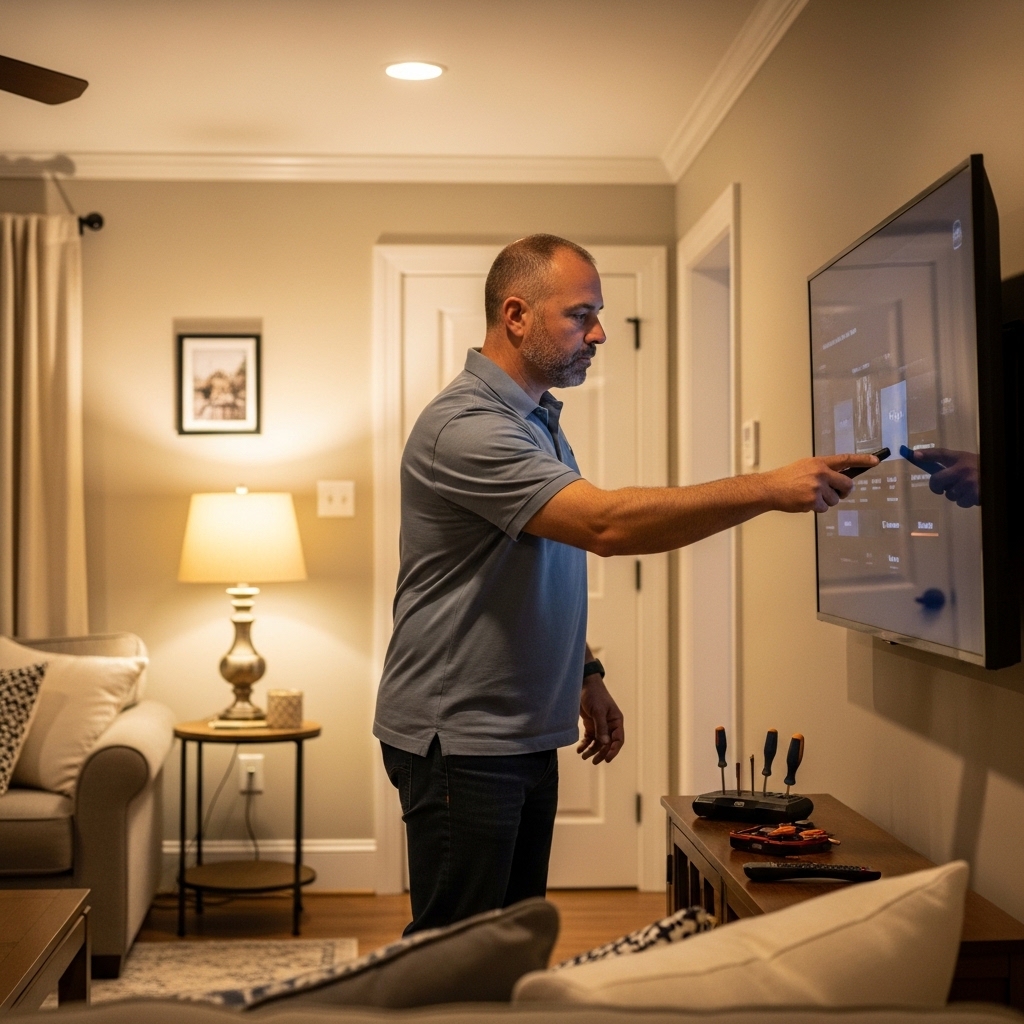

Unpacking a high-end television often reveals factory picture presets tuned for brightly lit retail showrooms rather than balanced home viewing. Standard out-of-the-box settings frequently push excessive blue tinting and aggressive edge sharpening, which obscures the natural depth these self-emissive panels can produce. Learning how to calibrate sony oled tv displays allows viewers to unlock accurate colors, preserve deep shadow details, and eliminate harsh visual artifacts. Whether watching broadcast cable feeds or high-bitrate 4K HDR films, adjusting key picture parameters ensures the screen reflects the original creative intent.
Modern Sony televisions driven by the Cognitive Processor XR feature sophisticated tone mapping and granular controls that respond exceptionally well to basic menu adjustments. Setting up reference picture modes, disabling aggressive ambient sensors, and aligning motion processing for 24p film cadence transforms everyday viewing into a theater-like experience. While shoppers researching affordable OLED displays often worry about complicated equipment, substantial visual gains require only the built-in user menus. A few deliberate changes inside the picture settings menu will elevate overall contrast, refine highlight tracking, and safeguard the organic emissive panel over years of regular use.
Pros
- QD-OLED technology delivers exceptionally deep blacks combined with vibrant color volume and impressive highlight brightness
- Seamless integration with PlayStation 5 consoles alongside fast 4K/120Hz refresh rates and VRR support
- Intuitive Google TV platform provides quick access to major streaming apps and smooth voice navigation
- Exceptional viewing angles and glare reduction make it adaptable for wide seating arrangements
Cons
- Substantial investment compared to standard OLED and Mini-LED alternatives on the market
- Heavy build and distinctive stand footprint require a sturdy, deep media console or heavy-duty wall mount
- Only two of the four HDMI ports provide full HDMI 2.1 bandwidth, with one shared by eARC
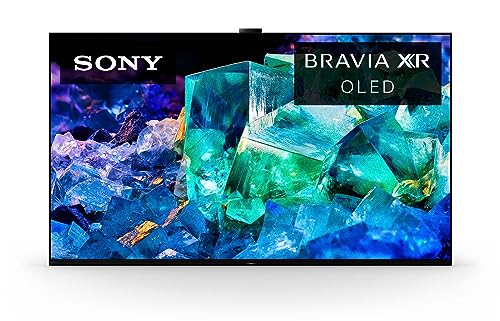
The Sony BRAVIA XR A95K stands as a premier 65-inch 4K television utilizing advanced QD-OLED display hardware. By marrying the infinite contrast ratio and pixel-level dimming of organic light-emitting diodes with the wide color spectrum of Quantum Dots, this flagship television provides remarkable depth and luminous color fidelity. It is engineered primarily for discerning home theater enthusiasts, cinephiles, serious console gamers, and tech-forward homeowners who demand reference-grade visual performance in their living rooms or dedicated media spaces.
Visual processing is steered by Sony Cognitive Processor XR, which analyzes imagery in real time to present contrast, textures, and skin tones naturally. Supported by XR OLED Contrast Pro and XR Triluminos Max, the screen achieves deep, inky blacks without blooming while pushing bright specular highlights in Dolby Vision, IMAX Enhanced, and HDR10 content. Sports fans and cord-cutters benefit from intelligent upscaling that refines sub-4K cable broadcasts, coupled with smooth motion handling that minimizes judder and blur during high-speed football or basketball plays.
For gamers, the A95K offers tight synergy with modern consoles, especially the PlayStation 5. The display features exclusive optimizations like Auto HDR Tone Mapping and Auto Genre Picture Switch, ensuring optimal dynamic range and instant low-latency switching. With full HDMI 2.1 capabilities supporting 4K at 120Hz, Variable Refresh Rate (VRR), Auto Low Latency Mode (ALLM), and input lag dropping as low as 8.5ms, fast-twitch shooters and racing titles feel fluid and responsive. An integrated on-screen Game Menu allows quick adjustments to black equalizer levels, motion blur, and crosshair overlays without interrupting gameplay.
Smart television features are powered by Google TV, which aggregates libraries from Netflix, Prime Video, Disney+, Apple TV, and YouTube into personalized recommendations. Voice commands through built-in Google Assistant make navigation effortless, while Apple AirPlay 2 allows effortless screen mirroring from iPhones and iPads. In addition, the included BRAVIA CORE service offers access to select Sony Pictures releases streamed at high bitrates, showcasing near lossless 4K UHD picture and robust sound quality right out of the box.
The build of the A95K features a minimalist slate aesthetic, a clean bezel design, and an innovative dual-position stand that can sit in front of the panel or tuck behind it for a flush media console presence. Due to the high-grade heat dissipation components and heavy-duty chassis, the unit weighs nearly 60 pounds, making a secure VESA wall mount or spacious credenza essential. While the television commands a premium price tag and limits full-bandwidth HDMI 2.1 capabilities to two inputs, it remains an extraordinary centerpiece for movie marathons, sports viewings, and enthusiast-grade gaming setups.
The standout advantage of the A95K lies in its QD-OLED panel architecture. Traditional OLED panels rely on a white subpixel that can dilute color saturation at peak brightness, but Quantum Dot OLED maintains rich color volume even during the brightest explosions and sunlit landscapes. Shadow detail remains pristine, avoiding black crush while eliminating halo artifacts around subtitles and bright objects in dark rooms.
Support for Dolby Vision and Netflix Adaptive Calibrated Mode ensures that films render precisely as directors envisioned. The anti-reflective screen coating and wide viewing angles ensure that viewers seated off-axis during family gatherings or Super Bowl watch parties experience the exact same contrast, clarity, and vivid color as anyone sitting dead center.
Console and PC gamers will appreciate the responsive performance provided by the A95K. With two high-bandwidth HDMI 2.1 ports capable of delivering 4K at 120 frames per second, action remains remarkably crisp during chaotic gameplay. VRR support eliminates screen tearing, while ALLM automatically engages the optimal picture mode the moment a console is powered on.
PlayStation 5 users benefit from automated calibration settings during initial setup, ensuring highlight details in bright skies and dark dungeons are preserved automatically. The accessible Game Menu puts essential gaming adjustments right at your fingertips, allowing adjustments to screen size, motion blur reduction, and contrast settings on the fly.

Pros
- Exceptional black levels and cinematic contrast ratio from self-lit OLED pixels
- Advanced Cognitive Processor XR delivers superb 4K upscaling and natural color gradients
- Optimized gaming features for PS5 with 4K/120Hz, VRR, and low input lag via Game Menu
- Acoustic Surface Audio+ delivers superior dialogue clarity directly through the panel
- Google TV interface provides fast access to Netflix, Prime Video, Disney+, and voice commands
Cons
- OLED peak brightness may struggle against direct sunlight in very bright rooms compared to bright Mini-LED sets
- Premium price point represents a significant investment for budget-conscious buyers
- Only two of the four HDMI ports support full HDMI 2.1 bandwidth
The Sony BRAVIA XR A80L 77-Inch OLED TV serves as an expansive centerpiece designed for movie lovers, avid gamers, and home theater enthusiasts who crave reference-grade picture quality. As an upper-tier 4K OLED display, it excels in dark room environments such as finished basements or light-controlled living rooms where cinematic immersion is the main priority. Homeowners planning movie night watch parties or sports fans hosting weekend football games will appreciate the expansive 77-inch screen size that brings stadium excitement and blockbuster film aesthetics directly home.
At the core of this display is Sony Cognitive Processor XR, which intelligently maps depth, color fidelity, and contrast to emulate natural human vision. Because OLED technology utilizes millions of individual self-emitting pixels, the screen achieves pure blacks with no blooming or halo effects around subtitles and bright highlights. HDR presentation stands out thanks to Dolby Vision and XR OLED Contrast Pro, bringing lifelike nuance to streaming content and physical 4K media. Motion handling remains remarkably fluid and judder-free, which keeps fast-moving sports broadcasts, hockey pucks, and high-octane action sequences sharp across the vast panel.
Console gamers will find plenty to love, especially those pairing the television with a PlayStation 5. The screen supports 4K gaming at 120Hz along with Variable Refresh Rate (VRR) and Auto Low Latency Mode (ALLM) across its HDMI 2.1 inputs to keep competitive sessions responsive. Sony adds tailor-made console optimizations such as Auto HDR Tone Mapping, which immediately selects optimal HDR settings during initial PS5 setup, and Auto Genre Picture Mode to balance low input lag with refined picture processing. A dedicated on-screen Game Menu lets players quickly toggle black equalizer levels, adjust motion blur reduction, and resize the gaming window without leaving their session.
Unlike conventional slim televisions that rely on downward-firing speakers, the A80L incorporates Acoustic Surface Audio+ actuators that gently vibrate the OLED glass itself. This design projects dialogue and sound effects directly from where the action occurs on screen, creating clear voice separation and an immersive front soundstage that pairs nicely with Dolby Atmos decoding. On the software side, the Google TV interface organizes streaming apps like Netflix, Disney+, and YouTube cleanly on the home screen. Hands-free Google Assistant and Apple AirPlay integration provide straightforward voice searching and mobile casting for the whole family.
Setting up a 77-inch television requires careful handling, as the panel weighs roughly 79 pounds and benefits from a two-person installation whether utilizing standard VESA wall brackets or the included multi-position tabletop stand. While the OLED panel delivers unmatched contrast and wide viewing angles for corner seating, it may not reach the searing brightness levels of high-end Mini-LED displays in sun-drenched sunrooms with uncovered windows. Additionally, power users should note that only two ports support full HDMI 2.1 speeds. For movie buffs, dedicated streamers, and gaming enthusiasts who prioritize pristine picture depth, natural color accuracy, and seamless smart features, the 77-inch A80L remains an exceptional home theater investment.
The visual performance of the Sony A80L is defined by its self-illuminating OLED panel, which can completely turn off individual pixels to deliver true zero-nit black levels. This infinite contrast ratio creates striking three-dimensional depth, preventing the backlight bleed or gray wash often observed on standard backlit LED televisions. With XR OLED Contrast Pro, the display enhances color volume and peak brightness in specular highlights, making neon cityscapes and sunlit horizons pop with authority.
Color reproduction is handled by XR Triluminos Pro, expanding the available palette to billions of accurate hues while maintaining realistic human skin tones and lifelike greenery. Advanced processing also handles standard high-definition cable feeds and legacy streaming content with grace, upscaling lower-resolution inputs close to native 4K clarity. Wide viewing angles ensure that viewers sitting off to the side enjoy the exact same color saturation and deep contrast as those seated dead center.
Gamers searching for smooth frame rates and vibrant visuals will appreciate the dedicated gaming hardware built into the Sony A80L. Equipped with HDMI 2.1 ports, the display effortlessly handles 4K content at up to 120 frames per second, ensuring smooth motion during fast-paced multiplayer titles. Variable Refresh Rate (VRR) and Auto Low Latency Mode (ALLM) work automatically to eliminate screen tearing and minimize controller delay as soon as a compatible gaming PC or console is powered on.
PlayStation 5 players benefit from exclusive synergy features designed specifically for the console. Auto HDR Tone Mapping calibrates the HDR profile automatically during console setup, preserving highlight details in bright skies and shadowy dungeon corridors. The quick-access Game Menu lets players adjust custom crosshairs, toggle VRR settings, and fine-tune black levels on the fly, making this large-format OLED screen a serious upgrade for living room gaming setups.
Calibrating Sony OLED Picture Accuracy: Step-by-Step Settings and Configuration
Calibrating a Sony OLED television does not require expensive colorimeters or complex service menus to achieve an accurate picture. Most models track industry reference standards closely when placed in the correct picture preset and stripped of showroom enhancements. The primary goal is balancing specular highlights, preserving shadow textures, and presenting natural skin tones. Walking through the television interface step by step establishes an ideal foundation for all viewing formats.
Deactivating Ambient Sensors and Power-Saving Restrictions
Modern Sony Bravia displays ship with factory energy settings enabled to satisfy efficiency guidelines. These power-saving configurations actively restrict panel luminance and introduce dynamic throttling that compromises picture consistency. The first step involves turning Energy Saving completely off under the Power settings menu. Leaving this feature active limits peak brightness and makes daylight viewing needlessly dim.
The ambient light sensor also requires adjustment inside the picture settings menu. Sony equips displays like the Sony OLED 77 inch BRAVIA XR A80L Series 4K with a light sensor that modifies luminance curves based on room lighting. While helpful in theory, this sensor frequently introduces distracting brightness shifts as ambient light changes. Disabling Auto Luminance Level ensures predictable contrast and stable black levels during dark-room viewing.
Auto Picture Mode should also be audited, as it switches picture presets automatically based on detected content. This automatic switching can disrupt custom settings whenever an application or broadcast metadata changes unexpectedly. Disabling Auto Picture Mode locks your selected preferences across all internal apps and external HDMI inputs. Once deactivated, the self-emissive panel can output its full dynamic range without unwanted dimming.
Choosing the Correct Base Picture Mode and Color Temperature
Selecting the appropriate picture mode represents the single most important choice in the calibration process. Sony provides several presets, including Vivid, Standard, Cinema, IMAX Enhanced, and Custom. Vivid and Standard modes should be avoided because they push a cool color cast and clip highlights. The Custom mode serves as the true reference baseline, tracking the D65 white point accurately out of the box.
Within Custom mode, color temperature dictates how warm or cool neutral whites appear on screen. The factory default for Custom mode is Expert 1, which represents the industry standard 6500 Kelvin white point. Viewers accustomed to cooler presets might initially perceive Expert 1 as having a subtle warm tint. Human vision adapts to this accurate color temperature quickly, revealing authentic skin tones that cooler modes wash out.
Certain applications offer specialized presets, such as Netflix Adaptive Calibrated Mode. This proprietary mode locks specific processing parameters to match mastering specifications, though it can restrict manual brightness adjustments. Comparing the standard Custom profile against specialized streaming presets helps determine which presentation yields the best balance in your room. Both options maintain accurate color tracking without introducing artificial edge enhancement.
Adjusting SDR Brightness, Contrast, and Black Level Parameters
Standard dynamic range content requires careful luminance adjustments to avoid washed-out blacks or clipped whites. In the Brightness sub-menu, the Brightness slider controls overall panel luminance rather than the black floor. For a dark home theater, setting Brightness between 30 and 40 provides comfortable viewing without eye fatigue. In a brighter living room, increasing Brightness toward the maximum setting helps overcome ambient light reflections.
The Contrast setting determines how bright white elements appear before highlight details clip together. Sony defaults Contrast to 90 in Custom mode, providing an ideal clipping ceiling without compressing bright details. The Black Level slider, set by default to 50, acts as the actual black floor threshold for the self-emissive pixels. Lowering Black Level below 49 crushes shadow detail, while raising it above 51 causes true blacks to glow grayish.
Gamma controls how luminance steps transition from absolute black up to peak white across midtones. Setting Gamma to minus two targets a traditional 2.4 power curve, which represents the reference standard for darkened home theaters. In a sunlit room, setting Gamma to zero targets a 2.2 curve that lifts midtone visibility without washing out blacks. Peak Luminance should remain on Medium or High to provide punchy highlights without aggressive dimming.
Dialing in HDR10 and Dolby Vision Picture Settings
High dynamic range calibration behaves differently because HDR signals map to absolute luminance targets. When sending an HDR10 signal into a display like the Sony 65 Inch 4K Ultra HD TV A95K Series, Brightness should jump to its maximum setting of 50, with Contrast remaining at 90. Peak Luminance must be locked to High so the self-emissive panel can utilize its full specular highlight potential for bright reflections and sunlight.
HDR Tone Mapping offers two distinct operational modes on Sony Bravia XR displays: Gradation Preferred and Brightness Preferred. Gradation Preferred prioritizes subtle highlight details inside extremely bright areas, preventing skies from blowing out into uniform white patches. Brightness Preferred pushes overall scene luminance higher, making it a valuable option for daytime viewing. For dedicated dark-room movie viewing, Gradation Preferred delivers the most faithful reproduction of the original master.
When the television detects a Dolby Vision signal, the picture preset menu switches to Dolby Vision Dark and Dolby Vision Bright. Dolby Vision Dark provides reference-grade tracking for light-controlled environments, reproducing precise metadata instructions without artificial brightening. Dolby Vision Bright raises the luminance curve slightly to improve visibility in rooms with ambient lighting. Keep color temperature on Expert 1 for both Dolby Vision profiles to maintain chromatic consistency.
Refining Motionflow and Film Cadence Without Soap Opera Effect
Motion handling on OLED televisions presents a distinct challenge because organic emissive pixels exhibit near-instantaneous response times. While this eliminates motion blur during fast gameplay, it can cause 24 frames per second cinematic pans to appear stuttery. Sony addresses this sample-and-hold artifact through its proprietary Motionflow processing engine, managed by the Cognitive Processor XR. Calibrating Motionflow correctly eliminates distracting judder while avoiding the unnatural soap opera effect.
To configure Motionflow for films, set the mode to Custom to unlock independent sliders for Smoothness and Clearness. Set the Smoothness slider to 1 or Min to introduce subtle frame smoothing that mitigates 24p stutter without generating artificial video-like motion. Setting Smoothness to 2 or higher introduces noticeable interpolation artifacts during fast action. Setting Clearness activates Black Frame Insertion, which sharpens motion at the expense of reducing overall panel brightness.
Alongside Motionflow, ensure CineMotion or Film Mode is set to High or Auto. This setting instructs the video processor to detect standard 3:2 pulldown cadences from broadcast sources, reconstructing native 24p film frames cleanly. Correct cadence extraction guarantees that classic cinema content plays back at its authentic timing without unexpected frame drops. Film enthusiasts building out large screen home cinema displays often identify proper 24p cadence processing as a key factor in achieving authentic motion.
Fine-Tuning Clarity, Reality Creation, and Noise Reduction
The Clarity sub-menu on Sony OLED televisions governs sharpness filtering, edge enhancement, and texture synthesis. Factory picture presets often set Sharpness to high levels, which draws artificial white halos around text and object borders. Setting the Sharpness slider precisely to 50 provides a neutral, unsharpened signal presentation where edge enhancement is turned off. Leaving Sharpness at 50 preserves the organic clarity of genuine 4K content without masking natural film grain.
Sony features an advanced resolution upscaling technology known as Reality Creation, driven by dual database pattern matching inside the Cognitive Processor XR. Setting Reality Creation to Manual with a subtle slider value between 15 and 25 gently sharpens low-bitrate cable feeds or streaming content without introducing noise. Setting Reality Creation to Auto or pushing the slider above 40 can over-process high-frequency textures, making faces look waxy. For native 4K Ultra HD Blu-ray discs, turning Reality Creation off preserves pure source fidelity.
Digital noise reduction filters should generally remain turned off for high-quality video sources. These aggressive noise suppression algorithms cannot differentiate between high-frequency cinematic film grain and unwanted compression noise, resulting in blurred background details. Smooth Gradation, however, is a standout Sony feature that smooths color banding in difficult gradients like sunsets and skies. Keeping Smooth Gradation set to Low eliminates ugly macroblocking steps without scrubbing away subtle image textures.
Configuring HDMI Signal Formats and Low Latency Game Settings
Unlocking the full capabilities of external media devices and gaming consoles requires adjusting input signal formats outside the standard picture settings menu. By default, Sony televisions configure their HDMI ports to Standard format to maintain compatibility with legacy electronics. Navigating to Channels and Inputs, then External Inputs, and selecting HDMI Signal Format reveals enhanced bandwidth toggles for each port. Setting inputs to Enhanced Format unlocks full 4K 60Hz HDR bandwidth across all inputs.
For gamers connecting a PlayStation 5, Xbox Series X, or PC, HDMI ports 3 and 4 must be set to Enhanced Format (Advanced) or Enhanced Format (VRR). These physical ports provide high-speed HDMI 2.1 bandwidth supporting 4K at 120Hz, Variable Refresh Rate, and Auto Low Latency Mode. It is crucial to note that HDMI port 3 also serves as the dedicated eARC connection for external audio systems. Connecting an eARC soundbar to port 3 leaves only port 4 available for an uncompromised 4K 120Hz gaming connection.
When switching to a gaming console, activating Game Mode reduces input latency to approximately 8.5ms, ensuring instantaneous controller responsiveness. The on-screen Game Menu allows players to monitor refresh rates, toggle VRR status, and adjust black equalizer sliders without digging through primary television menus. For PlayStation 5 owners, Bravia XR displays support Auto HDR Tone Mapping, which communicates directly with the console to calibrate peak brightness thresholds automatically. Pairing these rapid visual responses with televisions optimized for audio clarity completes an immersive gaming setup.
Essential Panel Maintenance Routines and Burn-In Safeguards
Proper calibration extends beyond color and brightness adjustments to include proactive settings that safeguard the organic emissive panel over its lifespan. OLED displays use organic compounds that degrade based on heat and cumulative electrical current. Sony incorporates robust panel care utilities under the Expert Panel Settings tab, led by Pixel Shift. Enabling Pixel Shift moves the entire displayed image by a few imperceptible pixels periodically, distributing static elements across adjacent subpixels to prevent uneven wear.
Logo Luminance Reduction represents another vital defensive setting for preventing permanent image retention. This intelligent algorithm identifies static on-screen elements, such as television broadcast watermarks, news tickers, and gaming heads-up displays, gently dimming their luminance while keeping surrounding action vibrant. Keeping Logo Luminance Reduction set to High provides maximum protection against uneven subpixel aging during long gaming sessions or daytime news viewing. The setting operates seamlessly in the background without noticeably diminishing cinematic movie scenes.
Sony televisions run automated short compensation cycles whenever the screen is powered down into standby mode after four cumulative hours of use. It is critical that owners never disconnect their television from wall power using switched surge protectors or smart plugs, as this cuts power before the automated cleaning cycle can execute. The manual Panel Refresh option in the menu should only be run if persistent image retention occurs, as running manual deep refreshes frequently can prematurely stress the panel. Relying on automated standby cycles ensures consistent panel uniformity for years.
Following these targeted calibration steps transforms your Sony OLED television from a bright showroom display into a precision home cinema monitor. Taking the time to disable ambient energy limiters, engage the Custom picture mode with an Expert 1 color temperature, and refine Motionflow unlocks stunning visual realism without requiring professional calibration hardware. The balance of absolute black levels, natural color volume, and pristine highlight tracking brings movies and games to life exactly as intended. Maintaining proper standby panel care routines preserves that reference-grade image quality, protecting your display investment through years of entertainment.


Write Your Review
No reviews yet. Be the first to share your experience!