

Small desks and multi-purpose bedrooms often force a tough compromise between daily productivity and late-night binge watching. Staring at washed-out colors on an office display ruins movie night, while squeezing a massive television onto a tight desktop ruins posture and strains your eyes from just two feet away. Combining office productivity with streaming entertainment requires finding the best computer tv monitor that balances sharp text clarity, deep contrast ratios, and responsive refresh rates. Understanding visual performance, including what UHD resolution offers compared to Full HD panels, helps identify which screen fits your daily viewing distance.
High-contrast VA panels produce deeper blacks and rich 16.7 million color palettes, which make a noticeable difference when transitioning from daytime spreadsheets to dark-room streaming. A fast native refresh rate of 75Hz or 100Hz eliminates motion blur during fast camera pans, while adaptive synchronization prevents screen tearing during console gaming. Selecting a hybrid screen equipped with smart streaming hubs, VESA wall-mounting options, and eye-care modes ensures your dual-purpose workstation handles long workdays and weekend movies with ease.

Pros
- Fluid 100Hz refresh rate with Adaptive-Sync provides smooth motion for gaming and video playback
- Deep contrast ratio and accurate color reproduction from the VA display panel
- Space-saving footprint suitable for dorm rooms, compact apartments, and secondary bedroom setups
- Standard VESA mount pattern allows straightforward installation on wall brackets or monitor arms
Cons
- Compact 21.5-inch viewable screen size is not designed for primary living room home theater viewing
- Requires an external streaming media stick or computer to access smart TV apps and platforms
- Best paired with external desktop speakers or headphones for a full-range home theater sound experience
The Philips 221V8LB is a compact 22-inch Full HD display designed to deliver smooth visuals and deep contrast without taking up valuable living space. While categorized as a desktop monitor, its vibrant 1080p resolution and versatile inputs make it an appealing option for college students, apartment renters, and home entertainment enthusiasts looking for a dedicated personal screen. Whether serving as a secondary bedroom TV alternative with a streaming stick or an affordable console gaming station, this display fits neatly where bulkier television sets cannot.
Visual performance centers around a high-contrast VA panel that creates rich black levels and bright highlights. Unlike standard budget screens that can wash out dark scenes, this panel provides noticeable depth during late-night movie streaming and cinematic gaming. Color saturation remains consistent across its wide 178-degree viewing angles, allowing viewers to watch sports clips or family shows from an angle without severe color degradation. Flicker-free backlighting also helps maintain comfortable viewing during long streaming sessions or marathon gaming runs.
Motion handling stands out thanks to the boosted 100Hz refresh rate and built-in Adaptive-Sync support. Compared to standard 60Hz displays, the faster refresh rate provides visibly smoother transitions during fast-moving athletic events, high-octane action films, and fast-paced video games. Adaptive-Sync works to synchronize frame rates with connected gaming systems, effectively eliminating screen tearing and reducing stutter for a remarkably fluid visual experience.
From a practical standpoint, the slim black bezel and compact stand keep desk clutter to a minimum. Apartment dwellers and dorm residents will appreciate the standard VESA mounting holes, which make it simple to attach the screen to an articulating arm or wall mount for optimal viewing angles. Connecting devices is straightforward, enabling easy hookups for laptops, gaming consoles, or dedicated streaming adapters like Roku and Fire TV players.
Prospective buyers should keep in mind that the 21.5-inch viewable display is tailored for personal viewing rather than wide-room family movie nights. Additionally, smart TV functionality requires an external streaming player, and users looking for cinematic audio will want to connect external speakers or headphones. For budget-conscious shoppers, bedroom streamers, and casual gamers seeking reliable high-contrast performance in a compact form factor, this Philips display offers exceptional everyday value.
For casual gamers and avid streamers, the combination of a 100Hz refresh rate and Adaptive-Sync provides a noticeable upgrade over basic 60Hz screens. Fast-paced scenes in action movies and racing titles transition smoothly without distracting judder or motion blur.
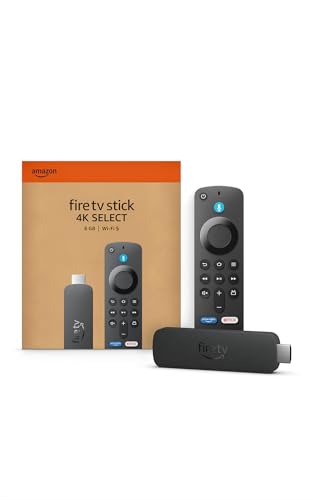
By plugging in a streaming stick like a Fire TV, Roku, or Chromecast, this compact panel transforms quickly into a personal smart entertainment hub. It serves as a dependable secondary screen for gaming marathons, dorm room entertainment, or watching tutorials while working.
Setting up the Philips 221V8LB takes only a few minutes thanks to its simple base assembly and lightweight construction. At under ten pounds, it is effortless to move between rooms, whether shifting from a home office desk to a bedside table.
The built-in VESA mount pattern opens up diverse placement options. Users can mount it on a low-profile wall bracket to save desk space in small bedrooms, or use a flexible monitor arm to swing the display into position for workouts, gaming, or late-night streaming.

Pros
- Operates as a full smart TV with native apps without needing a connected computer or external streaming stick
- Built-in Samsung Gaming Hub lets casual gamers stream major video games directly to the screen
- Includes free live television channels out of the box via Samsung TV Plus
- Adaptive Sound processing helps clarify spoken dialogue in news, podcasts, and movies
- Lightweight 10-pound build makes setup, relocation, and mounting quick and painless
Cons
- Full HD 1080p resolution lacks the fine pixel density of 4K displays for close-up desktop reading
- Modest peak brightness and HDR impact in sun-drenched rooms with direct glare
- Integrated speakers produce limited bass for high-action blockbuster movies
The Samsung 32-inch M5 (M50F) Series Smart Monitor bridges the gap between a traditional desktop display and a compact smart television. Designed with apartment dwellers, college students, home office workers, and bedroom TV buyers in mind, this hybrid display provides a clean solution for tight spaces where owning both a monitor and a television is impractical. Rather than requiring a connected computer tower or streaming stick to function, it runs Samsung's smart entertainment platform directly on the display.
Visual performance relies on a 32-inch Full HD (1920x1080) panel with HDR10 support. Based on manufacturer specifications and typical usage, the screen delivers satisfying contrast and accurate colors for evening movie streaming, YouTube binges, and casual sports watching. While 1080p resolution provides plenty of clarity at typical bedroom viewing distances of five to eight feet, users sitting within arm's length for spreadsheet work will notice larger pixels compared to high-end 4K monitors. Reflection handling holds up well under standard indoor lamps, though viewers should position the display away from direct sunlight to preserve black levels.
Where this hybrid display truly shines is its built-in smart functionality. Connecting over Wi-Fi grants immediate access to top streaming services, including Netflix, Prime Video, and Disney+. In addition, Samsung TV Plus delivers a broad lineup of free live TV channels covering news, comedy, and sports without ongoing subscription costs. For gamers, the built-in Samsung Gaming Hub provides cloud gaming access without requiring an Xbox console or gaming PC. By pairing a compatible wireless Bluetooth controller, casual players and kids can stream games right over their home internet connection.
Audio duties are handled by integrated stereo speakers featuring Samsung Adaptive Sound technology. This system analyzes audio scenes in real time to lift spoken dialogue over background music and effects, making late-night TV viewing and podcast listening clear at moderate volumes. While movie enthusiasts looking for room-rattling bass will likely want to add a compact soundbar or Bluetooth headphones, the internal audio is more than capable for daily sitcoms, news broadcasts, and online workout sessions.
Setting up the display is straightforward thanks to its lightweight 10.36-pound frame and stable base stand. Multiple physical ports accommodate laptops, streaming players, or traditional gaming consoles, while wireless casting lets you mirror phone screens effortlessly. For anyone searching for an affordable, flexible display that effortlessly shifts from an office productivity monitor by day to a bedroom streaming TV and cloud gaming station by night, the Samsung M5 series offers exceptional practical utility.
Unlike standard computer monitors that stay black without an active PC input, the Samsung M5 features a standalone smart operating system. You can switch on the display and immediately browse popular streaming applications using an intuitive interface. Cord-cutters benefit from Samsung TV Plus, which supplies dozens of free streaming television channels right out of the box with zero subscription requirements.
The inclusion of Samsung Gaming Hub makes this model especially attractive for budget-conscious gamers, college dorms, and kids' rooms. It supports leading cloud gaming platforms, letting you play modern video games over your high-speed internet connection without purchasing expensive gaming hardware. Simply pair a compatible Bluetooth game controller, sign into your cloud gaming account, and launch games directly from the home screen.
Measuring just over 28 inches wide and weighing around 10 pounds, the Samsung 32-inch M5 is engineered to maximize limited square footage. It sits comfortably atop shallow desks, dressers, or dorm room shelving without overcrowding personal belongings.
Its wireless capabilities keep cable clutter to a minimum. Built-in Wi-Fi handles entertainment streaming, Bluetooth connects external speakers or controllers wire-free, and mobile mirroring lets you project phone workouts or family photos instantly. If desk space is at a premium, the display can also be wall-mounted using standard VESA mounting patterns, making it an adaptable fixture in any bedroom, small apartment, or secondary entertainment zone.

Pros
- Smooth 100Hz refresh rate delivers cleaner motion than standard 60Hz displays
- 1800R curvature creates an engaging wraparound experience for personal viewing
- Dedicated gaming profile reveals hidden details in shadowy scenes
- Certified eye saver features help reduce strain during long viewing sessions
- Lightweight build makes it easy to reposition around small rooms or dorms
Cons
- Full HD 1080p resolution provides lower pixel density than 4K home theater screens
- Lacks built-in smart TV apps, requiring an external streaming stick or console
- No integrated speakers, so an external soundbar or headphones are necessary for audio
The Samsung 27-inch Essential S3 (S36GD) serves as an adaptable personal entertainment display that bridges the gap between everyday computing and compact media viewing. Built with an 1800R curved screen and a fluid 100Hz refresh rate, this model is tailored for apartment dwellers, college students in dorms, and budget-conscious cord-cutters who need a versatile display without surrendering valuable living room space to a full-sized television.
Visual immersion is the main draw of the 1800R curvature, which matches the natural arc of the human eye to minimize edge distortion and draw you directly into the action. While 1080p Full HD resolution across a 27-inch panel is standard rather than ultra-sharp 4K, it renders video streams, anime, and network television broadcasts with clean clarity from normal desktop or bedside viewing distances. Colors look lively, and the panel handles everyday lighting conditions well without generating distracting reflections.
Motion handling is where this compact display gains an edge over traditional entry-level displays. Moving from standard 60Hz to a 100Hz refresh rate delivers noticeably smoother camera pans during sports matches and eliminates jarring judder during high-speed action scenes. For gamers hooking up an Xbox, PlayStation, or PC, the built-in Game Mode dynamically tweaks dark level contrast to reveal hidden details in dimly lit maps, helping keep casual gaming sessions responsive and enjoyable.
Physical design and long-term viewing comfort are also well addressed. The minimalist black frame and slim bezels blend cleanly into modern bedrooms or small home offices, while the compact base takes up minimal surface space. Samsung includes TUV-certified eye comfort features that reduce irritating screen flicker and filter out harsh blue light, making late-night movie streaming or overtime work sessions far gentler on your eyes.
Prospective buyers should keep in mind that this display does not feature onboard smart TV operating systems or built-in speakers. To transform it into a full personal theater hub, pairing it with an inexpensive streaming device like a Fire TV Stick or Roku, along with a set of powered desktop speakers or Bluetooth headphones, provides an outstanding small-space entertainment setup. For anyone seeking a space-saving, curved display for gaming, streaming, and daily viewing at an approachable price, the Samsung Essential S3 represents dependable value.
Pairing this curved display with modern streaming sticks or gaming consoles creates a remarkably versatile personal entertainment station. The 100Hz refresh rate gives fast-moving titles like sports simulators, battle royales, and racing games a noticeably fluid presentation compared to standard entry-level panels.
The dedicated Game Mode optimizes color balance and black levels with a single setting, ensuring shadows do not crush subtle background elements. Whether you are running a casual tournament in a dorm room or streaming movies late into the evening, the low input lag keeps controls snappy and the viewing experience engaging.
Setting up the Samsung Essential S3 is straightforward, requiring just a few minutes to attach the stand and connect your source cables. The rear connection bay accommodates standard HDMI input, making it simple to plug in a media streamer, game console, or laptop.
Because the display focuses purely on screen performance, it relies on external audio options. Adding a compact soundbar, computer speakers, or simply plugging in headphones directly to your source device rounds out the media setup for personal home theater duty.

Pros
- Deep contrast and rich black levels thanks to the VA panel architecture.
- Smooth 100Hz refresh rate provides noticeable fluidity over standard 60Hz screens.
- Space-saving 3-sided frameless design fits nicely into small rooms and compact desks.
- Standard VESA mount support allows easy installation on wall brackets or monitor arms.
Cons
- Lacks built-in smart TV streaming software, requiring an external streaming stick or connected device.
- Does not include integrated speakers, so an external soundbar or headphones are needed for audio.
- 1080p resolution is best suited for close-up personal viewing rather than large living room setups.
The Philips 241V8LB is a compact 23.8-inch Full HD display designed to serve as a versatile desktop monitor, bedroom streaming screen, or compact entertainment display. Tailored for apartment renters, college students in dorms, budget-conscious shoppers, and secondary-room viewers, this screen delivers everyday entertainment capability without taking up precious living space. When paired with a popular streaming device such as a Roku Streaming Stick, Amazon Fire TV Stick, or Google TV Chromecast, it transforms into an efficient personal entertainment hub that fits easily on a nightstand, desk, or kitchen counter.
Picture performance centers on a high-contrast VA panel that delivers native 1920x1080 resolution. Unlike standard budget panels that often struggle with washed-out dark scenes, the VA technology here generates deeper blacks and punchier contrast levels, making late-night movie watching and dimly lit gaming scenes much more immersive. With support for 16.7 million colors and wide 178-degree viewing angles, the panel maintains consistent color saturation and clarity even when viewed from an off-center angle on a bed or sofa.
Motion handling is enhanced by an elevated 100Hz refresh rate, representing a substantial step up from standard 60Hz displays. Fast-action sports clips, action movies, and console gaming marathons on the Nintendo Switch, PlayStation, or Xbox benefit from noticeably smoother frame transitions with less motion blur. Built-in flicker-free technology and Philips EasyRead mode help protect against eye fatigue, ensuring comfortable viewing whether streaming multiple episodes of a favorite show or tackling marathon homework assignments.
From a physical standpoint, the display features a modern three-sided virtually borderless enclosure that maximizes usable screen space while keeping the overall footprint tidy. The sleek black chassis fits seamlessly into minimalist bedroom or home office setups. Cable management is straightforward, and the inclusion of standard VESA mounting holes gives owners the flexibility to mount the display directly to a bedroom wall or an adjustable desk arm, clearing up valuable furniture surface area in tight living quarters.
Prospective buyers should keep in mind that this unit is engineered as a dedicated display rather than a standalone television. It does not include built-in smart TV platforms or integrated speakers, meaning you will need an external media streamer and a compact soundbar, computer speakers, or Bluetooth headphones to get full audio and streaming functionality. For shoppers seeking an affordable, high-contrast, high-refresh display to anchor a personal bedroom theater, student dorm gaming hub, or compact streaming corner, the Philips 241V8LB delivers dependable visual performance and exceptional practical utility.
Equipped with a 100Hz refresh rate, this display provides a noticeably more responsive gaming experience compared to entry-level 60Hz screens. Casual gamers connecting a modern console or desktop PC will appreciate the reduced input lag and smoother animation in fast-paced competitive titles and sports simulations.
For streaming entertainment, simply connecting an HDMI streaming stick like a Fire TV Stick, Roku, or Apple TV turns this display into a capable mini-TV. While it lacks internal tuner capabilities, digital streamers and cord-cutters will find it well suited for binge-watching Netflix, Hulu, YouTube, and live sports apps in smaller rooms.
Setting up the display requires minimal effort right out of the box, thanks to its lightweight frame and sturdy base stand. Weighing well under seven pounds, it is effortless to relocate from a bedroom desk to a kitchen island or dorm study table whenever entertainment needs shift.
Those looking to optimize space in compact apartments can utilize the integrated VESA mounting pattern. Attaching the screen to a wall mount or articulating arm frees up desktop real estate while allowing flexible tilt and swivel adjustments for ideal viewing from a bed or gaming chair.

Pros
- Generous 32-inch screen size provides plenty of space for movies, casual console gaming, and productivity
- Fluid 75Hz refresh rate with AMD FreeSync prevents stuttering and screen tearing
- Sleek three-sided borderless aesthetic looks clean on desks and small entertainment credenzas
- Flicker Free tech and Eye Saver Mode help reduce visual strain during long viewing sessions
Cons
- Lacks built-in smart TV streaming apps, requiring an external streaming stick or game console
- Does not feature robust integrated speakers, making external desktop speakers or a soundbar necessary for rich audio
- Included stand provides basic tilt adjustment without height or swivel options
The Samsung 32-inch flat display functions as an adaptable hybrid screen designed for casual desktop gaming, streaming video, and compact bedroom or dorm setups. With its generous 32-inch diagonal screen real estate and modern aesthetic, this display appeals directly to apartment renters, college students, budget-conscious shoppers, and remote professionals seeking an affordable screen for both media consumption and daily computing. Pairing it with a popular streaming stick or gaming console easily turns this screen into a capable personal entertainment hub.
Visual performance centers around smooth motion handling backed by a 75Hz refresh rate. While basic budget panels often lock viewers at standard 60Hz, the jump to 75Hz paired with AMD FreeSync technology helps eliminate screen tearing and jitter during fast-paced movie sequences and console play. Fast-moving sports streams and action gameplay remain fluid and responsive, while Samsung's integrated Game Mode adjusts contrast and color settings to bring hidden details out of darker corners without overexposing brighter areas.
Long binge-watching sessions and late-night entertainment are gentler on your vision thanks to Samsung's integrated eye comfort features. Advanced Flicker Free technology works continuously to eliminate microscopic screen flicker, while Eye Saver Mode reduces blue light emission. For viewers spending hours watching back-to-back episodes of favorite series or working on projects late into the night, these comfort settings help reduce eye fatigue significantly.
From a design standpoint, the three-sided borderless frame delivers a sleek, minimalist appearance that blends nicely into modern living spaces. Weighing approximately 11 pounds, the unit remains lightweight enough for easy relocation or installation onto an aftermarket VESA wall mount or monitor arm to preserve tabletop space. The slim bezels also make the display well suited for side-by-side multi-screen arrangements in home offices and creative studios.
Because this product is built primarily as a monitor rather than a traditional standalone smart TV, buyers should plan their setup accordingly. It does not include built-in TV tuners or an integrated smart operating system like Tizen, meaning you will want to plug in a Fire TV Stick, Roku, Chromecast, or game console via HDMI for streaming apps. Audio is also minimal, so adding a small soundbar or computer speakers is recommended for room-filling sound. For shoppers seeking an expansive 32-inch branded display at an accessible price point, this Samsung monitor represents an excellent value for personal entertainment and daily viewing.
Gaming on this 32-inch display benefits greatly from the combination of a 75Hz refresh rate and AMD FreeSync support. FreeSync dynamically synchronizes the monitor to your connected console or PC graphics card, significantly cutting down on screen tearing, stutter, and input lag during high-action gaming moments.
The built-in Game Mode allows quick image adjustments on the fly, optimizing color saturation and shadow detail so you can react faster in dimly lit virtual environments. Whether you are running sports titles, racing games, or casual action adventures, the panel keeps motion looking fluid and responsive.
Setting up the Samsung 32-inch monitor is straightforward right out of the box, requiring minimal assembly for the included desk stand. Its slim profile and light weight allow effortless placement on small media cabinets, student desks, or bedroom dressers without crowding your space.
Standard HDMI inputs make it simple to switch between a laptop for remote work and a streaming stick or gaming console for downtime entertainment. Homeowners and renters looking to save desk space can also utilize the rear VESA mounting pattern to mount the screen directly to a wall or articulated arm.
Frequently Asked Questions
Can a computer monitor completely replace a traditional smart TV?
Yes, modern hybrid displays can replace traditional televisions, especially models featuring built-in smart operating systems, wireless casting, and internal stereo speakers. Dedicated smart monitors include pre-installed streaming apps and remote controls, which eliminates the need to keep a computer powered on. Standard monitors lacking smart interfaces can easily match this functionality by connecting an external streaming media stick directly into an available HDMI port.
What viewing distance is recommended for a 27-inch or 32-inch hybrid display?
The ideal viewing distance sits between two and four feet depending on your current activity. Sitting roughly two to three feet away delivers sharp text rendering and proper ergonomic alignment during office tasks on a 27-inch panel. When leaning back to stream movies on a 32-inch screen, extending your distance to three or four feet provides a comfortable field of view while reducing eye strain.
Why does a 100Hz refresh rate matter for video playback and gaming?
A 100Hz refresh rate delivers noticeably smoother motion rendering than a baseline 60Hz display. Fast sports broadcasts, action sequences, and console gaming scenes benefit from reduced motion blur and lower input latency. Technologies like Adaptive-Sync work alongside the elevated refresh rate to eliminate distracting screen tearing during high-speed entertainment.
Do you need external speakers when using a hybrid display for movies?
External speakers are often recommended for standard monitors that lack built-in audio hardware. While smart monitors provide integrated stereo sound with adaptive audio processing, basic desktop displays typically omit speakers to maintain slim profiles and lower costs. Adding an external soundbar, desktop speakers, or wireless headphones via audio output ports delivers dialogue clarity and full soundstage dynamics.
How does a curved panel improve daily viewing comfort?
An 1800R curved screen wraps naturally around your peripheral vision to maintain a uniform distance between your eyes and the edges of the display. This curvature minimizes peripheral distortion and reduces repetitive neck movement during extended work or streaming sessions. Exploring proper mounting options for curved displays also helps free up valuable desk surface while preserving optimal sightlines.



Write Your Review
No reviews yet. Be the first to share your experience!