
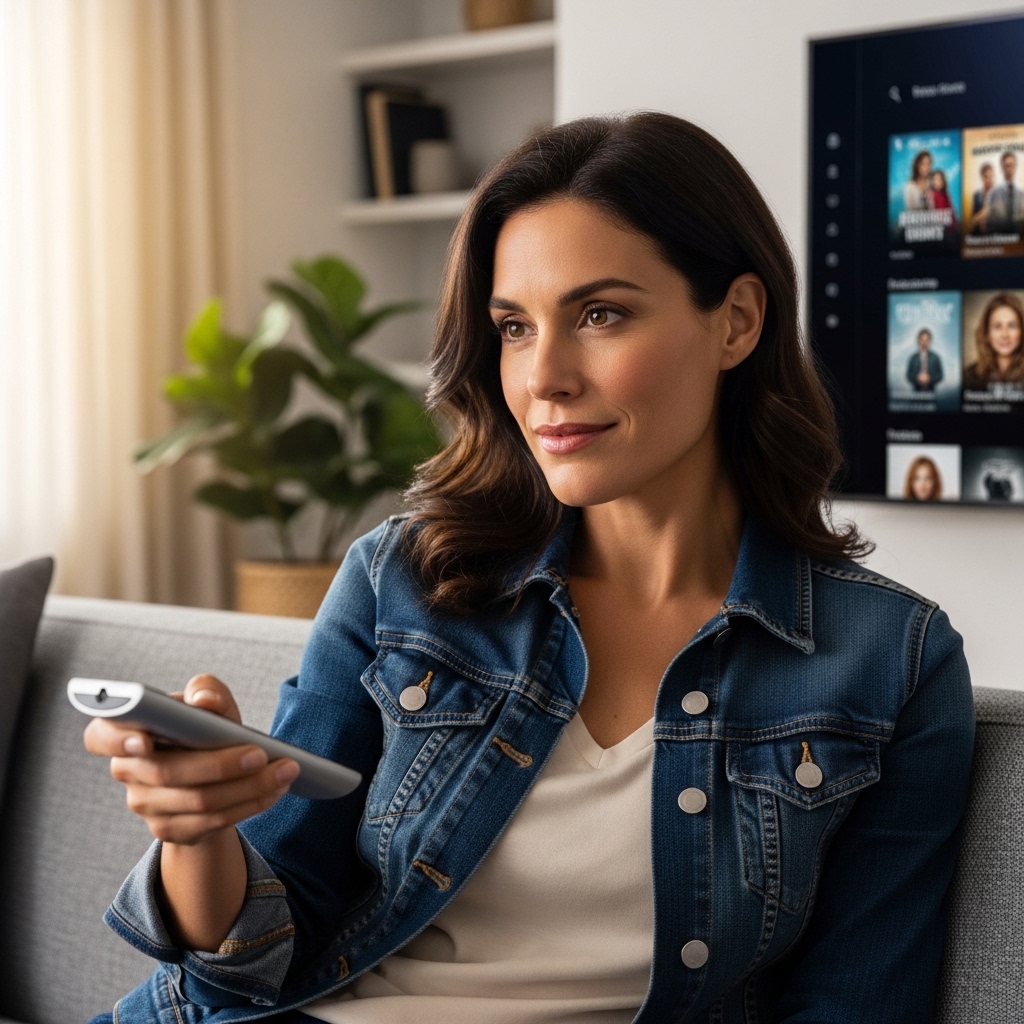

Sluggish smart TV interfaces and tiny, cluttered remote buttons often turn an evening movie into a frustrating chore. Modern 4K displays offer stunning picture clarity, yet navigating dense streaming menus from a couch positioned eight to ten feet away can overwhelm anyone dealing with reduced vision or limited hand dexterity. Investing in the best tv remote for seniors restores effortless control by replacing dozens of microscopic buttons with large tactile buttons and simplified navigation. Clean button layouts ensure that family members can switch inputs, adjust volume levels, and explore broadcast channels without accidentally opening confusing calibration menus.
Careful evaluation of manufacturer specifications and verified user feedback reveals that eliminating interface friction is just as critical as pairing a screen with the right audio equipment or understanding what UHD means on a TV setup. Whether managing a premium OLED panel with deep black levels in a dark den or a high-brightness Mini-LED set in a sunlit living room, straightforward handheld controllers bridge the gap between advanced display technology and accessible everyday entertainment. Many households also appreciate dedicated assistive accessories that pair seamlessly alongside cable boxes and soundbars connected via HDMI eARC audio passthrough without requiring complex multi-step wireless codes.

Pros
- Allows complete off-site TV operation and troubleshooting directly via a companion smartphone app.
- Direct-to-TV video calling with auto-answer simplifies staying in touch for older adults.
- Large backlit voice remote is easy to see and navigate for seniors with cognitive or visual challenges.
- On-screen medication alerts and photo sharing appear without requiring the senior to navigate complex smart TV menus.
Cons
- Requires an ongoing paid membership subscription plan after setup to enable communication and monitoring features.
- Not a standalone television display; requires an existing TV equipped with an HDMI input and active home Wi-Fi.
- Operation depends on consistent internet connectivity and active inputs from connected cable, satellite, or streaming sources.
The Caavo JubileeTV Remote Care System serves as a specialized television hardware controller and communication hub designed to bridge the gap between complex modern displays and seniors who want a simple viewing experience. Rather than serving as an independent television panel, this compact console connects directly to an existing living room or bedroom television via an HDMI input and home Wi-Fi. It is tailored specifically for adult children and family caregivers who want to support elderly parents, individuals with cognitive decline, or family members overwhelmed by modern smart TV platforms and multi-remote confusion.
In terms of display integration, the JubileeTV operates by overlaying communication features and remote management tools directly onto the television screen. It works alongside an existing cable box, satellite receiver, or external streaming player, passing the video signal through while superimposing easy-to-read notifications, incoming video calls, photo streams, and medication reminders. Because it utilizes the host television's existing display panel, the native resolution, peak brightness, contrast, and color reproduction match whatever TV is already in the home, while ensuring that interface menus remain large, high-contrast, and effortlessly readable from across the room.
Connectivity and hardware management are central to the JubileeTV experience. The device connects directly through an available HDMI port on the TV and links to the household Wi-Fi network. From there, family members use a dedicated smartphone application to control the television remotely from across town or across the country. Caregivers can change channels, adjust volume levels, power the set on or off, launch streaming content, and resolve confusing input or login errors without having to talk a loved one through complicated settings. It also includes passive activity awareness, alerting family members when the television is actively being used.
For the senior watching in the living room, physical usability is transformed by the included voice remote. Featuring an ergonomic layout with large, high-contrast backlit buttons, it eliminates the clutter and accidental button presses common with modern TV remotes. Older adults can control their favorite programs or accept video calls using basic voice commands or straightforward button presses. Calls appear directly on the large TV display, utilizing the screen's size to make faces clear and conversation natural, without requiring the viewer to hold a tablet or squint at a smartphone screen.
There are practical limitations to keep in mind before purchasing. The JubileeTV hardware requires an active ongoing membership subscription after initial setup to maintain its smart features, remote app controls, monitoring alerts, and video calling capabilities. Additionally, it is an interface accessory rather than a standalone TV, meaning it relies entirely on the presence of an HDMI-compatible television, a stable Wi-Fi connection, and an existing cable, satellite, or streaming media box. It does not alter or upgrade the TV's native speaker wattage, refresh rate, or viewing angles.
For families managing the day-to-day challenges of senior care, the Caavo JubileeTV provides tremendous practical value. It solves the everyday frustration of television troubleshooting while turning the most familiar screen in the home into an effortless connection point. By keeping seniors engaged, socially connected, and on schedule with daily reminders while giving remote caregivers peace of mind, it stands out as an exceptional display accessory for senior care.
Modern smart TV operating systems like Google TV, Roku OS, and Fire TV can often be overwhelming for older viewers due to cluttered home screens, algorithmic recommendations, and frequent software updates. The JubileeTV system effectively streamlines this experience by providing a simplified, caregiver-managed layer over the TV. Family members can handle login prompts, navigate tricky menus, and ensure that the right input or channel is playing, completely shielding the senior from technical headaches.
Beyond standard entertainment management, the platform acts as an interactive care hub. Caregivers can push scheduled calendar reminders, medication alerts, personal text notes, and family photos directly to the TV screen during daily programming. The video calling feature with optional auto-answer is especially helpful for relatives who may have mobility issues or difficulty answering a traditional phone, allowing loved ones to check in visually and offer reassurance right through the primary family room or bedroom display.
Setting up the JubileeTV is straightforward and designed to integrate cleanly into existing entertainment centers. Measuring approximately 10.35 by 5.9 by 1.37 inches, the compact black console rests discreetly beneath the TV or inside a media cabinet. It requires an available HDMI port on the host television along with an active Wi-Fi internet connection to communicate with the caregiver mobile app.
The system connects in-line with your existing setup, linking your current cable box, satellite tuner, or streaming media player directly to the television. This passthrough design ensures that current subscriptions and channel lineups remain intact, while the included large backlit voice remote replaces multiple confusing remotes with a single, senior-friendly control solution.

Pros
- Extremely simple four-button exposed layout minimizes confusion and accidental button presses
- Simultaneously commands television power and volume alongside cable or satellite box channel selection
- Favorite channel memory locks out unwanted channels and simplifies sports, news, and daytime viewing
- Tactile high-contrast buttons offer great visibility for seniors with macular degeneration or low vision
Cons
- Cannot navigate smart TV streaming app menus such as Netflix, Prime Video, or YouTube
- Requires two standard AA batteries that are not included in the retail packaging
- Initial setup requires sliding down the faceplate to manually enter device codes
The Flipper Big Button TV Remote is a specialized universal television accessory designed to make living room entertainment completely hassle-free. Tailored primarily for seniors, individuals dealing with dementia, Alzheimer's, or vision impairments, and the family caregivers who assist them, this remote reimagines how users interact with modern television displays. While modern smart TVs from Samsung, LG, Sony, or TCL arrive with remotes crowded by microscopic buttons and confusing app shortcuts, Flipper strips the interface down to only what is necessary for daily broadcast and cable viewing.
In terms of practical television performance, the Flipper operates using reliable infrared (IR) signals that bridge two separate devices seamlessly. The remote can be configured to manage the master power and volume of a 4K LED or OLED television, or an external soundbar, while simultaneously sending channel up and down commands to a cable or satellite receiver from providers like Xfinity, Spectrum, or DirecTV. This dual-device functionality prevents the common living room mishap where a viewer accidentally changes the TV input to HDMI 2 or turns off the cable box while leaving the television screen powered on with no picture.
The hardware build emphasizes accessibility and ergonomic comfort. The remote features oversized, color-coded tactile buttons: green for power, orange for volume adjustment, blue for channel navigation, and gray for mute. Beneath a slide-down locking plastic sleeve lies a numeric keypad and setup controls that caregivers can access during initial configuration. This hidden section allows programming up to 25 custom favorite channels, enabling loved ones to cycle cleanly through their preferred local news, game shows, and sports broadcasts without ever getting lost in hundreds of blank, premium, or static channels.
While the remote offers exceptional simplicity for standard television and set-top box usage, there are realistic operational boundaries to keep in mind. The Flipper is strictly engineered for basic broadcast, cable, and satellite operation; it does not feature directional arrows, enter keys, or home buttons needed to navigate smart TV platforms such as Google TV, Roku OS, Fire TV, or Apple TV. If your family relies heavily on browsing streaming app libraries like Netflix, Hulu, or Disney+, a caregiver will still need to launch the stream with a standard smart remote before handing off volume control.
For family homes, assisted living spaces, and bedroom entertainment setups where traditional cable, satellite, or digital antenna programming remains the main source of viewing, the Flipper Big Button Remote is an outstanding practical investment. It restores independent entertainment for elderly viewers, eliminates repetitive tech support calls for family members, and makes relaxing in front of the television genuinely enjoyable again.
Setting up the Flipper remote is straightforward and handled via the slide-down locking faceplate. Caregivers simply slide the cover down to expose the numeric keypad and programming buttons, then follow the included code list to pair the television, cable box, or soundbar.
Once basic codes are entered, the remote features an automatic code search function if your specific brand model requires manual detection. After pairing, caregivers can lock in up to 25 favorite channels and slide the protective cover back up into its locked position, completely securing the settings against accidental alterations.
The Flipper remote is engineered from the ground up for low-dexterity and low-vision environments. The large, brightly colored primary buttons provide clear visual contrast against the matte casing, helping users identify functions quickly without straining their eyes.
Tactile raised lettering and distinct button shapes assist those with arthritis or tactile numbness, ensuring every press registers smoothly. By eliminating confusing menu, source, and streaming hotkeys, the device removes cognitive clutter and keeps television watching relaxing.

Pros
- High-visibility color-coded layout is exceptionally easy to read and operate
- Consolidates primary TV and cable box controls onto one straightforward device
- Helps prevent accidental menu lockouts or disruptive source changes
- Broad compatibility across major 4K LED, OLED, and QLED television brands
Cons
- Requires direct line of sight to equipment and may need an IR extender for hidden cable boxes
- Lacks a numeric keypad for direct three-digit channel dialing
- Cannot navigate complex streaming app menus or execute smart TV voice commands
Modern home entertainment systems offer breathtaking 4K displays, vibrant OLED contrast, and expansive streaming platforms, but the remotes that accompany them have grown increasingly crowded and confusing. The Nettech Big Button TV Remote is an accessibility-focused universal remote control designed specifically to restore simplicity to living room entertainment. It is an ideal accessory for elderly family members, caregivers, individuals living with dementia or Alzheimer's, and viewers with impaired vision who want an easy way to watch everyday television without fighting complex smart remotes.
For everyday viewing, this accessory eliminates the most common frustrations that derail casual TV time. Accidental button presses on modern smart remotes frequently throw televisions into obscure settings menus, switch HDMI inputs unexpectedly, or launch unwanted streaming hubs. By stripping away non-essential controls and spotlighting the most critical commands, this remote ensures that seniors and casual viewers can turn on the display, browse local broadcast channels, enjoy live sports, and adjust dialogue volume without assistance.
The build quality emphasizes clear tactile feedback and clean visibility. Each button is generously proportioned with bold typography and high-contrast color coding, allowing users with visual impairments to differentiate power, volume, and channel toggles at a glance. The handheld casing fits comfortably in hands affected by arthritis or reduced grip strength, providing distinct mechanical clicks when pressed so users immediately know their command was sent to the television or set-top box.
Setup and device connectivity center around reliable infrared technology. The remote is engineered to coordinate both a television and a cable or satellite receiver simultaneously. Product specifications highlight broad compatibility with leading display manufacturers including Sony, Samsung, LG, Vizio, Insignia, and Hisense, along with major service providers like Xfinity, Spectrum, DirecTV, Dish, and supported soundbars. Because it relies on standard IR signals, the remote requires an unobstructed path to the sensor, meaning equipment concealed inside cabinets or mounted behind thin wall-mounted screens may require an inexpensive IR repeater.
While it does not replace a full smart remote for browsing extensive streaming libraries or issuing voice search commands on platforms like Roku TV or Google TV, it serves its intended purpose exceptionally well. For households seeking to eliminate living room confusion, reduce repetitive tech support calls from elderly parents, or create a stress-free bedroom TV setup, the Nettech Big Button Universal Remote represents a practical, dependable, and compassionate addition to the home theater.
Configuring the Nettech Big Button TV Remote is designed to be approachable for family members and caregivers setting up an entertainment center. The device supports quick code entry to synchronize power and volume commands with major flat-screen television panels, while assigning channel surfing to an attached cable, satellite, or fiber optic box. This dual-device control allows users to manage their full traditional viewing setup without juggling two distinct controllers.
To ensure smooth operation, users should confirm that their television and cable box utilize standard infrared receivers. Major service hardware from providers like Xfinity, Spectrum, and DirecTV communicates directly with the remote as long as there is an open line of sight. If your cable box or audio soundbar is tucked away inside media furniture or mounted out of view behind a wall-hung display, pairing the setup with a basic IR extender will keep command response quick and reliable.

Pros
- Ready to use straight out of the box with zero pairing or code entry needed for Samsung TVs
- Oversized buttons and high-contrast labels make navigation effortless for elderly or visually impaired users
- Tactile key response helps prevent accidental double presses during daily viewing
- Lightweight and durable plastic build offers comfortable one-handed handling
Cons
- Exclusively operates Samsung televisions and cannot control external soundbars, cable boxes, or streaming media players
- Does not include dedicated quick-launch buttons for specific streaming apps or voice control features
- Requires two AAA batteries that are not included in the retail packaging
The EZclicker Big Button TV Remote is a dedicated replacement controller tailored specifically for Samsung televisions, ranging from standard LED displays to modern QLED and 4K smart screens. Designed to eliminate the clutter and microscopic keypads found on factory smart wands, this accessory provides straightforward navigation for everyday viewing. Whether managing morning news broadcasts or prime-time family entertainment, the remote simplifies the essential commands of power, volume, channel selection, and basic menu navigation.
This simplified controller is best suited for seniors, individuals dealing with vision impairment, caregivers, and families with young children who struggle with standard, complex television controllers. Modern Samsung smart TVs often ship with sleek, minimalist remotes packed with multi-function rocker switches that can be difficult for aging hands or those with tremors and arthritis to navigate. By centering on large, tactile buttons with high-contrast text, the EZclicker offers a welcoming solution for living rooms, assisted living spaces, and bedroom televisions where simplicity is paramount.
In everyday television setups, response time and ease of input are critical for an enjoyable viewing session. The remote operates via reliable infrared signaling, instantly executing core commands without the frustrating lag or Bluetooth pairing drops that sometimes plague wireless remotes. When switching between broadcast television, external inputs, or adjusting volume during sports viewing and movie nights, the enlarged central navigation pad ensures direct responsiveness without accidental button presses. Dialogue clarity adjustments and quick mute options remain instantly accessible at all times.
Measuring roughly seven inches long and weighing less than a quarter of a pound, the remote fits naturally into hands of all sizes. The layout features an oversized enter button and raised, durable silicone keys that give solid physical feedback upon every press. Its matte black casing minimizes glare under bright living room lighting while offering enough grip to avoid slipping between couch cushions. The battery compartment securely houses two AAA batteries, ensuring that the unit remains light enough for effortless handling during long viewing sessions.
Getting started requires zero technical know-how, as the device features pre-coded commands that pair directly with Samsung television receivers right out of the box. Users only need to insert two standard AAA batteries to begin controlling power and volume immediately. While it does not control secondary audio equipment, streaming sticks, or cable set-top boxes, its pure focus on Samsung TV operation makes it a dependable accessory. For budget-conscious shoppers and thoughtful gift buyers looking to restore television independence for elderly loved ones, this remote delivers uncomplicated peace of mind.
Setting up the EZclicker remote requires zero technical expertise, as it comes pre-programmed for Samsung brand televisions right out of the box. Users simply install two AAA batteries into the rear compartment, point the device at their Samsung display, and begin operating standard functions like power, volume, and channel selection immediately.
Because the unit uses standard infrared signals calibrated specifically for Samsung TVs, it eliminates the need for manual code entry, Wi-Fi pairing, or Bluetooth syncing. However, users should keep in mind that this remote is strictly compatible with Samsung televisions and will not control external audio soundbars, Roku or Fire TV streaming sticks, or dedicated cable provider converter boxes.
Modern smart television remotes have grown increasingly small and complicated, frequently featuring tiny buttons and touch pads that can frustrate users with diminished eyesight or limited finger mobility. The EZclicker addresses these hurdles by providing high-contrast markings, enlarged keypads, and generous spacing between individual commands to prevent accidental button presses.
The tactile feedback from each press gives reassuring physical confirmation, which is especially beneficial for users coping with arthritis, Parkinson's disease, or dementia. It turns complex living room home entertainment systems back into accessible, stress-free appliances for grandparents, elderly relatives, and loved ones in assisted living environments.
Frequently Asked Questions
Can a Best Tv Remote For Seniors control both a television and a cable box?
Yes, most simplified senior remotes feature dual-device pairing capabilities for primary functions. They utilize standard infrared programming to manage power, volume, and channel toggles across both a 4K Ultra HD display and an external cable or satellite receiver. Hidden setup buttons allow caregivers to program the remote once, locking out complex settings to prevent accidental input shifts.
Do these remotes work with streaming platforms like Netflix and Prime Video?
No, standard big-button senior remotes generally focus on traditional broadcast and cable navigation rather than streaming apps. While comprehensive care systems support remote app management through a connected mobile companion, basic four-button units lack directional arrow pads required to browse smart interfaces such as Google TV or Tizen. Viewers relying heavily on built-in streaming apps may prefer voice-assisted controllers or dedicated remote care systems.
Will a simplified senior remote control soundbar volume through HDMI eARC?
Yes, provided the television and connected soundbar support HDMI Consumer Electronics Control (CEC). When audio gear connects through HDMI eARC, the television relays volume commands directly from the remote to the sound system. If you are configuring a custom speaker setup or evaluating hooking up two soundbars to one TV, relying on HDMI-CEC ensures consistent audio adjustments without handling multiple handheld units.
How does a senior remote handle favorite channel selection?
Many models allow caregivers to store a curated list of up to twenty-five favorite channels. Once programmed behind a secure slide-out compartment, pressing the channel up and down buttons cycles exclusively through those chosen stations. This feature prevents seniors from landing on blank inputs, unpurchased premium tiers, or static broadcast screens.
Does a senior remote need direct line of sight to work?
Yes, traditional big-button remotes rely on infrared signals that require an unobstructed line of sight to the receiver. Infrared sensors located on modern OLED, Mini-LED, or QLED bezels need a clear path from typical seating distances of eight to twelve feet. If a cable receiver rests inside closed media cabinetry, a compact IR extender easily resolves reception barriers.



Write Your Review
No reviews yet. Be the first to share your experience!