


Sluggish factory interfaces and slow app loading can quickly ruin movie night on an otherwise gorgeous television. Even when a 65-inch living room display offers rich colors and deep contrast, built-in smart platforms often slow down over time. Plugging in the best tv stick restores snappy navigation and expands app access without replacing your television. If you want to know how streaming resolution pairs with your screen, learning what UHD resolution delivers helps match media hardware to your panel.
Matching streaming hardware to your viewing habits balances picture processing with wireless stability. Modern 4K Ultra HD sticks support dynamic formats like Dolby Vision and HDR10+, preserving highlight punch and shadow detail whether viewing from 8 feet or across a large room. For televisions located far from your router, stable wireless reception prevents annoying buffer pauses, an issue some viewers address with a USB Wi-Fi adapter for TV setups.
Pros
- Delivers crisp 4K Ultra HD picture clarity with dynamic HDR10+ color support.
- Alexa+ voice integration simplifies content discovery across numerous streaming platforms.
- Supports Xbox cloud gaming without requiring an expensive physical video game console.
- Extremely compact and lightweight design remains completely hidden behind your display.
- Provides quick access to a huge catalog of live, free, and subscription entertainment channels.
Cons
- Relies on HDR10+ without listed support for Dolby Vision dynamic metadata.
- Xbox cloud gaming performance depends heavily on home Wi-Fi stability and requires a separate paid subscription.
- The home screen displays sponsored banners and promotional content rows that some viewers may find cluttered.
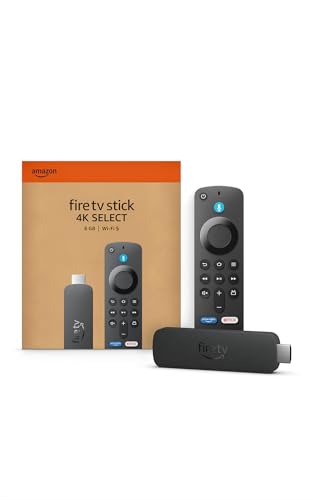
The Amazon Fire TV Stick 4K Select serves as a dedicated streaming media player built to transform any standard television into an intelligent entertainment display. Designed primarily for cord-cutters, apartment renters, busy families, and bedroom TV users, this compact dongle attaches directly to an open HDMI port. It presents a cost-effective way to modernize older flat-screen sets or replace sluggish built-in smart TV interfaces with an updated, responsive operating system.
Regarding visual performance, the device supplies crisp 4K Ultra HD playback with high dynamic range support via HDR10+. Connected to an HDR10+ capable LED, QLED, or OLED TV, viewers can enjoy enhanced contrast ratios, punchy colors, and clear highlights during movie nights or weekend sports broadcasts. Fast motion handling remains smooth for live hockey matches or football games, provided your home Wi-Fi delivers sufficient bandwidth to prevent buffering drops.
Smart functionality stands out through the modernized Fire TV user experience, backed by natural voice interaction through Alexa+. Rather than endlessly scrolling through distinct apps, viewers can speak naturally to find specific genres, track down actors, or manage playback across services like Prime Video, Netflix, Disney+, and Max. Furthermore, the inclusion of Xbox cloud gaming through Xbox Game Pass turns your living room TV into a casual console, allowing users to pair a wireless Bluetooth gamepad and play blockbuster titles directly over the cloud.
In terms of hardware build and everyday practicality, the player measures just over four inches long and weighs less than a tenth of a pound. This low-profile profile easily hides behind slim wall-mounted displays without demanding complex cable management or bulky shelf space. Connectivity relies on standard HDMI along with Wi-Fi, making the initial configuration quick and straightforward for non-technical users looking to stream workout videos, news updates, or late-night shows.
A few practical considerations are worth observing before choosing this model. The specifications highlight HDR10+ rather than Dolby Vision, which might leave dedicated home theater buffs wanting broader premium HDR format support. Furthermore, while the cloud gaming feature works well for casual play, competitive gamers may notice occasional latency depending on home network congestion, and an active Xbox Game Pass subscription is required.
For everyday viewers, apartment living rooms, student dorms, and guest bedrooms, the Fire TV Stick 4K Select delivers remarkable utility. It combines reliable 4K playback, an expansive library of free and premium streaming apps, and smart voice assistance into an unobtrusive footprint. Whether organizing family cartoon marathons or catching the big game with friends, this streaming player provides a practical, straightforward upgrade for modern home entertainment.
The updated interface prioritizes speed, helping family members pin their favorite applications directly to the home bar for one-click access. Integration with Alexa+ enables conversational searches, meaning you can ask for movies by quote or ask for recommendations based on mood, eliminating repetitive remote clicking.
For casual gamers, the ability to stream Xbox titles straight to the television via Xbox Game Pass provides an accessible alternative to buying a dedicated console. Players simply connect a compatible Bluetooth controller, launch the app, and play major titles with low input lag on solid Wi-Fi connections.
Physical installation requires only seconds, as the stick slots right into any open HDMI port on the back or side of your television. Because it draws power via an included cable and adapter, it stays hidden away, keeping living room entertainment consoles clean and wire-free.
The player pairs effortlessly with home Wi-Fi networks and guides users through a fast on-screen setup process. Once connected, users can also control compatible smart lights, thermostats, and security cameras straight from the couch using the included voice remote.

Pros
- Direct USB-C power from the TV simplifies cable management behind wall mounts and tight spaces
- Wi-Fi 6 support provides smooth Full HD streaming with reduced buffering on compatible home networks
- Alexa Voice Remote controls television power, volume, and smart home gear from one handheld unit
- Slim, low-profile design fits flush into HDMI ports without blocking adjacent inputs
- Comprehensive app library covers live TV, major subscription services, and free ad-supported channels
Cons
- Limited to Full HD 1080p video output, making it less suitable for native 4K Ultra HD primary living room setups
- Some older televisions may not supply sufficient USB amperage to utilize the Direct Power feature
- The Fire TV home interface features prominent sponsored content and promotional banners
The Amazon Fire TV Stick HD is a compact HDMI streaming media player engineered to bring modern smart entertainment capabilities to standard displays and older televisions. Designed specifically for cord-cutters, apartment renters, college students, and budget-conscious homeowners, this device offers an accessible way to access thousands of streaming channels without replacing an existing television set. It shines particularly well in secondary viewing areas like guest bedrooms, home offices, kitchens, and dorm rooms where full 4K resolution is unnecessary, yet responsive navigation remains essential.
In terms of video output and performance, this model delivers clear Full HD 1080p streaming with balanced color reproduction and smooth motion handling for daily viewing. Whether you are following fast-paced football broadcasts, streaming weekly drama series, or catching up on morning news, picture clarity remains solid on screens up to 43 or 50 inches. The addition of Wi-Fi 6 connectivity helps reduce buffering and stabilizes playback, even across busy household networks where multiple family members are gaming or working remotely at the same time.
Amazon has refreshed the Fire TV interface to make content discovery noticeably faster and more intuitive. With the integration of Alexa+, users can press the voice button on the remote to speak naturally and locate specific movies, launch live television channels, or check actor filmographies across services like Prime Video, Netflix, Disney+, and HBO Max. Beyond media entertainment, the Alexa Voice Remote allows homeowners to check connected Ring video doorbells, adjust smart lighting, and check local weather forecasts right on the television screen.
From a hardware and usability standpoint, the slim profile of the stick connects directly into standard HDMI ports without crowding neighboring ports or cables. A major highlight is the Direct Power capability via the included USB-C cable, which allows the stick to draw operating power directly from a compatible television USB port. This eliminates the clutter of trailing cables and wall adapters, making it exceptionally well-suited for tight wall-mount configurations. In addition, built-in Bluetooth connectivity supports wireless headphones, enabling late-night movie streaming or sports watching without disturbing sleeping family members.
While this streaming stick delivers exceptional everyday value, buyers looking to power dedicated 4K home theater setups or OLED displays will miss Ultra HD resolution, Dolby Vision, and advanced HDR processing. Some older television USB ports may also lack the power output needed for Direct Power, requiring an external USB power supply. Nevertheless, for anyone seeking an affordable, responsive, and clutter-free streaming upgrade for a bedroom television, vacation rental, or secondary display, this Fire TV Stick represents a highly practical and reliable entertainment solution.
The updated Fire TV platform prioritizes fast app loading, customizable home rows, and broad streaming service availability. Viewers can easily organize their favorite applications, including Prime Video, Netflix, Hulu, YouTube, and free ad-supported platforms like Freevee and Pluto TV.
With built-in Alexa voice search, finding specific genres or titles is completely hands-free. The remote also features dedicated TV power and volume controls, consolidating living room remotes into a single intuitive handheld device.
Setting up the streaming stick requires only plugging it into an open HDMI port and connecting the USB-C cable to your TV for direct power. Its compact footprint ensures it fits neatly behind flat-panel wall mounts without protruding.
Because of its lightweight construction and direct television powering, this streaming player is also an outstanding travel companion for hotel rooms, dorms, and RV entertainment setups.

Pros
- Low-profile stick stays hidden behind the television and avoids blocking neighboring HDMI inputs.
- Convenient voice remote controls TV power and volume, eliminating the need for a secondary remote.
- Fast, responsive Roku interface with a customizable home screen and convenient live TV guide.
- Capable of drawing power directly from compatible TV USB ports for a truly wire-free appearance.
Cons
- Resolution tops out at standard 1080p HD, lacking 4K UHD and HDR support for advanced displays.
- Some older TVs with low-power USB ports may require an optional AC wall adapter.
- Lacks hands-free voice commands, requiring a press of the microphone button on the remote.
The Roku Streaming Stick HD is an ultra-compact media player engineered to modernize standard HDTVs, older flat panels, and secondary displays into fast, capable smart TVs. Based on product specifications and user feedback, this pocket-sized streamer is exceptionally well suited for apartment renters, college students in dorms, cord-cutters, and families outfitting a guest room, kids playroom, or master bedroom. Its discreet form factor plugs directly into any available HDMI port and remains completely hidden behind the television frame, making it a great pairing for clean wall-mounted installations.
When connected to standard 720p or 1080p high-definition television panels, the stick delivers crisp video playback and steady motion handling for everyday entertainment. While it does not support 4K resolution or HDR formats such as Dolby Vision or HDR10, HD sitcoms, network broadcasts, and streaming movies retain sharp detail and balanced color reproduction across compatible screens. Sports fans and news followers can watch live broadcasts with consistent frame pacing, avoiding noticeable judder as long as a stable home Wi-Fi connection is maintained.
At the center of the experience is Roku OS, celebrated for its uncluttered tile layout, speedy menu navigation, and minimal app loading lag. The included voice remote simplifies the entire living room setup by incorporating essential television power and volume controls, allowing you to retire the original TV remote for regular daily viewing. Voice search works smoothly to locate titles, actors, and specific genres without the tedium of on-screen typing. Audio is passed directly through HDMI to television speakers, soundbars, or AV receivers, preserving crisp dialogue clarity and dependable stereo separation.
In terms of build and design, the stick measures only 3.7 inches long, which prevents it from crowding adjacent HDMI ports or digital optical outputs on tight TV input panels. The ability to draw power directly from an adjacent USB port on your television helps maintain a neat aesthetic free of hanging wall cords. Dual-band Wi-Fi connectivity keeps streaming connections reliable even when the stick is nestled behind a dense TV chassis, and the lightweight construction holds up well for travelers who prefer having their own login credentials ready in hotel rooms.
Initial installation is remarkably straightforward: plug the stick into an HDMI port, connect the USB power lead, follow the on-screen network prompts, and sign into your streaming services. There are practical limitations to keep in mind, however. Because playback resolution caps out at HD, owners of 4K LED, QLED, or OLED home theater centerpieces will prefer a dedicated 4K model to take full advantage of their display panel. Additionally, certain older televisions with weak USB power output may prompt an on-screen warning, requiring connection to a standard wall outlet.
For budget-focused shoppers, bedroom setups, kitchen displays, or anyone seeking to upgrade an aging secondary TV, the Roku Streaming Stick HD delivers dependable performance and unmatched user convenience. It eliminates remote clutter, consolidates live sports and free streaming channels, and hides neatly out of sight behind your television frame.
The Roku operating system continues to stand out for its straightforward home screen and broad channel availability. Users can customize app placement to prioritize services like Netflix, Disney+, Hulu, and YouTube right at the top of the menu. Navigating between apps feels fluid, with fast launch times that outpace many sluggish built-in smart TV interfaces found on older televisions.
A standout feature is the Roku Sports Zone, which centralizes game times, broadcast networks, and streaming destinations for your favorite sports teams. Coupled with The Roku Channel, which offers hundreds of free ad-supported live television networks, local news feeds, and movies, the platform provides expansive content variety right out of the box without requiring expensive cable packages.
Installing the Roku Streaming Stick HD takes only a few minutes from unboxing to streaming. Its slim body slides directly into an open HDMI port without requiring bulky extension brackets in most television arrangements. Once inserted, connecting the included USB cable to your television USB port delivers operating power, keeping the entire entertainment space free from drooping cords.
The on-screen setup assistant guides you through connecting to your home Wi-Fi network and calibrating the voice remote to control your television brand for power and volume toggles. Roku account linking is handled quickly via a mobile device or browser, ensuring that your preferred channels and subscription preferences populate without complex manual entry.
Pros
- Smooth 4K playback with wide HDR format support including Dolby Vision and HDR10+
- Wi-Fi 6 support offers stable high-bandwidth wireless performance for 4K video and cloud gaming
- Console-free cloud gaming via Xbox Game Pass adds huge entertainment value for casual players
- Included voice remote provides reliable universal TV power and volume controls
Cons
- Xbox cloud gaming requires a separate subscription and compatible Bluetooth game controller
- Home screen interface features prominent ad placement and sponsored content recommendations
- Power adapter is required for optimal operation, which may occupy an extra wall outlet behind wall mounts
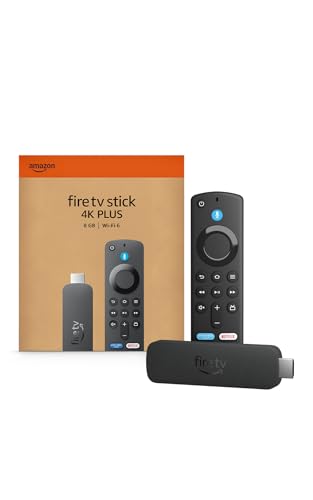
The Amazon Fire TV Stick 4K Plus is a compact streaming media player designed to bring modern smart TV capabilities, vibrant 4K resolution, and cloud gaming to any compatible television display. This streaming dongle is a practical upgrade for apartment renters, homeowners, cord-cutters, college students, and budget-conscious movie lovers who want to revamp an older 4K panel or bypass sluggish built-in smart TV interfaces. Whether you are setting up a secondary bedroom TV, building a living room family entertainment hub, or outfitting a basement recreation room, this device provides instant access to major streaming networks and digital media services.
Based on product specifications, this media stick delivers crisp 4K Ultra HD playback with high dynamic range support across Dolby Vision, HDR10+, and standard HDR10. On compatible OLED, QLED, or LED screens, content benefits from refined contrast, deep black levels, and vibrant color saturation during dark thriller scenes or bright outdoor sporting events. Fast-moving sports and action sequences stream smoothly without noticeable frame judder, provided your internet connection is reliable. On the audio side, pass-through support for immersive Dolby Atmos lets movie enthusiasts pair the device with dedicated soundbars or multi-channel home theater receivers for crisp dialogue and dynamic room-filling surround sound.
A notable advantage for casual gamers and tech enthusiasts is native support for Xbox cloud gaming directly through the Fire TV platform. Users with an active Xbox Game Pass Ultimate membership and a compatible Bluetooth wireless controller can stream popular titles without needing a full console setup under the television. To keep cloud gaming responsive and high-bitrate 4K movie streams buffer-free, the stick integrates Wi-Fi 6 hardware. This wireless standard handles multiple active devices on a home network with lower latency, which helps prevent resolution drops during family movie nights or weekend gaming marathons.
The hardware features a slim plug-in form factor that connects directly into an HDMI port on the back or side of your television, keeping living room cable management tidy and discrete. The package includes an Alexa Voice Remote equipped with dedicated power, volume, and mute buttons, allowing viewers to control both their television hardware and media playback with a single handheld unit. Fire TV includes conversational Alexa+ search, which lets viewers locate titles by genre, actor, or mood across different subscription libraries without cumbersome on-screen typing.
While the device offers impressive versatility, there are a few practical factors to weigh before purchasing. The Fire TV home screen heavily integrates sponsored content and ad banners alongside recommended titles, which some users may find cluttered compared to minimalist streaming platforms. In addition, cloud gaming requires an external Bluetooth controller and a robust high-speed broadband connection, meaning it does not replace the raw offline graphics fidelity of a dedicated home console. Lastly, the stick operates best when connected to wall power using the supplied AC adapter, which can complicate ultra-tight flush wall-mount installations if an outlet is out of reach.
Overall, the Amazon Fire TV Stick 4K Plus represents an outstanding balance of visual fidelity, modern Wi-Fi 6 wireless stability, and versatile entertainment options for American households. It is especially well suited for cord-cutters looking to consolidate subscriptions, sports fans who demand stable live streams, and families seeking an affordable way to upgrade an existing bedroom or living room 4K TV. For shoppers who want cinematic Dolby Vision playback and cloud gaming convenience in an unobtrusive footprint, this streaming stick is an easy recommendation.
The refreshed Fire TV interface organizes live channels, streaming services, and rented titles into clean, accessible rows that minimize search friction. Viewers can easily pin their most-used applications, including Netflix, Disney+, Prime Video, YouTube, and Max, directly to the main navigation bar for instant access.
With Alexa+ conversational voice search, navigating extensive libraries is hands-free and intuitive. Viewers can ask for specific movie genres, query sports scores, check local weather updates, or control compatible smart home devices like living room smart lights and video doorbells without pausing entertainment.
Thanks to cloud integration with Xbox Game Pass, this streaming stick turns your existing television into a virtual gaming display. By pairing a standard wireless Bluetooth controller, players can jump into console-quality games without purchasing bulky hardware or waiting on massive file downloads.
The inclusion of Wi-Fi 6 ensures lower packet latency and steady throughput, which is essential for cloud gaming responsiveness. While competitive esports players will still prefer a hardwired gaming console with high refresh rates and variable refresh rate (VRR) support, casual gamers and families will appreciate the accessibility and variety available right from their TV remote.
Pros
- Supports both Dolby Vision and HDR10+ dynamic formats for rich picture contrast on compatible displays
- Voice remote combines streaming navigation with TV power and volume controls for easy daily operation
- Slim stick form factor stays hidden behind wall-mounted TVs and does not crowd neighboring inputs
- Long-range wireless receiver maintains steady connections in rooms with weaker Wi-Fi reception
Cons
- Requires power from an external wall outlet or a powered USB port on the back of your television
- Does not include an integrated Ethernet port for wired home theater network connections without an adapter
- Final video quality and audio depth remain dependent on your television panel and sound hardware
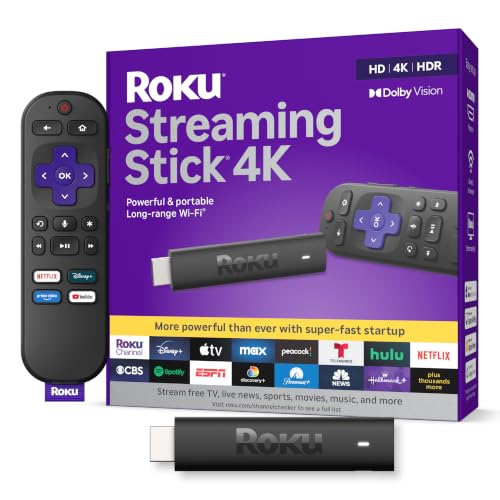
The Roku Streaming Stick 4K is an ultra-compact media streaming device engineered to plug directly into an available HDMI port on modern flat-screen televisions. Designed to deliver an intuitive and fast entertainment experience, this compact player serves as an effortless upgrade for homeowners, apartment renters, and families dealing with slow or outdated smart TV operating systems. Whether you are setting up a dedicated media room, adding smart features to a secondary bedroom display, or turning an older 4K panel into a modern cord-cutting hub, this streaming stick provides immediate access to thousands of streaming services and free live TV channels.
Picture quality remains a central highlight based on manufacturer specifications and user impressions. With support for 4K Ultra HD at 60 frames per second alongside high dynamic range formats like Dolby Vision and HDR10+, the device allows compatible screens to showcase deep black levels, expanded contrast, and rich color accuracy. Streaming blockbuster films or high-profile sporting events on platforms such as Netflix, Disney+, or Prime Video reveals sharp textures and vibrant highlights. The included Roku operating system handles video decoding efficiently, ensuring smooth motion rendering and clean upscaling when viewing standard high-definition programming.
Practical design details make this stick especially appealing for neat home theater setups. Unlike bulkier streaming boxes that require tabletop shelf space, this device plugs flush behind the television, making it an excellent match for wall-mounted displays and minimalist entertainment centers. Its slim profile prevents obstruction of neighboring HDMI inputs, leaving ample room for gaming consoles, Blu-ray players, or soundbar eARC connections. The built-in long-range Wi-Fi receiver is embedded directly along the power cable, which helps minimize signal interference behind dense television chassis and keeps 4K video streams steady across household rooms.
Daily operation is straightforward thanks to the included Roku voice remote. Home viewers can power on the television, adjust audio volume levels, and mute playback directly from the handheld controller, significantly reducing coffee table clutter. The built-in voice search functionality allows users to locate specific actors, genres, or movie titles across various streaming libraries without typing on an onscreen keyboard. Navigation feels snappy, with rapid app launch times that make switching between live news broadcasts, workout videos, and family movie marathons quick and frustration-free.
While this streaming player excels in convenience, a few practical limitations exist. The device requires continuous power from either an included AC adapter or a sufficiently powered USB port on the back of the TV, which adds a short cable run. Home theater enthusiasts seeking hardwired gigabit networking will also note the absence of a native Ethernet port, requiring an optional USB adapter for wired internet. Nevertheless, for streamers, sports fans, and cord-cutters seeking reliable 4K picture quality, robust HDR support, and simple navigation at a reasonable price, the Roku Streaming Stick 4K represents one of the most dependable streaming upgrades available.
High dynamic range makes a noticeable difference when watching movies and prestige television series on modern 4K screens. The Roku Streaming Stick 4K features compatibility with both Dolby Vision and HDR10+, allowing your television to interpret dynamic scene-by-scene metadata for balanced brightness and shadow detail. This helps prevent bright skies from washing out while preserving shadow nuances in darker cinematic sequences.
Because the device automatically detects your display panel capabilities during initial setup, it optimizes the video signal without requiring complicated manual display adjustments. For movie lovers who stream across multiple platforms, having broad HDR format support ensures that content looks as close to the director vision as your television screen allows.
Setting up the Roku Streaming Stick 4K takes only a few minutes. You simply insert the stick into any open HDMI port on your television, connect the included power cable with the embedded Wi-Fi receiver, and plug the USB cable into a wall outlet or compatible USB power port. The on-screen wizard guides viewers through wireless network connection, display resolution detection, and remote programming for television volume and power controls.
The straightforward physical footprint also makes this streaming stick an exceptional choice for travel. Apartment dwellers and frequent travelers can quickly unplug the stick and take their customized subscriptions, watchlists, and settings to dorm rooms, hotel suites, or vacation rentals without needing to sign into unfamiliar smart TV platforms.
Essential Guide to Picking the Right Streaming Device
Can a 4K streaming stick improve picture clarity on a 1080p television?
No, a 4K streaming stick cannot force a 1080p screen to display 4K resolution. The device automatically scales output to your TV native panel capabilities. However, downsampled 4K streams often exhibit less compression banding and cleaner edges during dark scenes than native 1080p video feeds.
Does a Best Tv Stick replace the built-in smart TV interface in 2026?
Yes, connecting an external media stick completely bypasses sluggish factory television software. You can launch your favorite apps directly through Fire TV or Roku OS using a single remote control. Streamers trimming their digital subscriptions can also learn how to cancel YouTube TV directly from platform account settings to manage monthly costs.
Will an external streaming media player pass Dolby Atmos sound to a soundbar?
Yes, compatible streaming sticks pass multichannel spatial audio directly through your television to connected soundbars. When plugged into an HDMI port, the device transmits spatial formats via HDMI eARC without degrading fidelity. Following practical steps to turn on Dolby Atmos on TV helps ensure uncompressed bitstream passthrough across external speakers.
Can you power a 4K streaming dongle directly from a television USB port?
Certain compact HD models run on standard TV USB power, but 4K HDR streaming sticks usually require a wall adapter. High-performance 4K sticks demanding Wi-Fi 6 data rates and high-luminance HDR processing pull more current than standard 5V USB ports provide. Plugging directly into a wall outlet prevents unexpected reboots during movie playback.
What makes Dolby Vision support valuable on a Best Tv Stick?
Dolby Vision delivers scene-by-scene dynamic tone mapping that optimizes brightness and color volume for your specific display panel. Compared to static HDR10, dynamic metadata prevents blown-out highlights and muddy shadow details on OLED and Mini-LED screens. Selecting a media player with dual Dolby Vision and HDR10+ support guarantees premium visual performance across Netflix, Prime Video, and Apple TV.


Write Your Review
No reviews yet. Be the first to share your experience!