
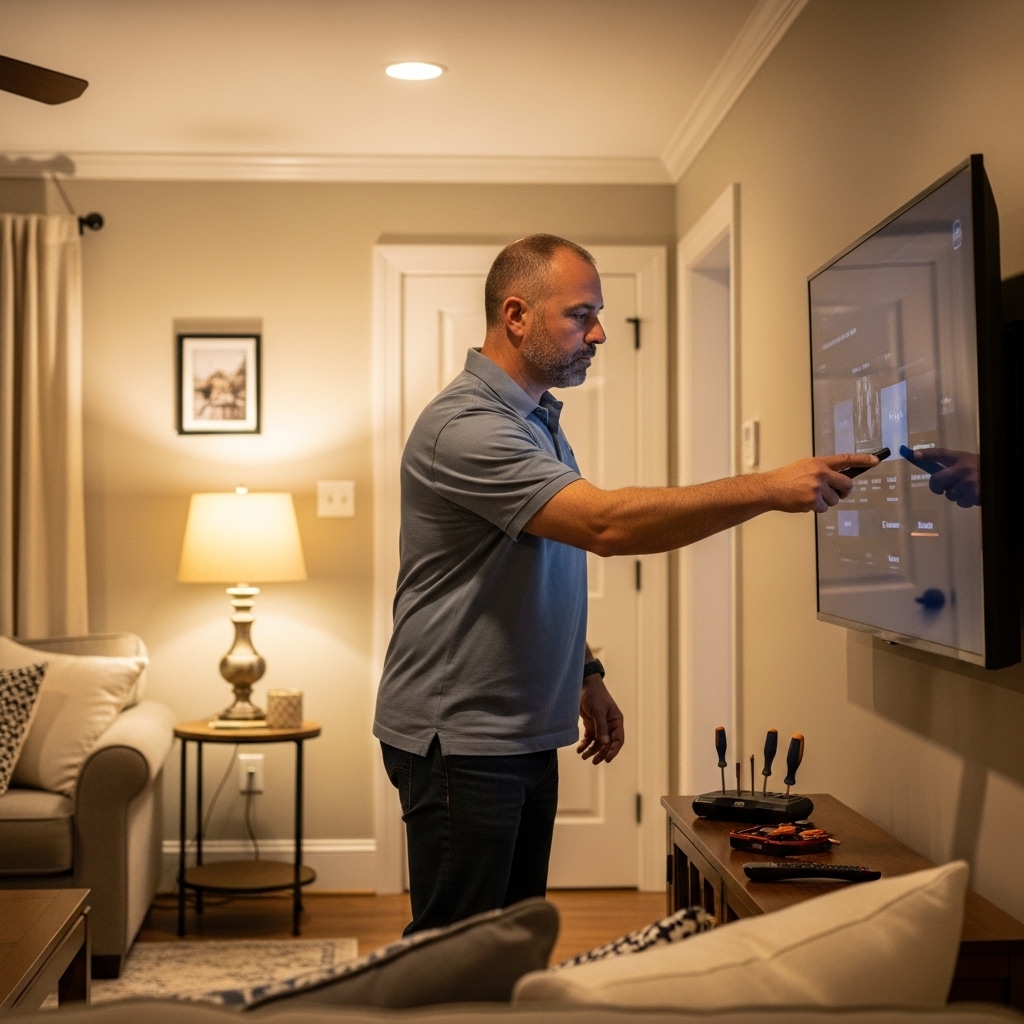

Blurry picture quality and frustrating HDMI handshake errors can quickly derail a classic film marathon in your living room. Dusting off older discs often exposes the gap between legacy 480p media and modern displays, leaving viewers stuck with muted colors or an annoying “no signal” alert. Getting past these hurdles isn’t complicated once you know how to connect dvd player to samsung led tv setups using modern HDMI cables or legacy breakout adapters. Modern units like the 2026 Model HDMI DVD Player for TV handle 1080p upscaling directly, transforming standard definition signals into sharp images on modern panels. Inspecting your TV port labels before plugging in prevents mismatched connections and saves setup time.
Older composite yellow cables can’t deliver digital clarity, making proper hardware pairing essential for balanced audio and vibrant contrast. Samsung displays often use slim chassis designs where traditional RCA jacks are replaced with custom adapter ports. Checking hardware compatibility also ties into display care, much like understanding how long an LCD TV lasts when managing connected devices. Analyzing port layouts confirms that high-speed HDMI connections ensure smooth video upscaling and clean stereo sound transmission without cable mess.

Pros
- Direct OEM part compatibility with multiple Samsung LED TV models
- Very short cable (10cm) prevents tangling and keeps connections tidy
- Budget-friendly price point under $10 for a genuine replacement need
- Simple setup—just plug into the TV's DC/AV port and the other ends into your device
Cons
- Limited to composite video and stereo audio—no support for HDMI or higher-quality signals
- Extremely short length may not reach devices placed far from the TV
- Only compatible with Samsung TVs that use the specific DC power/AV combo port; check your model first
This Gimgan BN39-02189A / BN39-02190A video audio cable is a straightforward replacement part designed for select Samsung LED TVs. It converts the TV's proprietary DC barrel connector into three standard RCA jacks: one for composite video (yellow) and two for stereo audio (red/white). The cable measures just 10cm, making it ideal for connecting older AV devices like DVD players, VCRs, or retro game consoles directly to the TV without extra cable management headaches.
Who is this cable best for? Homeowners and apartment renters who need to restore AV input functionality on their Samsung TV will appreciate the low cost and easy installation. It's also a great option for cord-cutters or streamers who occasionally use older media players, as well as gift buyers looking for a practical accessory for a family member's aging TV setup.
In real-world use, the cable does exactly what it promises: it passes composite video and analog audio without degradation. The connectors are snug and stay put, and the 10cm length keeps everything close to the TV's input panel. There's no picture quality to speak of because this is an analog signal path—but if your device outputs 480i, you'll get a stable, watchable image. The cable won't introduce extra noise or signal loss compared to other short RCA cables.
Build quality is adequate for the price: the molded strain reliefs and gold-plated RCA tips resist corrosion and daily wear. The DC plug is sized to fit the Samsung port securely. Setup is literally plug-and-play—no drivers, settings, or tools required. Just match the colored plugs to your source device and you're good to go.
One limitation is the very short cable length. If your AV source is more than a few inches away from the TV, you'll need an RCA extension or a different solution. Also, composite video is standard definition only; this cable won't support HD signals. But for its intended purpose—replacing a lost or broken original cable on a Samsung LED TV—it's a reliable and affordable fix.
Overall, if you own a Samsung TV that uses the BN39-02189A or BN39-02190A part and you need to connect an older AV component, this Gimgan cable is a sensible purchase. It's not flashy, but it gets the job done without breaking the bank.
Pros
- Region-free playback allows DVDs from any region to work seamlessly.
- 1080p upscaling enhances standard DVDs for modern HDTVs.
- Includes both HDMI and RCA cables for quick and easy setup.
- Compact size and lightweight build make it easy to place anywhere.
- Affordable price offers great value for basic DVD playback needs.
Cons
- Limited to DVD playback; cannot play Blu-ray or 4K discs.
- USB port does not support MP4 video files, only MP3 and JPG.
- May not have advanced features like streaming apps or digital audio outputs.
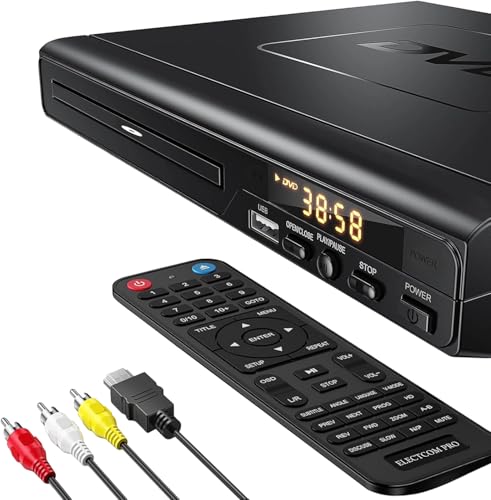
The Electcom Pro DVD Player is a straightforward and affordable solution for anyone who still owns a collection of DVDs and wants to enjoy them on a modern TV. This region-free player upscales standard DVDs to 1080p, providing a noticeable improvement in picture clarity when connected via the included HDMI cable. It’s designed with simplicity in mind, making it an excellent choice for elderly users, gift buyers, or budget-conscious shoppers who just want to watch movies without complicated setups.
Picture quality on this player is decent for its price range. The 1080p upscaling helps reduce the softness of standard DVDs, delivering a sharper and more vibrant image that works well for movie nights, family shows, or casual viewing. Colors appear natural, and the progressive scan technology helps reduce motion blur during fast-paced scenes. However, don’t expect the deep blacks or high dynamic range of a 4K Blu-ray player—this is a budget-friendly device meant for basic disc playback.
Setup is incredibly easy right out of the box. The player comes with both HDMI and RCA cables, so you can connect it to any TV or older display without needing extra purchases. The remote is simple and intuitive, with clearly labeled buttons for play, pause, and navigation. For seniors or less tech-savvy users, this is a major plus—there’s no need to navigate through complex menus or download apps.
Compatibility is another strong point. This DVD player supports a wide variety of disc formats, including DVD+RW, DVD-RW, CD, and MP3 CDs. You can also plug in a USB drive to play music or view photos, though note that it doesn’t support MP4 video files. This makes it a handy device for listening to music or showing vacation pictures on the big screen, but not for streaming video from a flash drive.
In terms of build, the player is compact and lightweight, measuring 9 x 8 x 2 inches and weighing just 1.5 pounds. The modern LCD display adds a touch of style, and the sturdy construction should hold up well to daily use. The anti-skip protection ensures smooth playback even if the player is bumped, which is helpful in busy households with kids or pets.
Overall, the Electcom Pro DVD Player is a solid budget option for those who need a reliable, easy-to-use DVD player for their home entertainment setup. It’s best suited for homeowners, apartment renters, families on a budget, or anyone looking for a simple gift for a movie lover. While it lacks advanced features like 4K support or streaming apps, its region-free playback and included cables make it a practical choice for reviving your DVD collection in the living room or bedroom.
Pros
- 1080p playback with solid upscaling for DVDs adds value to existing disc collections
- Built-in Wi-Fi and Samsung AllShare make wireless streaming and content sharing easy
- Includes a high-speed HDMI cable, so you don't need to buy one separately
- Renewed unit provides a cost-effective entry into Blu-ray without compromise on key features
Cons
- No 4K UHD playback - limited to 1080p resolution, which may not satisfy those with 4K TVs looking for native 4K content
- Renewed condition means the unit may show minor cosmetic wear or have a shorter warranty compared to new
- Smart app selection may be more limited than newer streaming-focused devices
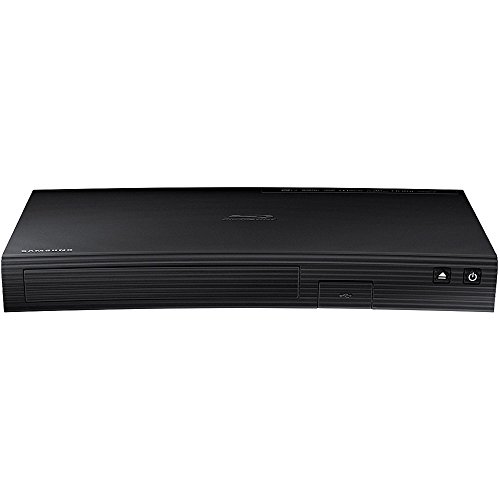
This renewed Samsung Blu-ray player is a straightforward way to bring high-definition disc playback into your home. It supports full 1080p resolution through its HDMI output, so movies and TV shows on Blu-ray look sharp and detailed. The built-in Wi-Fi is a nice convenience, letting you stream content from your network or use apps without needing an extra cable. For anyone with a stack of DVDs, the upscaling feature works to boost them closer to HD quality, which can make older movies look noticeably better on modern TVs.
This player fits well into a variety of home setups. Home theater enthusiasts who still enjoy collecting discs will appreciate the reliable playback and wireless connectivity. Families and movie lovers looking for an affordable way to watch their library on a larger screen will find this a practical choice. Cord-cutters who want to access physical media alongside streaming services can use the Wi-Fi to sync with other devices, though the smart app selection is not as expansive as dedicated streaming boxes.
In terms of real-world performance, the 1080p output is solid for Blu-ray discs. The upscaling is effective for DVDs, reducing artifacts and improving detail. Motion handling is decent, though it does not offer advanced features like 120Hz or variable refresh rate, since this is a standard player. The HDMI connectivity is straightforward, and the included 6ft cable means you can set it up right away. The weight is only 2 pounds, so it fits easily on a shelf or in a media cabinet.
Build quality is typical for Samsung - the renewed unit may have minor scuffs but should function like new. Setup is simple: plug in the HDMI, connect to Wi-Fi, and start playing. The remote is basic but gets the job done. One limitation to note is the lack of 4K UHD support; if you have a 4K TV, you will not get native 4K resolution from discs. Also, as a renewed product, the warranty may be shorter than a new model.
Overall, this Samsung Blu-ray player is a good value for anyone who wants to watch their disc collection with better clarity and wireless convenience. It works well for a bedroom TV setup or as a secondary player in a family room. For budget-conscious shoppers or gift buyers, it delivers reliable performance without breaking the bank.

Pros
- Region-free playback works with DVDs from anywhere in the world.
- Small footprint fits easily into any entertainment setup.
- Comes with both HDMI and AV cables so you're ready to go.
- Simple plug-and-play operation with a clear remote control.
Cons
- Only upscales to 1080p, so it won't make standard DVDs look like 4K.
- Plastic build feels a bit light, but it's fine for the price.
- No smart features or streaming apps built in – it's a dedicated disc player.
The MAJORITY 2026 HDMI DVD Player is exactly what you need if you have a stack of DVDs gathering dust and a modern TV with no disc drive. This compact little player connects to your TV through HDMI or the included RCA cables, so it works with nearly any display – from a living room smart TV to an older bedroom set or even a projector for backyard movie nights.
Best of all, it’s region-free. That means you can play DVDs purchased from any country, making it a fantastic choice for movie lovers who import films or have collections from different regions. Families with kids will appreciate how easy it is to pop in a cartoon or educational disc without messing with complicated settings.
The player also handles CDs, MP3 files, and USB drives, so it’s more than just a DVD machine. You can listen to music from your CD collection or play digital videos from a flash drive – all using the same simple remote. The remote includes useful functions like rewind, zoom, and slow-motion, giving you control over your viewing experience.
This is not a 4K upscaling player – it outputs at 1080p – but that’s perfectly fine for standard DVDs. Picture quality is clean and stable, with decent color and contrast for the format. The unit itself is very small and lightweight (about 1.6 pounds), so it can sit comfortably in a corner of your media console or even be wall-mounted if you have the right VESA kit (not included).
Setup is truly plug-and-play: just connect the HDMI cable, plug in power, and you’re watching your favorite movies. The only limitation to keep in mind is that it lacks any smart TV features – no built-in streaming apps – so you’ll still need a separate device for Netflix or Disney+. But as a dedicated disc player, it gets the job done reliably and affordably.
For anyone who still enjoys physical media – whether it’s classic films, kids’ cartoons, or foreign DVDs – the MAJORITY 2026 is a smart, budget-friendly addition to your home entertainment setup. It’s a practical gift for grandparents who have a DVD collection, for dorm rooms, or for anyone who wants a quick and easy way to play discs without fuss.

Pros
- Affordable price makes it a great gift or secondary player for bedrooms or kids' rooms
- 1080P upscaling noticeably improves picture quality on modern HDTVs compared to standard DVD output
- Region-free capability allows you to watch DVDs purchased from any country (except Japan CPRM)
- Includes both HDMI and RCA cables in the box for immediate out-of-the-box setup
Cons
- Does not support Blu-ray discs or MP4 file playback via USB, limiting media options
- USB port is limited to 32GB and USB 2.0 only, which may feel restrictive for some users
- Remote control batteries are not included, so you will need to provide your own AAA batteries
The GOKUID DVD player is a straightforward, no-fuss solution for anyone who still enjoys physical media or has a collection of DVDs from around the world. This compact player fits easily into a living room, bedroom, or kids’ playroom setup, and its 1080P upscaling technology helps older standard-definition discs look noticeably sharper on modern HDTVs. While it’s not a replacement for a 4K Blu-ray player, it’s a practical choice for budget-conscious shoppers, families, and cord-cutters who want a reliable way to watch their favorite movies without spending a lot.
One of the standout features here is the region-free playback. The player supports DVDs from regions 1 through 6 (except Japan CPRM discs), so you can watch imported films or that box set from a different country without any hassle. This is especially useful for movie lovers and families with diverse tastes. The player also handles CD, DVD, DVD+R/RW, CD-R/RW, VCD, and SVCD formats, giving you a wide range of disc compatibility. Just keep in mind that Blu-ray discs are not supported, which is expected at this price point.
Picture quality gets a nice boost thanks to the built-in 1080P upscaling. When connected via the included HDMI cable, standard 480p DVDs are upscaled to near-HD resolution, reducing jagged edges and improving overall clarity. Motion handling is decent for a budget player, with fast and slow playback controls to help you catch every detail. The anti-skip protection and SANYO drive core also keep operation quiet and stable, which is great for movie marathons or keeping kids entertained without disruptions.
Connectivity is simple but effective. You get HDMI and RCA outputs, both with cables included in the box, so you can plug into any TV or projector right away. There’s also a coaxial audio output for connecting to older sound systems. The USB port accepts flash drives up to 32GB (USB 2.0 only) and plays video files in AVI, MPG, MPEG4, and VOB formats. Note that MP4 files are not supported, which may be a limitation if you have a lot of digital content in that format. The remote control is larger than average and includes helpful buttons for skip, slow motion, zoom, and loop functions, making navigation easy during a movie night.
In terms of build, the DVD player is lightweight at about 1.5 pounds and measures 8.9 x 8.1 x 1.4 inches, so it won’t take up much space on a shelf or media console. The black plastic finish is simple but matches most entertainment setups. Setup is as easy as plugging in the cables and inserting a disc — no complicated menus or Wi-Fi connections required. This simplicity is a big plus for families with young children or older viewers who prefer a straightforward device.
Overall, the GOKUID DVD player is a solid value for its price. It’s not a high-end home theater component, but it does what it promises: play DVDs from any region with improved picture quality. It’s perfect for a secondary player in a bedroom, a kids’ room, or as a backup for movie nights. If you’re a cord-cutter who still has a stash of DVD favorites, or if you want a simple gift for a movie-loving friend, this player is a reliable and affordable choice.

Pros
- All region playback gives you access to DVDs from any country.
- 1080p upscaling improves picture clarity on modern HDTVs.
- Includes both HDMI and RCA cables so you're ready to connect right out of the box.
- USB input adds versatility for digital media files.
- Compact and lightweight - easy to move or store.
Cons
- Not a Blu-ray player - cannot play Blu-ray discs.
- Limited to 1080p resolution; no 4K upscaling.
- Audio outputs only via HDMI or analog RCA; no optical or coaxial digital out.
The Philips DVD Player is a straightforward, all-region disc player designed for anyone who still enjoys physical media. While smart TVs and streaming devices dominate today's home entertainment, this player fills a specific niche: playing DVDs from around the world with 1080p upscaling for a better picture on modern televisions. It's a practical choice for movie lovers, families with kids, and home theater enthusiasts who want to revisit their DVD collection without sacrificing too much visual quality.
Its standout feature is the all-region capability. The player supports zones 1 through 6, meaning discs from the US, Europe, Asia, and other regions will play without hassle. This is a huge plus for travelers, expats, or collectors who have imported DVDs. Additionally, the 1080p upconvert function takes standard 480p DVD content and enhances it to near-1080p resolution via HDMI. While it won't match a true HD source, the improvement is noticeable on larger screens - details appear sharper, and colors are more vibrant.
Setup is incredibly easy. The player comes with both HDMI and RCA cables, so you can connect it to any TV or home theater system right out of the box. The remote control is intuitive, and the Screen Fit feature automatically adjusts the aspect ratio to fill your screen, eliminating annoying black bars. The USB port adds flexibility - plug in a flash drive to play video, music, or photo files directly. This is great for cord-cutters who also have digital media collections.
Build quality is solid for its price point. The compact design (about the size of a small book) and light weight (2.25 pounds) make it easy to tuck into any entertainment center or even take on trips. The Dolby digital decoder provides clear, immersive audio when connected to a home stereo system. Dialogues are crisp, and sound effects have decent punch for a basic player.
However, buyers should know this is a DVD-only player - it cannot play Blu-ray or 4K discs. The 1080p upscaling is also a step down from modern 4K players that can upscale DVDs to 4K. Also, the output options are limited to HDMI and analog RCA; there are no optical or coaxial digital audio outputs for connecting to older receivers. For most users, these limitations are minor given the budget-friendly price.
Overall, the Philips DVD Player is an excellent value for anyone who wants to keep watching their DVD collection on a modern TV without spending much money. It's particularly well-suited for families with children's movies, classic film buffs with region-locked discs, and seniors who prefer a simple physical media player. If you're a home theater enthusiast looking for the ultimate picture quality, you might want a higher-end 4K player, but for everyday DVD playback, this Philips model delivers reliable, region-free performance.

Pros
- Excellent 1080p upscaling enhances standard DVDs to near-HD quality for a better viewing experience.
- Includes a high-speed HDMI cable, saving you an extra purchase and simplifying setup.
- Ethernet port enables easy network connectivity for streaming and updates without Wi-Fi dependency.
- Compact, space-saving footprint works well in tight spaces like bedrooms, apartments, or dorm rooms.
- Renewed condition offers affordable entry into Blu-ray playback without sacrificing core performance.
Cons
- No 4K or HDR support; limited to 1080p resolution, which may not satisfy those with 4K TVs seeking the highest detail.
- Lacks built-in Wi-Fi; requires wired Ethernet or an external adapter for network features.
- As a renewed product, cosmetic condition or long-term reliability may vary; check seller return policy.
The Samsung Blu-ray DVD Disc Player (model B07K2H3K31) is a renewed, budget-friendly option for anyone who still enjoys physical media. It plays Blu-ray discs, DVDs, and CDs, and includes a 6ft High Speed HDMI cable for immediate setup. While many households have shifted entirely to streaming, this player remains a practical choice for movie lovers, families with a library of discs, and home theater enthusiasts who want reliable 1080p playback without the cost of a 4K player.
This player is best suited for homeowners or apartment renters who have a collection of Blu-rays and DVDs and want to watch them with improved quality. It's also a great gift for parents, grandparents, or tech enthusiasts who appreciate the simplicity of a dedicated disc player. For cord-cutters who still buy or rent physical discs, it provides a straightforward way to enjoy movies without needing a gaming console.
In terms of performance, the player delivers crisp 1080p Full HD video via HDMI. The DVD upscaling feature automatically enhances standard-definition content to near-HD quality, adding detail and reducing visible artifacts. While it won't match the sharpness of native 4K, it does make your older DVDs look noticeably better on a modern HDTV. The Ethernet port allows you to connect to the internet for firmware updates and limited streaming capabilities, though the player lacks built-in Wi-Fi and app support for services like Netflix or Hulu.
Build quality is typical of Samsung's entry-level Blu-ray players. The compact chassis (about 10.6 x 7.6 x 1.6 inches) fits easily into most entertainment centers, and the black finish matches common AV components. The included remote is straightforward, with dedicated buttons for disc menus and navigation. Since this is a renewed product, cosmetic wear may be present, but functionality should be intact. The bundled HDMI cable is a nice addition, saving you a trip to the store.
Setup is simple: connect the HDMI cable to your TV, plug in the power, and you're ready to play discs. The Ethernet connection is optional but recommended for firmware updates. One limitation is the lack of smart features – there's no built-in streaming apps, so you'll need a separate streaming device for Netflix or YouTube. Additionally, the player does not support 4K or HDR, so it won't take full advantage of a 4K TV's capabilities.
Overall, this renewed Samsung Blu-ray player is a solid, affordable choice for anyone who wants to enjoy their disc collection with enhanced upscaling and reliable 1080p playback. It's especially valuable for budget-conscious shoppers, families, and home theater enthusiasts who don't need 4K but want a dedicated player with good connectivity. If you're looking for a no-frills Blu-ray player that gets the job done without breaking the bank, this is a practical pick.
Frequently Asked Questions About Connecting DVD Players to Samsung TVs
Can I connect an older DVD player without an HDMI port to a newer Samsung LED TV?
Yes, you can connect older players using a 3.5mm DC-to-RCA adapter cable or an active converter. Modern slim Samsung TVs replace bulky RCA ports with a mini AV input jack. An adapter like the Video Audio Cable BN39-02189A BN39-02190A lets you plug analog cables directly into your TV. Once plugged in, select AV source on your screen for instant playback.
Why does my Samsung LED TV show a “No Signal” screen when connecting a DVD player?
A “No Signal” message indicates an incorrect input selection or a loose cable connection. Press the Source button on your remote to select the exact HDMI port you plugged into. If the display stays dark, check our guide on troubleshooting a black screen on LED TVs to isolate panel issues from source connection faults.
What picture settings provide the best DVD quality on a Samsung LED TV?
Setting your picture mode to Movie with a 16:9 aspect ratio yields the most natural image. Standard DVDs output at 480p, which looks noisy if sharpness is set too high. Dedicated players like the Samsung Blu-ray DVD Disc Player With 1080p Full HD upscale standard discs to 1080p, reducing digital grain significantly.
Can I control my DVD player with the Samsung TV remote?
Yes, you can control playback if your DVD player supports HDMI-CEC, known as Anynet+ on Samsung TVs. Turn on Anynet+ in your TV settings under External Device Manager to manage playback controls. Reviewing how much energy an LED TV uses also helps manage overall home theater power consumption.
Does a region-free DVD player work on a Samsung LED TV in 2026?
Yes, multi-region players like the DVD Players for TV with HDMI connect via HDMI and auto-convert PAL and NTSC formats. Samsung screens accept digital 50Hz and 60Hz signals without requiring secondary converter boxes. Simply load your disc to enjoy smooth playback right away.









Write Your Review
No reviews yet. Be the first to share your experience!