
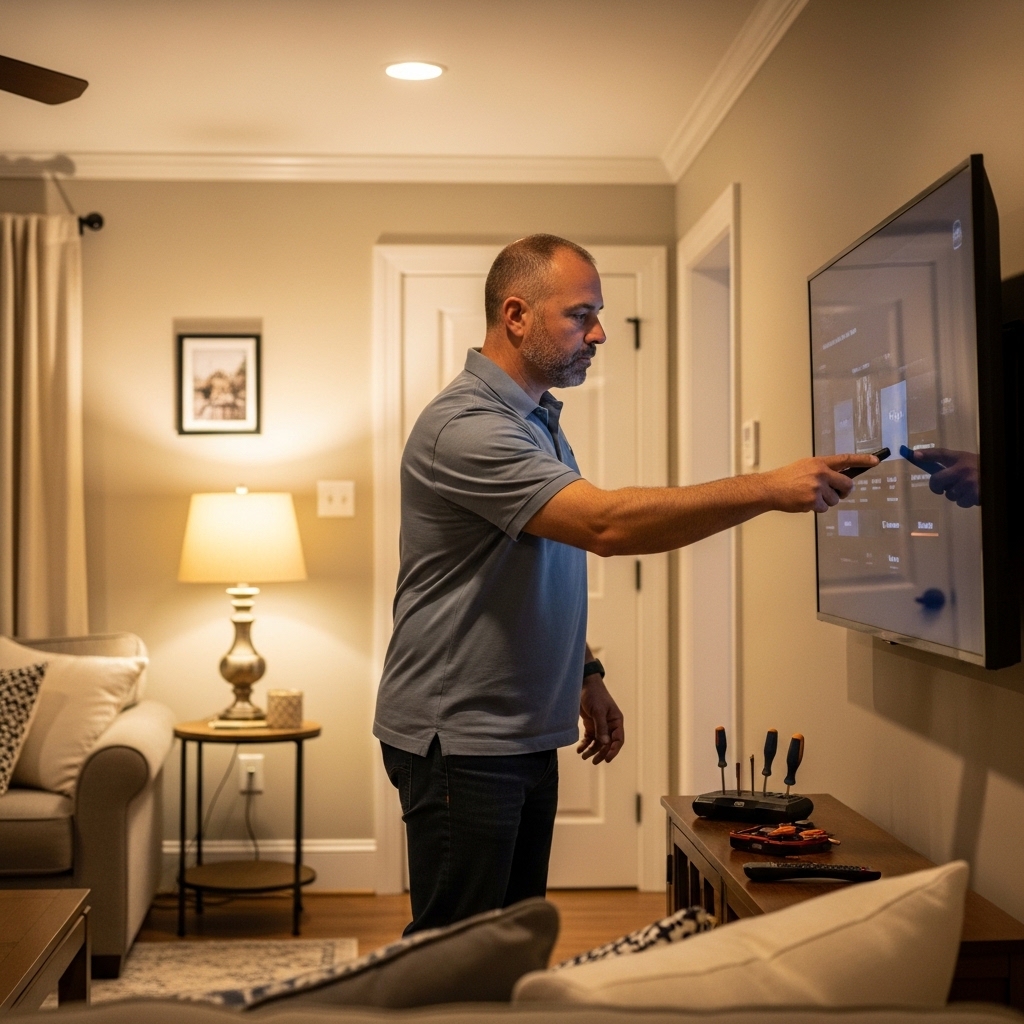

Extended movie marathons, gaming sessions, and evening streaming routines lead many viewers to question which tv is good for eyes oled or qled. Choosing between self-emissive organic panels and quantum dot LED backlights involves more than just evaluating black levels and color saturation. Your viewing environment directly dictates how much effort your eyes must exert to resolve fine details on screen. When a display fails to balance luminance against surrounding ambient light, ocular discomfort and headaches can quickly disrupt your entertainment experience.
Selecting the optimal screen requires analyzing how direct illumination, reflective glare, and panel dimming frequencies affect ocular fatigue. Comparing general performance benchmarks across bright room television setups highlights how high ambient light demands different panel capabilities than a dark home theater. Organic light emitting diodes and quantum dot displays address visual comfort from fundamentally different engineering angles. By understanding how each technology handles blue light output, contrast spikes, and motion clarity, you can establish an entertainment setup that keeps your eyes comfortable during long viewing sessions.

Evaluating Eye Comfort: OLED Versus QLED Display Technologies
Determining which television technology provides superior eye comfort depends heavily on how your eyes interact with light in specific room environments. Neither display architecture is universally gentle on every viewer under all lighting conditions. Organic light emitting diode screens excel at minimizing harsh contrast glare in dimmed spaces, while quantum dot panels cut through ambient window light to prevent squinting during the daytime. Examining the underlying optical mechanics of each screen reveals how light emission, color filtration, and surface treatments shape your daily visual comfort.
The Core Science: Emissive Versus Transmissive Display Illumination
Understanding the fundamental distinction between emissive and transmissive display hardware provides the foundation for evaluating eye comfort. An OLED television utilizes self-emissive pixels, meaning every single subpixel generates its own light and can shut off completely. Because there is no separate backlight illuminating the entire panel, black areas of the picture emit zero photons. This self-contained lighting architecture prevents excessive light spillage and eliminates the hazy backlight bleed common to traditional liquid crystal displays.
In contrast, a QLED television operates as a transmissive display system relying on a dedicated light-emitting diode backlight. This backlight shines through a film layer infused with microscopic quantum dots to produce pure red, green, and blue primary colors. High-end implementations often use Mini-LED arrays paired with full array local dimming to concentrate light only where needed. However, because the backlight remains active behind dark portions of the frame, subtle halos can appear around bright objects, creating sharp contrast edges that force your pupils to adjust continuously.
Blue Light Exposure: Spectrum Differences and Biological Impact
High-energy visible blue light in the 415 to 455 nanometer range is a well-documented factor contributing to digital eye strain and disrupted circadian rhythms. When you watch television late in the evening, excessive blue spectrum exposure can suppress melatonin production and keep your brain in an alert state. Traditional LED backlights found in many standard screens rely on intense blue diodes coated with yellow phosphor, creating an aggressive spike in the blue wavelength spectrum. This concentrated blue spike is often a primary cause of ocular irritation during late-night viewing.
Quantum dot displays utilize blue LED backlights as their primary light pump, transforming that energy through nanocrystals into pure red and green light. While quantum dot conversion produces remarkably accurate color volume, the underlying blue emission remains relatively strong across high brightness presets. OLED panels, on the other hand, generate white light through organic compound layers or use dedicated blue organic emitters that feature a slightly broader, less concentrated wavelength peak. This broader distribution generally results in a softer spectral profile that may feel less abrasive to sensitive eyes during evening use.
For viewers who remain sensitive to short-wavelength light, specialized accessories can offer a practical secondary barrier. An external solution like the 32 Inch Tv Monitor Anti Blue Light Screen is designed to fit compact displays while filtering up to 55.1% of blue light and up to 99% of UV light. Installing an optical barrier of this type can provide noticeable relief for individuals who experience burning sensations or sleep disruption after long sessions in front of a screen. Such physical filters allow you to retain high-resolution clarity while blunting the sharpest blue spectrum emissions.
Peak Brightness, Contrast Ratios, and Pupil Strain
Pupil dilation is an involuntary physiological response governed by the average ambient luminance of your environment. When you watch television in a dark room, your pupils widen to let in more light, leaving your eyes vulnerable to sudden luminance spikes. High dynamic range content on a powerful QLED television can easily produce sustained highlights exceeding 1,000 nits, which can feel blinding in an unlit space. These intense specular bursts force your iris muscles to contract violently, causing rapid muscle fatigue known as asthenopia.
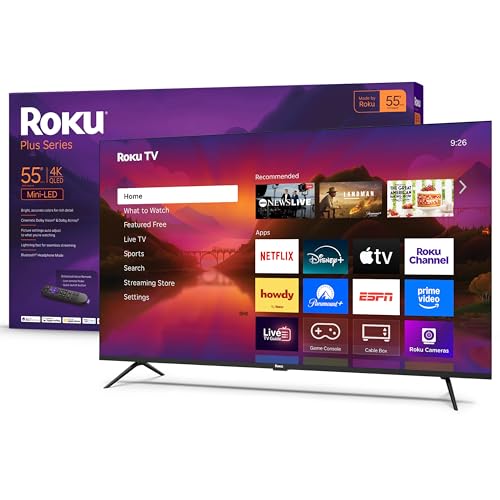
OLED displays feature lower overall peak brightness benchmarks, generally focusing light output into smaller, highly controlled specular areas. Because an organic panel achieves true black levels natively, it generates incredible perceived contrast without needing to blast thousands of nits into your eyes. In dark or moderately dimmed home theaters, this balance allows you to perceive rich shadow detail without straining your optical system. You can explore how screen sizing interacts with room illumination by consulting popular 55-inch display options designed to balance screen size with living room comfort.
The equation shifts dramatically once you move into a sunlit living room with uncovered windows. In daylight, a screen with modest luminance capabilities appears dim and washed out, forcing you to squint and lean forward to distinguish subtle dark details. A modern Mini-LED QLED panel provides the robust light output necessary to match bright ambient room conditions comfortably. When the screen brightness harmonizes with the surrounding room light, your pupils remain stable, eliminating the constant muscular adjustments that cause afternoon eye fatigue.
Screen Glare, Reflections, and Anti-Reflective Treatments
Reflections on a television screen represent one of the most insidious yet overlooked causes of persistent visual discomfort. When a lamp or sunny window reflects across the glass, your eyes attempt to focus on two distinct focal planes simultaneously. The ciliary muscles inside your eyes constantly hunt between the plane of the reflected object and the actual image plane of the video content. This dual-focus struggle rapidly induces eye strain, headaches, and physical neck stiffness as you tilt your head to see around the glare.
Many flagship OLED televisions utilize semi-glossy or glossy glass panels that preserve deep contrast and razor-sharp clarity in controlled lighting. However, under direct sunlight, these glossy surfaces can act like dark mirrors, reflecting room furniture and windows directly into your line of sight. Certain premium QLED televisions incorporate specialized wide-angle anti-reflective filters that diffuse incoming light across the screen surface, blunting harsh reflections into soft, unnoticeable halos. This optical diffusion prevents distracting specular highlights from washing out the picture.
For smaller displays or secondary displays that lack sophisticated factory anti-glare coatings, an aftermarket filter can resolve troublesome reflections. Products such as the 32 Inch Tv Monitor Anti Blue Light Screen incorporate a matte anti-glare surface finish designed to scatter incoming light rays effectively. Adding a matte surface film over an LCD, LED, OLED, or QLED panel dramatically cuts down mirror reflections in brightly illuminated rooms. This simple upgrade eliminates the reflective interference that forces your eyes into continuous accommodation cycles.
Flicker and Dimming Mechanisms: Pulse-Width Modulation Explained
Screen flicker is another critical variable that heavily influences whether a display feels comfortable or exhausting over long viewing periods. Most modern LED and QLED televisions regulate their backlight brightness using a technique called pulse-width modulation, commonly abbreviated as PWM. Instead of lowering the electrical current sent to the diodes, PWM rapidly cycles the backlight on and off hundreds of times per second. While human persistence of vision blends these rapid flashes into a continuous image, your retinas and optical nerves still process the underlying strobing effect.
Sensitive individuals exposed to low-frequency PWM dimming can experience ocular migraines, dry eyes, and subtle nausea without realizing the screen is flickering. Premium televisions often operate PWM at higher frequencies, such as 480Hz or 960Hz, which reduces the physiological impact compared to budget panels operating at 120Hz. Nevertheless, whenever you drop the backlight slider on a transmissive display, the dark intervals of the flicker cycle widen, amplifying the potential for visual irritation during late-night viewing.
OLED displays do not utilize a traditional pulse-width modulation backlight system because each organic pixel is controlled directly by electric current. However, organic panels are not completely flicker-free, as they refresh their pixels in synchronization with the panel refresh rate, typically creating subtle brightness dips every frame. These refresh dips are remarkably brief and follow a smooth, analog-like curve rather than an aggressive square-wave on-off pulse. As a result, viewers who suffer from PWM-induced eye strain usually find organic self-emissive screens significantly more comfortable for sustained viewing.
Motion Handling, Frame Rate, and Eye Tracking Fatigue
Motion clarity plays an essential role in how smoothly your eyes can track moving objects across a large screen. OLED panels feature an instantaneous pixel response time, changing color states in fractions of a millisecond. While this rapid response eliminates motion blur, it introduces a phenomenon known as sample-and-hold stutter during low frame rate content. When watching 24 frames per second cinematic movies, the instantaneous image hold on an OLED can appear jerky, forcing your eyes to work harder to resolve smooth panning motion.
Liquid crystal displays, including QLED panels, possess a slightly slower native pixel transition time that naturally softens the hard transition between consecutive frames. This slight natural decay can smooth out camera pans in cinematic films, though it can introduce motion blur during high-speed sports broadcasts. If you regularly watch fast-paced athletics, reviewing our fast-action sports display performance guide reveals how higher refresh rates and black frame insertion reduce tracking fatigue. A native 120Hz panel ensures that both technologies present clear motion without requiring aggressive, artifact-prone motion interpolation.
Viewing Distance, Screen Size, and Field of View Ergonomics
Field of view calculations established by standards organizations like SMPTE and THX directly impact how comfortable a screen feels over multiple hours. Sitting too close to a large 4K display forces your extraocular muscles to make continuous horizontal and vertical sweeping motions to take in the entire frame. These wide eye movements cause muscular fatigue similar to sitting in the front row of a commercial movie theater. Conversely, sitting too far away from a compact screen forces your ciliary muscles into sustained contraction as you strain to read small text and discern fine textures.
A balanced viewing distance generally corresponds to an approximate 30-degree to 40-degree field of view for mixed media and home theater entertainment. For a standard 55-inch or 65-inch television, maintaining a distance of roughly seven to nine feet provides an immersive experience without straining your peripheral vision. Positioning the screen so that the center of the panel aligns closely with seated eye level also prevents neck strain and minimizes the ocular surface area exposed to dry ambient air. Proper physical alignment ensures your eyes remain relaxed regardless of the underlying panel technology.
Optimizing Picture Settings for Maximum Visual Comfort
Regardless of whether you choose an OLED or QLED screen, default out-of-the-box picture presets are rarely optimized for eye comfort. Most manufacturers ship televisions configured in Vivid or Dynamic modes designed to look striking under bright showroom lights. These retail modes push cool, blue-heavy color temperatures exceeding 10,000 Kelvin and maximize backlight output to unnatural levels. Switching your picture preset to Cinema, Movie, or Filmmaker Mode immediately shifts the color temperature to a natural warm D65 standard, significantly curbing harsh blue light.
Another powerful strategy for alleviating eye strain is the addition of balanced bias lighting behind the television cabinet. Placing a neutral white LED strip behind your television casts a soft glow against the wall, raising the ambient luminance surrounding the display. This subtle halo of background light prevents your pupils from expanding fully during dark scenes, dramatically reducing the shock of sudden bright HDR flashes. Bias lighting proves especially effective for high-output QLED panels, mitigating the harsh contrast transitions that lead to ocular exhaustion.
You should also take advantage of integrated ambient light sensors that automatically adjust panel output based on room lighting conditions. Features like Dolby Vision IQ or HDR10+ Adaptive leverage built-in light meters to dynamically scale tone curves, ensuring the picture remains visible in daylight without becoming blinding when the lights go down. If your television lacks an integrated light sensor, manually lowering the backlight or OLED pixel brightness slider during evening viewing sessions will immediately reduce retinal fatigue. Taking short visual breaks every hour further prevents dry eyes and maintains optical comfort.
Physical Screen Protection and Aftermarket Optical Filters
While software settings and ambient lighting adjustments solve many visual comfort challenges, secondary physical screens provide tangible protection for dedicated viewing stations. In bedrooms, dorm rooms, and home offices, televisions frequently double as computer monitors or gaming hubs where viewers sit far closer than the recommended living room distance. Sitting within arm length of an active screen magnifies the intensity of blue light emissions and makes surface reflections far more disruptive to daily workflow.
Adding a multi-layer optical filter, such as the 32 Inch Tv Monitor Anti Blue Light Screen, offers a practical dual-action solution for compact setups. In addition to blunting up to 55.1% of blue light and up to 99% of UV radiation, this matte surface protector shields delicate panel surfaces from scratches, fingerprints, and dust accumulation. The film is designed for straightforward installation with perimeter adhesive that prevents bubbling while allowing clean removal without sticky residue. For smaller screens subjected to intense close-range viewing, an external filter serves as a valuable tool for preserving visual comfort.
Practical Viewing Verdict: Matching Panel Architecture to Your Room
Resolving the debate over which screen architecture is superior for your eyes ultimately comes down to your primary viewing environment and personal light sensitivity. An OLED television stands as the stronger choice for dark-room viewing, evening cinema marathons, and viewers who suffer from PWM flicker sensitivity. Its per-pixel dimming eliminates blooming halos, softens harsh contrast spikes, and provides a broader blue spectrum profile that feels gentle when ambient room light is low.
On the other hand, a high-performance QLED or Mini-LED display is far better equipped to protect your eyes from daytime fatigue in sunlit living rooms. By delivering massive sustained luminance and effective anti-glare diffusion, a quantum dot panel prevents the squinting, leaning, and optical strain caused by overpowering daylight reflections. Choosing the right display means aligning panel strengths with your daily habits, dialing in warm picture presets, and utilizing supplemental tools like bias lighting or optical filters to keep your viewing sessions thoroughly relaxing.




Write Your Review
No reviews yet. Be the first to share your experience!